Finding reliable WiFi tools for Mac can boost speed, coverage, and reliability for everyday browsing, streaming, and work. This guide highlights five well-reviewed USB WiFi adapters and related accessories that work with Mac systems. Each option includes key features to help you decide which fits your setup, from compact nano dongles to dual‑band USB adapters that support modern networks. Read on to compare performance, compatibility, and ease of use for Mac users looking to upgrade their wireless experience.
Product Summary
- TP-Link USB WiFi Adapter TL-WN725N – N150, compact nano dongle, 2.4 GHz, Mac compatible
- LOTEKOO 300Mbps USB WiFi Adapter – 2.4 GHz, Windows focus, limited Mac OS compatibility
- Superwang Mini USB WiFi Adapter – 802.11n/g/b, compact design, broad OS support
- D-Link DWA-181 US – Dual-band AC1300 MU‑MIMO, compact nano design, Mac compatible
- TP-Link Archer T2U – Dual band AC600, compact mini size, Mac OS compatibility
TP-Link USB WiFi Adapter TL-WN725N (N150) for Mac

The TL-WN725N is a compact USB WiFi adapter that delivers up to 150 Mbps on the 2.4 GHz band. Its nano form factor makes it nearly invisible when plugged into a Mac, ideal for laptops or desktops with limited USB space. It supports common wireless security standards and can be used in ad hoc or infrastructure modes, making it versatile for home networks and small offices. The device is designed for broad OS compatibility, including Mac OS versions, with straightforward plug‑and‑play setup on supported systems.
LOTEKOO 300Mbps USB WiFi Adapter

The LOTEKOO adapter offers 2.4 GHz, up to 300 Mbps, with an RTL8192EU chipset for solid performance on compatible Windows and Mac systems. It supports various Windows versions and Mac OS versions up to 10.8, but note that it may not work with newer macOS releases beyond 10.8. It is designed for easy plug‑and‑play on Windows and provides a simple connection method for Mac users who need a quick upgrade to wireless capabilities.
Superwang Mini USB Wifi Adapter – 150Mbps
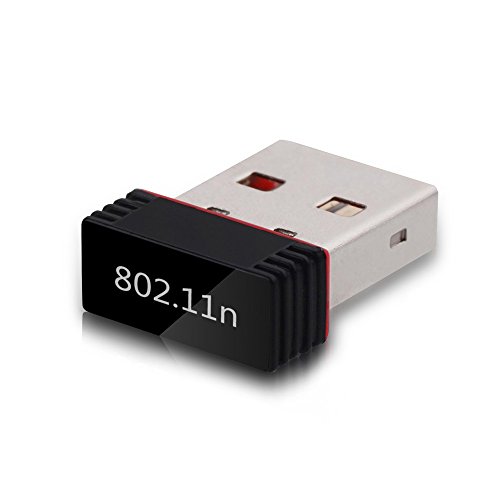
The Superwang adapter uses the MT7601 chipset to provide 2.4 GHz wireless connectivity at up to 150 Mbps. Its compact form factor suits laptops and desktops with limited USB space. It supports Windows, Mac OS, and Linux, with backward compatibility for older devices. The adapter emphasizes real‑time data handling through WMM, which can improve performance for streaming and calls on compatible systems.
D-Link DWA-181 US – AC1300 Dual Band USB WiFi Adapter

The D-Link DWA-181 offers dual‑band AC1300 performance with MU‑MIMO support, enabling faster speeds on both 2.4 GHz and 5 GHz networks. Its nano‑sized design keeps it unobtrusive in a USB port, which is convenient for laptops and compact desktops. The device is aimed at improving range and throughput for gaming, video streaming, and large downloads, particularly in networks that support MU‑MIMO and dual‑band operation.
TP-Link Archer T2U – Dual Band USB WiFi Adapter

The Archer T2U provides dual‑band AC600 wireless speeds for 2.4 GHz and 5 GHz networks in a compact USB stick. It is designed for quick setup and broad compatibility with Mac OS versions listed in its specs. With a mini design and dual‑band capability, it supports smoother HD video, online gaming, and faster file transfers on compatible networks.
Buying Guide
Key considerations help select the right Mac wifi tool:
- Compatibility: Verify macOS support and driver availability for your version. Some adapters may require drivers or have limited support on newer macOS releases.
- WiFi standard and speed: Dual‑band AC or N adapters offer better performance and flexibility, especially on networks with 5 GHz usage.
- Chipset and range: Chipsets from widely supported families (Realtek, Broadcom, MediaTek) influence range, stability, and driver availability for Mac.
- Form factor: Nano or mini USB dongles stay unobtrusive on laptops; some models have robust antennas for longer reach.
- Security: Ensure support for modern security protocols (WPA2/WPA3) and encryption methods to protect connections.
- Ease of use: Plug‑and‑play on Mac is ideal, but some devices may need additional software installation or manual setup.
- Future proofing: If you anticipate upgrading to faster networks, prefer dual‑band or AC/AX capable devices for longer compatibility.
When choosing, align the device’s specs with your typical activities—browsing and streaming benefit from stronger range and stable connections, while gaming or large file transfers may demand higher speeds and MU‑MIMO support. For Mac users, verify current compatibility notes and user reviews to anticipate driver updates and any macOS quirks. If you rely on a consistent wireless connection across multiple rooms, consider a device with a strong antenna design or a dual‑band adapter that can access 5 GHz networks.