Choosing a reliable Wi-Fi printer with scanner functionality can streamline home and small office workflows. This guide highlights five versatile all-in-one models that balance print quality, ease of use, and network compatibility. Each option supports wireless printing and scanning, helping you print from laptops, smartphones, and tablets without cables. The following selections reflect strong value, solid performance, and user-friendly features suitable for varied tasks from document-heavy work to photo printing.
| Product | Brand | Type | Key Wireless Features |
|---|---|---|---|
| Canon PIXMA TS6520 | Canon | All-in-One Inkjet | Wi-Fi, Bluetooth, mobile printing |
| Canon PIXMA TS4320 | Canon | All-in-One Inkjet | Wi-Fi, mobile setup, duplex printing |
| HP DeskJet 4255e | HP | All-in-One Inkjet | Wi-Fi, 2.4 GHz connectivity, AI-assisted prints |
| HP LaserJet Pro MFP 3101fdw | HP | All-in-One Laser | Wi-Fi, duplex, fax, fast laser printing |
| Brother MFC-L5915DW | Brother | All-in-One Laser | Dual-band Wi-Fi, auto 2-sided printing, high-speed |
Canon PIXMA TS6520 Wireless Color Inkjet Printer

The Canon PIXMA TS6520 combines color inkjet versatility with reliable wireless connectivity. It is designed as a home-friendly all-in-one with a 1.42” OLED display and an intuitive control panel, making setup and daily tasks straightforward. The 2-cartridge hybrid ink system delivers sharp text and vivid images, supporting both document-heavy tasks and photo printing. Its compact footprint fits on desks or small workspaces, while wireless printing from smartphones or tablets keeps your workflow flexible. If you need a budget-friendly all-in-one with robust scanning and copying capabilities for light to moderate use, this model offers strong value.
Canon PIXMA TS4320 Wireless Color Inkjet Printer
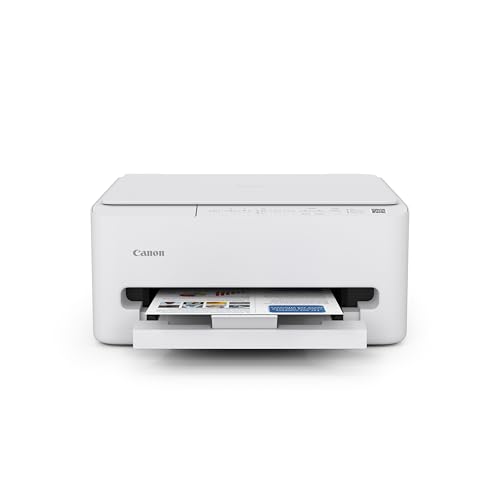
The Canon PIXMA TS4320 focuses on cost efficiency and home convenience, delivering duplex printing and reliable color output in a compact design. With easy setup for smartphones and computers, it supports quick printing, scanning, and copying without hassle. The two-cartridge hybrid ink system helps balance sharp text with bright color for photos, making it well-suited for hybrid households that print documents and occasional photos. This model emphasizes affordable versatility, ideal for users who want a simple, dependable machine without extra frills.
HP DeskJet 4255e Wireless All-in-One Color Inkjet Printer
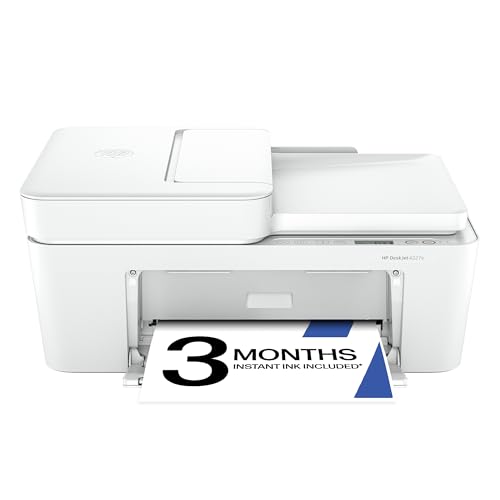
The DeskJet 4255e is designed for home users who want reliable everyday printing with smart features. It supports color printing, scanning, and copying, with an auto document feeder and a 60-sheet input tray for small job stacks. It’s ideal for to-do lists, recipes, and letters, and HP AI helps clean up web content before printing to reduce wasted pages. With best-for-home use in mind, this model balances affordability with practical efficiency and straightforward wireless setup across devices.
HP LaserJet Pro MFP 3101fdw Wireless Black & White All-in-One

This HP LaserJet Pro MFP 3101fdw targets small offices with fast monochrome printing and integrated scanning, copying, and fax capabilities. It features auto duplex printing and an auto document feeder for efficient batch processing. With speeds up to 35 ppm in black-and-white and intelligent Wi-Fi connectivity, it stays reliably online for shared workgroups. The model emphasizes professional document production, strong security, and seamless network integration for teams that require consistent monochrome output.
Brother MFC-L5915DW All-in-One Printer

The Brother MFC-L5915DW is a high-speed monochrome laser all-in-one designed for busy workgroups. It delivers up to 50 pages per minute and includes a large auto document feeder for efficient scanning and copying. Its dual-band Wi-Fi and wireless networking simplify deployment in office environments, while high-capacity toner reduces downtime and maintenance. This model focuses on dependable, high-volume performance with cost-conscious operation for small teams handling frequent printing and scanning tasks.
Buying Guide: Key Considerations for Wi-Fi Printers With Scanners
- Print technology and cost-per-page: Inkjet models excel at color and photo work, while laser printers often offer lower long-term costs for text-heavy documents. Evaluate ink versus toner costs and page yields for your typical workload.
- Connectivity and setup: Look for dual-band Wi-Fi and easy mobile setup. Features like Ethernet, Bluetooth, and cloud printing can improve flexibility in mixed-device environments.
- Print speed and duplexing: If you frequently print multi-page documents, prioritize faster pages-per-minute (ppm) and automatic duplex printing to save time and paper.
- Scanner capabilities: Check scanning resolution, color accuracy, and whether the device supports automatic document feeder (ADF) for multi-page scans or copies.
- All-in-one features: Ensure the device handles copying, scanning, and fax (if needed). Some models include auto duplex for scans and copies, which enhances productivity.
- Size and footprint: Consider desk space and cabinet storage. Some compact models fit small home offices, while higher-capacity units suit shared spaces.
- Display and usability: An intuitive control panel and clear display reduce setup time. Touchscreens and status indicators help with ease of use.
- Warranty and support: Check warranty length and service options, especially for office environments where reliability matters.
- Software ecosystem: Evaluate compatibility with your devices and operating systems, plus apps for mobile printing and scanning to cloud services.
- Energy efficiency: Power usage and sleep modes can impact ongoing operating costs, particularly for printers left idle between tasks.