For users seeking effortless multi-monitor setups, USB-to-VGA adapters offer a practical solution to extend or mirror displays without upgrading internal graphics. This guide reviews five reliable options, highlighting compatibility, resolution support, and ease of use. Each product enables easy connection of USB-enabled laptops or desktops to VGA displays such as monitors, projectors, and HDTVs. Read on to compare features and determine which adapter best fits your desk, classroom, or conference room needs.
| Product | Brand | Max Resolution | Key Benefit |
|---|---|---|---|
| Groodo USB to VGA Adapter | Groodo | 1080p | Compact external option with DisplayLink chipset |
| Mindorlen USB to VGA Adapter | Mindorlen | 1920×1080 | Fast USB 3.0 transmission for clear HD output |
| sellertree USB to VGA Adapter | sellertree | 1920×1080 | Versatile USB 3.0 with broad compatibility |
| Plugable USB 2.0 to VGA | Plugable | 1920×1200 | Multiple display expandability with DisplayLink |
| StarTech.com USB 3.0 to VGA Adapter | StarTech.com | 1920×1200 | Windows-focused external VGA solution |
Groodo USB To VGA Adapter

The Groodo USB 3.0 to VGA adapter provides a straightforward path to add a second screen by connecting a USB-enabled computer to a VGA display such as a monitor or projector. It uses a DisplayLink chipset to convert USB digital signals into VGA analog signals, enabling mirror or extended desktop modes. The external device design keeps costs down by avoiding internal graphics card upgrades, and the compact form helps with portability for travel or classrooms. Targeted use includes conference rooms, education settings, and home theater setups where sharing content to a larger screen is desired.
Key features include a sturdy USB 3.0 interface, corrosion-resistant connectors, and a durable molded cable with strain relief to withstand frequent setup changes. The adapter supports both extend and mirror modes, making it suitable for presentations or collaborative work that requires multiple displays. While ideal for Windows environments, users should verify USB port compatibility (USB 3.0 preferred) for maximum resolution stability. Setup is typically driver-assisted through DisplayLink software, with plug-and-play ease once drivers install.
Mindorlen USB To VGA Adapter
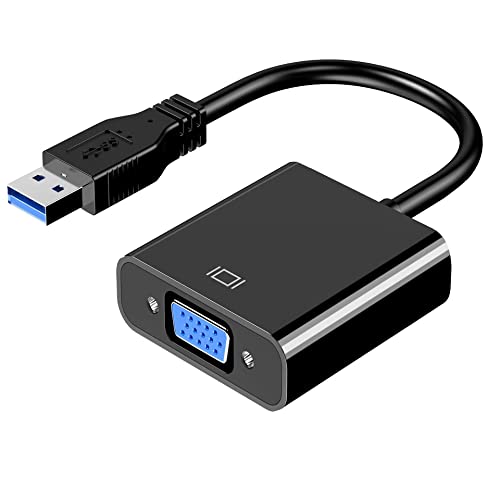
The Mindorlen USB-to-VGA adapter targets multi-display setups for laptops and desktops, delivering a practical 1080p HD output to VGA displays such as monitors, projectors, or TVs. It emphasizes a reliable connection using USB 3.0 for fast data transfer, with backward compatibility to USB 2.0, ensuring broad device compatibility. The product is designed to extend or mirror a working area, enabling split-screen productivity or classroom demonstrations. Proper operation depends on ensuring the USB port supports USB 3.0 to maintain full HD performance.
With a focus on high-resolution output, Mindorlen positions this adapter as a convenient external graphics solution without expanding internal graphics hardware. The setup process is generally straightforward on Windows systems and aligns with typical DisplayLink-based adapters. For Mac users, check driver support and possible additional steps, as some models require manual driver installation. The device offers a practical balance between performance and portability for both office and education environments.
sellertree USB To VGA Adapter

The sellertree USB-to-VGA adapter focuses on versatile compatibility for connecting USB-enabled devices to VGA displays, including monitors, projectors, and TVs. It supports dual-use scenarios such as extended desktops or mirrored displays, making it useful in classrooms, offices, and home theaters. The adapter delivers high-definition output up to 1920×1080, provided the host device supports USB 3.0, ensuring smooth performance for video playback and presentations.
With USB 3.0 as the primary interface and compatibility with USB 2.0 ports, the adapter offers broad accessibility across a range of devices. The design is compact for portability, and the Plug-and-Play setup is common with many DisplayLink-based solutions. For users deploying multiple displays, ensure sufficient USB bandwidth and consider whether you need extended desktop capabilities or simple mirroring for simple projection needs.
Plugable USB 2.0 To VGA External Card

The Plugable USB 2.0 to VGA adapter is a multi-monitor solution designed to expand screen real estate by adding up to several displays via USB 2.0. It functions as an external graphics adapter using a DisplayLink-based approach, allowing additional 1920×1080 displays on compatible Windows or Mac systems. Although it uses USB 2.0, it still provides substantial benefits for productivity, especially when a system lacks built-in multiple-port outputs or needs easier content sharing in meetings.
This adapter emphasizes portability and ease of use, with minimal setup time and no external power adapter required. While it supports up to 1920×1200 on many configurations, actual performance depends on the computer’s processing power, USB bandwidth, and graphics driver compatibility. It’s particularly suitable for office tasks, light video playback, and educational demonstrations where portability and compatibility trump high-refresh-rate gaming or intensive graphics workloads.
j5create USB To VGA Adapter Cable
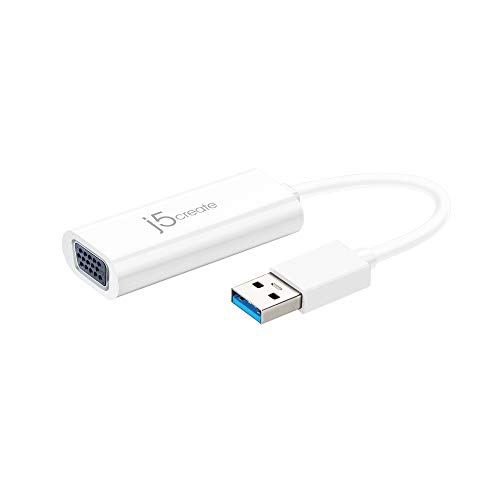
The j5create USB-to-VGA adapter is a compact cable-based solution aimed at quick multi-monitor expansion. It supports 1080p playback and functions as an external graphics option that requires no internal graphics card changes. It’s designed for Windows environments with automatic driver installation, though Mac users may need manual steps during setup. The device is ideal for on-the-road presentations, classroom demonstrations, or adding a secondary display to a laptop for research or coding tasks where a larger work area is beneficial.
This adapter emphasizes portability and straightforward use, with a short 3-inch form factor that slides easily into bags. Users should notice the importance of driver availability and potential driver authorization steps on macOS. It’s a practical pick for quick screen-sharing needs, whether in a coffee shop, library, or small meeting room, where a simple extended or mirrored display is sufficient.
StarTech.com USB 3.0 To VGA Adapter
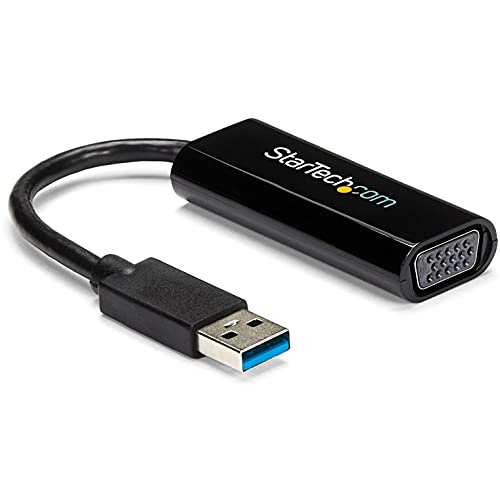
The StarTech.com USB 3.0 to VGA adapter offers a Windows-centric external graphics solution with support up to 1920×1200 resolution. It’s designed for use with a single USB 3.0 port to connect a laptop or desktop to a VGA monitor, providing a straightforward path to add a second display. The adapter emphasizes compatibility across Windows X86/X64/ARM devices, but does not support macOS, ChromeOS, or Linux. It is a compact, TAA-compliant option suitable for professional settings where Windows-based environments are predominant.
Drivers are required for setup, and administrator rights are typically needed during installation. The solution is well-suited for office productivity, where extending a workspace helps with multitasking, coding, or content review. For users needing cross-platform support or macOS compatibility, consider alternative adapters or a different operating system approach. The device’s simple USB-to-VGA conversion makes it a reliable option for many Windows-centric workspaces.
StarTech.com USB 2.0 To VGA Adapter

The StarTech.com USB 2.0 to VGA adapter offers Windows-focused external display expansion with a maximum resolution of 1920×1200. It targets users who need an affordable, straightforward solution to add a VGA monitor to a computer lacking multiple video outputs. Like other USB-to-VGA adapters, it relies on a DisplayLink driver model, requiring setup and driver permissions on Windows machines. This option is practical for classrooms and offices where quick screen-sharing or dual-display setups are needed without upgrading hardware.
Because it uses USB 2.0, performance may vary depending on the host system’s bandwidth and workload. It remains a viable choice for basic productivity tasks, presentations, and light multimedia viewing. For users seeking higher refresh rates or gaming-grade performance, a USB 3.0 or DisplayLink-equipped adapter may be preferred. The device supports simple plug-and-play operation with appropriate drivers and connectivity.
TIMEJONS USB 3.0 To HDMI And VGA Adapter

The TIMEJONS USB 3.0 to HDMI+VGA adapter offers a dual-output approach, enabling two displays from a single USB-A port when connected to monitors or projectors. It supports high-definition output up to 4K via HDMI and 1080p via VGA, with a focus on boosting productivity by expanding desktop space. It’s designed to be hot-pluggable and works with both USB 3.0 and USB 2.0 ports, though higher resolutions and smoother performance are achieved on USB 3.0-enabled systems.
The product is suitable for users who want a flexible setup that can drive two different display types (HDMI and VGA) from one device. It’s particularly useful for workstations requiring a large canvas for dashboards, data analysis, or design reviews. Users should consider drivers and compatibility with their operating systems, as well as the availability of driver updates for sustained performance.
Buying Guide: Key Considerations For USB To VGA Adapters
Purpose and use case: Define whether you need mirror display for presentations or an extended desktop for productivity. Mirroring is suitable for sharing content with audiences, while extended desktops allow more room for multitasking and window management.
Resolution and video quality: Check the maximum supported resolution (e.g., 1080p or 1920×1200) and whether the adapter handles HD video playback without lag. Higher resolutions demand USB 3.0 or better host system performance.
Port compatibility: Ensure your computer has the appropriate USB port (USB 2.0 vs USB 3.x) and that the adapter supports your operating system (Windows, macOS, ChromeOS, Linux). Some adapters exclude macOS or ChromeOS support.
Driver requirements: Many adapters rely on DisplayLink or similar drivers. Consider whether you’re comfortable installing drivers and whether your IT environment allows driver installation on all devices involved.
Portability and power: External, bus-powered adapters are convenient for travel, classrooms, and meetings. If a device requires extra power, confirm whether an external power adapter is included or required.
Number of displays: If you plan to run multiple secondary displays, verify how many adapters you can run concurrently and whether the system bandwidth and USB controller can sustain multiple high-resolution outputs.
Compatibility with peripherals: Some adapters may support audio passthrough, while others focus solely on video. If audio output matters, check for audio support in the adapter specs and the connected hardware.
Budget and reliability: Compare build quality, cable length, and manufacturer support. Durable construction and a reputable brand can reduce setup headaches and failures over time.