Finding a reliable USB to DC power cord with the right tip sizes can simplify charging a wide range of 5V devices. This guide reviews five versatile options featuring multiple connector tips, safe current limits, and durable construction. Each product is evaluated for compatibility with common 5V gadgets like routers, cameras, speakers, and LED lights, making it easier to pick the right cable for your setup.
| Product | Brand | Key Tip Sizes | Length |
|---|---|---|---|
| LIANSUM USB to DC 5V Power Cord | LIANSUM | 5.5×2.1mm plus 10 tips | 5 ft |
| Powseed 5V Universal DC Power Cable | Powseed | 13 adapters including 5.5×2.1mm | 5 ft |
| Yeworth USB to DC Power Cord | Yeworth | 5.5×2.1mm | 0.25 m |
| TENINYU USB 2.0 to DC Cable | TENINYU | 5.5×2.1mm plus 2.1mm inner | 3 ft |
| RUITEXUN USB to DC 5.5mm Cable | RUITEXUN | 5.5×2.1mm | 1 m |
LIANSUM USB To DC 5V Power Cord With 10 Connectors
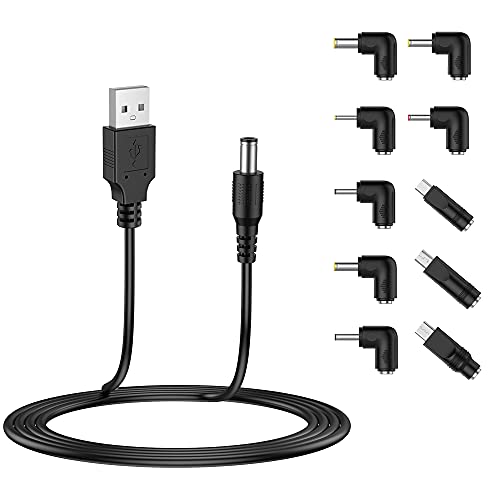
The LIANSUM USB to DC 5V Power Cord provides a USB-A to DC 5.5×2.1mm output with ten connector tips, enabling one cable to power a variety of 5V devices. The kit includes adapters for common barrel sizes, including 5.5×2.5mm and 4.8×1.7mm, ensuring compatibility with routers, cameras, mini fans, and small appliances. Maximum current supports up to 3A, but it should not be used to charge laptops due to power requirements. Length is five feet, offering flexibility for desktop or shelf setups.
What you get: 1 USB 5V cable and 10 connectors, including Micro USB, Type-C, Mini USB, and multiple barrel sizes. This makes it a practical all-in-one solution for travelers or home offices with mixed devices. Safety notes emphasize proper voltage and current alignment to prevent overloading devices.
Powseed 5V Universal DC Power Cable With 13 Adapters

Powseed’s 5V USB to DC power cable comes with thirteen adapter plugs, including 5.5×2.1mm and 5.5×3.0mm sizes, plus smaller options. It is designed for 5V devices with a maximum current of 3A and has a lengthy five-foot cable for convenient reach. The kit emphasizes compatibility across webcams, routers, Bluetooth speakers, 3D printers, and various USB-powered gadgets. It explicitly notes that laptops should not be charged with this cable, helping prevent misuse and device damage.
The cable’s multiconnector approach eliminates the need for multiple dedicated adapters. Users should verify device voltage and current requirements before use to ensure safe operation. The long length supports setups where outlets are distant from devices, such as desk setups or entertainment centers.
Yeworth USB To DC Power Cord, 2 Pack
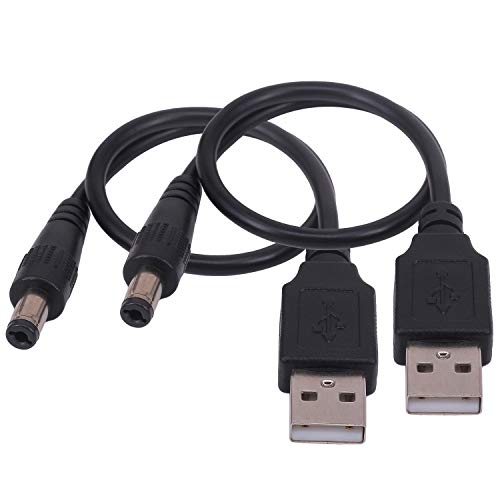
Yeworth offers a compact 0.25 meter USB to DC power pair featuring a Type-A USB 2.0 to a 5.5×2.1mm barrel connector. This setup is ideal for powering smaller devices directly from a computer USB port or a portable battery pack. It is intended for 5V devices and notes the importance of confirming the device’s voltage and connector size before powering, to avoid incompatible connections. The dual-pack format provides options for spare or shared use.
TENINYU USB To DC Cable With 2.1mm Inner Plug

TENINYU delivers a rugged 3-foot USB 2.0 A male to 5.5×2.1mm DC power cord designed to power 5V devices. It supports currents from 1A up to 2.5A, making it suitable for tablets, speakers, and small electronics that require a steady 5V supply. The product notes emphasize its intended use for devices with a 5V barrel jack and highlight the importance of matching the plug size. A compact option for desktop or travel use, often paired with USB power banks.
RUITEXUN USB To DC 5.5mm Cable
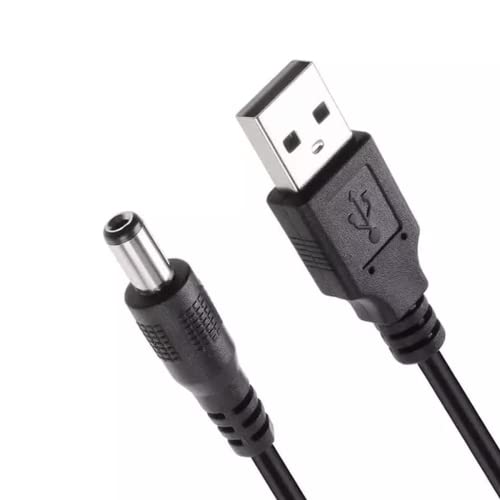
RUITEXUN provides a USB 2.0 A to DC 5.5×2.1mm power cord with a 1-meter length. The kit is positioned as a practical mobile charging solution, reducing the need to carry a wall adapter for 5V devices. It emphasizes simplicity and a straightforward USB-to-DC connection, which suits portable devices like cameras, routers, or small hobby electronics. The product highlights include a standard barrel size and a 5V output suitable for many USB-powered gadgets.
Buying Guide
When selecting a USB to DC power plug cable, consider these factors to ensure safe and effective use:
- Voltage and current: Verify that your device operates at 5V and does not require more than the cable’s maximum current (commonly 2–3A). Using a cable with insufficient current can cause slow charging or device instability, while exceeding current may be unsafe.
- Connector compatibility: Review the plug sizes included or offered. Common sizes are 5.5×2.1mm and 5.5×2.5mm, plus smaller 4.0–4.8mm variants. Ensure the cable includes the correct tip for your device.
- Cable length: Longer cables increase reach but may introduce voltage drop over distance. Choose a length that fits your space without forcing excess current draw.
- Device safety: Some devices, especially laptops, require higher power or dedicated adapters. Most 5V cables are not suitable for laptops; use them only with compatible peripherals.
- Build quality: Look for durable connectors, a robust USB-A end, and protective features like strain relief. This reduces wear from frequent plugging and unplugging.
- Tip variety vs. simplicity: If you own many devices, a cable with multiple tips offers convenience. For fewer devices, a single-size option may be more straightforward.
- Compatibility notes: Some cables specify not to use with certain devices or power sources. Always confirm voltage and connector dimensions before purchasing.
- Protection features: Some models include protection against short circuits or power surges. This can extend device life and reduce risk.
In choosing among these options, consider your typical devices, office or travel setup, and whether you prefer a compact kit with numerous tips or a simpler, shorter cable for occasional use. Always cross-check your device’s voltage and connector size to avoid mismatches and ensure safe operation.