Choosing a dependable USB backup drive helps safeguard photos, documents, and multimedia across computers, consoles, and devices. This guide highlights five solid options that balance capacity, speed, and portability. Each profile includes key features to help you compare performance and use cases, from rugged portable HDDs to compact flash drives.
| Product | Brand | Capacity | Type |
|---|---|---|---|
| Seagate Portable 2TB External HDD | Seagate | 2TB | Portable HDD, USB 3.0 |
| Seagate Portable 5TB External HDD | Seagate | 5TB | Portable HDD, USB 3.0 |
| Amazon Basics 256GB USB 3.1 Flash Drive | Amazon Basics | 256GB | USB Flash Drive |
| WD 2TB My Passport Portable HDD | WD | 2TB | Portable HDD, USB 3.0/3.1 |
| WD 2TB Elements Portable HDD | WD | 2TB | Portable HDD, USB 3.0/3.2 |
Note: All items are suitable for Windows and Mac with simple plug-and-play setup in many cases. Some drives may require reformatting for Mac use or third-party software for advanced security features. Always verify compatibility with your devices before purchase.
Seagate Portable 2TB External HDD

The Seagate Portable 2TB drive provides a straightforward solution for on-the-go backups. It connects via USB 3.0 for broad compatibility with PC and Mac systems, plus gaming consoles. The drive is designed for automatic recognition once connected, enabling quick drag-and-drop backups without extra software. Its 2TB capacity is suitable for large media libraries and project files, making it a strong choice for students, professionals, and gamers who need reliable portable storage.
Seagate Portable 5TB External HDD

With 5TB of capacity, this Seagate portable drive is built for expanding media libraries, backups, and game libraries. It supports Windows and Mac, and offers easy backup via drag-and-drop. Designed for plug-and-play use, it targets users who need substantial on-the-go storage. The package notes a one-year rescue service, which can provide added peace of mind for important data. This drive is ideal for content creators and households accumulating large amounts of data over time.
Amazon Basics 256GB USB 3.1 Flash Drive
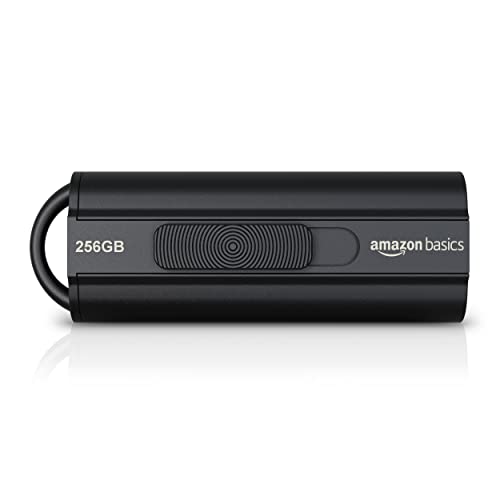
The Amazon Basics 256GB USB 3.1 flash drive emphasizes fast transfer speeds with read speeds up to 130MB/s. Its compact, capless design reduces risk of cap loss and makes it easy to carry key data like documents, media, and small backups. The 256GB capacity supports daily backups and on-the-go data transport, and it’s compatible with USB 3.0 hosts for improved performance compared with older USB standards. This drive suits students and professionals who value portability and quick file transfers.
WD 2TB My Passport Portable HDD
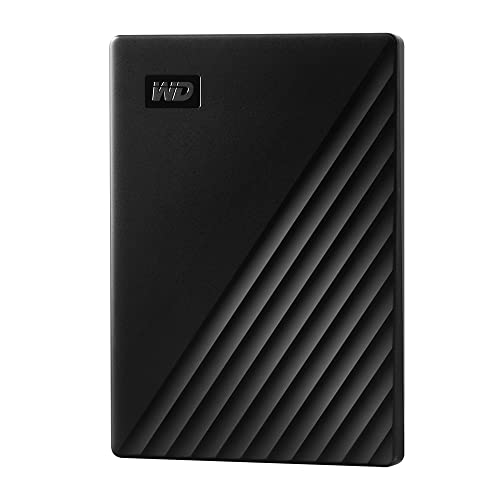
WD’s My Passport offers 2TB of portable storage with ransomware defense and password protection features, adding a layer of security for sensitive files. It uses USB 3.1/3.0 compatibility for broad device support and flexible backup options. The drive maintains a slim, durable form factor suitable for travel and daily carry. It’s well-suited for users who want integrated security alongside reliable capacity for personal backups and media collections.
WD 2TB Elements Portable HDD

The WD Elements Portable HDD balances capacity and affordability in a compact enclosure. It offers up to 6TB in some configurations and emphasizes plug-and-play usability for Windows and Mac users. The drive is designed for users who need a lightweight solution to expand storage without fuss, suitable for travel, home backups, and media libraries. Its broad compatibility and straightforward setup make it a reliable everyday backup companion.
Seagate Portable 1TB External HDD
Note: This 1TB Seagate drive is included as an additional reference alongside other Seagate options. It follows the same plug-and-play approach and supports Windows and Mac with simple drag-and-drop backups. For users seeking a smaller-capacity option, it provides a compact, portable solution for daily backups and small libraries. Availability and configurations may vary by retailer.
Buying Guide: Key Purchase Considerations For USB Backup Drives
- Capacity and growth: Choose a drive with enough space for current backups with room to grow. If you store large media collections, consider 2TB or more, or multiple drives for different content types.
- Drive type: HDDs (spinning disk) offer higher capacity at lower cost; SSDs provide faster transfers and better durability but cost more per gigabyte. For portable backups, a rugged or metal-encased drive can provide extra protection.
- Interface and speed: USB 3.0/3.1/3.2 compatibility ensures broad device support. Transfer speeds affect backup times; higher speeds are beneficial for large files or frequent backups.
- Compatibility: Look for drives formatted for Windows or Mac and note if reformatting is required for your operating system. Some drives include bundled backup software; others are “no software” drag-and-drop.
- Security features: Password protection and hardware encryption add security for sensitive data. Some WD drives include ransomware protection and device management software.
- Portability and build quality: For frequent travel, prioritize compact, lightweight drives with durable housings. A smaller footprint helps with on-the-go backups and quick access.
- Reliability and warranty: Reputable brands with good warranty coverage reduce risk for important data. Consider drives that include data recovery or rescue services when available.
- Future-proofing: If you anticipate expanding backups, plan for higher capacities (4TB+ or 5TB+) and consider two drives to implement a rotation backup strategy.
- Media and file type considerations: Large video files, RAW photo libraries, and project files benefit from larger capacities and faster speeds to minimize backup windows.
- Data management workflow: Decide whether you want automatic backups, scheduled backups, or manual drag-and-drop workflows, and confirm compatibility with your devices and operating system.
When selecting a USB backup drive, weigh capacity, speed, price per gigabyte, and convenience. For multimedia and game libraries, larger HDDs offer affordable storage with straightforward backups. For fast, frequent backups or portable editing, consider SSD-based options or high-end USB flash drives. A balanced approach often involves keeping essential backups on a portable drive while maintaining a cloud or networked backup for redundancy.