Preserve irreplaceable memories by converting cherished cassette tapes into digital files. This guide highlights top USB audio cassette tape converters that work with both Windows PCs and Macs, making it easy to transform analog tunes into accessible MP3s. Below you’ll find five reliable options, each with a quick snapshot of key features to help you pick the right device for your needs.
Summary of chosen products:
| Product | Brand | Primary Benefit |
|---|---|---|
| Reshow Cassette Tape Player | Reshow | USB-connected, portable, plug-and-play digital conversion |
| USB Audio Capture Card Grabber | DIGITNOW | PC/Mac compatibility, supports MP3/WAV with Audacity |
| ClearClick Cassette Tape to USB 2.0 | ClearClick | No computer required, automatic track splitting |
| SEMIER Small Cassette Tape Player | SEMIER | Two-way converter, SD card option included |
| DigitNow Cassette Tape To MP3 CD Converter | DIGITNOW | USB-based conversion to MP3, portable |
Reshow Cassette Tape Player — Portable USB Converter

The Reshow device acts as a cassette-to-digital converter via USB, enabling quick transfer of old tapes to MP3 format. It is designed for use with laptops and standard cassette players, providing a lightweight, portable option for converting music to modern formats. The unit supports a 3.5mm AUX input, allowing you to connect earbuds, headphones, or even vehicle audio systems for crisp playback while digitizing.
DIGITNOW USB Audio Capture Card Grabber

This USB audio grabber connects via 3.5mm and stereo RCA inputs to a computer, enabling direct recording into MP3 or WAV formats. It’s a plug-and-play solution that supports Mac and Windows 10/8.1/8/7 stacks, and includes Audacity-compatible software for editing and converting tapes to digital files. No external power supply is required for basic use.
ClearClick Cassette Tape to USB 2.0 (Second Gen)

ClearClick offers a USB-connected cassette converter that transfers tapes directly to a USB flash drive in high-quality MP3 format, without the need for a computer or software. The included 8 GB USB drive provides immediate storage, and the device includes an automatic track-splitting feature to segment recordings into individual files. This model is notable for its instant setup and standalone capability.
SEMIER Small Cassette Tape Player

SEMIER combines playback and conversion in a compact unit with two-way functionality. It supports SD card storage for recordings and includes a 16GB SD card in the package. The device features a built-in microphone, speaker, and a 3.5mm headphone jack, making it versatile for on-the-go digitization and playback. It is suitable for Type I tapes and offers simple navigation via an LCD display.
DigitNow Cassette Tape To MP3 CD Converter
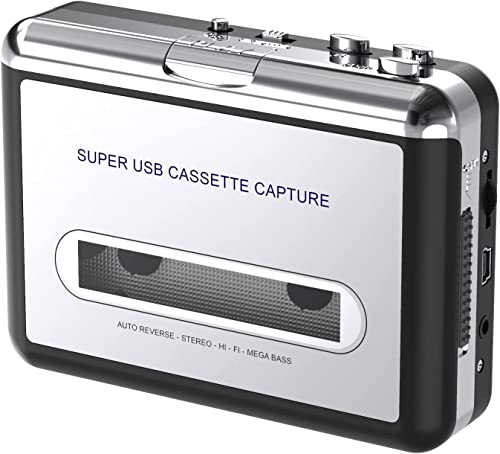
DigitNow’s USB-based model converts cassette tapes into MP3 format suitable for iPod and other players. It emphasizes easy USB connection to a PC or Mac and notes compatibility with standard USB-enabled devices. The included Audacity software option supports simple editing, and the device supports straightforward transfer to digital formats without the need for an internal drive or specialized software beyond Audacity.
Buying Guide: Key Purchase Considerations For USB Audio Cassette Tape Converters
- Conversion method: Determine whether you prefer a USB-only device, a capture card that requires computer software, or a standalone unit with built-in storage. USB-only options are often simplest, while standalone units can be faster for large archives.
- Compatibility: Check USB compatibility with Windows and/or macOS, and confirm support for common software like Audacity if you plan to edit or customize recordings.
- Input options: Look for 3.5mm AUX input, RCA options, or built-in microphone for direct recording. More inputs offer flexibility for mixing from multiple sources.
- Storage and file formats: MP3 is standard, but some devices offer WAV or direct USB drive output. Consider your preferred audio quality and ease of sharing.
- Ease of use: Standalone units with automatic track splitting save time; simple button layouts and clear displays help when digitizing a large tape collection.
- Portability: If you plan to digitize tapes away from a computer, compact devices with rechargeable power or USB-powered operation are advantageous.
- Software and updates: Packages including Audacity or online updates can streamline editing and ensure compatibility with newer operating systems.
The choice depends on how you plan to digitize your tapes: convenience vs. flexibility, standalone performance vs. computer-based editing, and the level of portability you require. A combination of inputs and storage options typically yields the best long-term value for preserving a tape library.