USB 3.0 AC WiFi adapters offer an affordable upgrade path for desktops lacking reliable wireless. This guide highlights five strong options that maximize speed, stability, and compatibility for American readers. Each product supports dual-band networks, MU-MIMO where available, and easy plug-and-play setup. Use this overview to compare key features and find the best fit for streaming, gaming, and fast file transfers.
| Product | Brand | Key Feature | WiFi Speed | OS Support |
|---|---|---|---|---|
| Archer T3U Plus | TP-Link | MU-MIMO, high gain antenna | AC1300 (867 + 400 Mbps) | Windows, Mac |
| Archer TX30U Plus | TP-Link | WiFi 6, dual-band, beamforming | AX1800 | Windows |
| Archer T3U | TP-Link | Compact USB 3.0 dual-band | AC1300 | Windows, Mac |
| Nilone USB 3.0 Adapter | Nilone | Dual-band with 1300 Mbps | 1300 Mbps total | Windows, Mac |
| Cudy WU1300S | Cudy | Compact, dual-band, Soft-AP mode | 867 + 400 Mbps | Windows, Mac |
Note: All products listed are USB 3.0 adapters designed to upgrade desktops or laptops to fast 802.11ac/ax wireless networks. Each item supports 2.4 GHz and 5 GHz bands, with varying emphasis on speed, range, and ease of use. Features may include MU-MIMO, beamforming, high-gain antennas, and driver-free setup on compatible systems.
TP-Link Archer T3U Plus — AC1300 Dual-Band
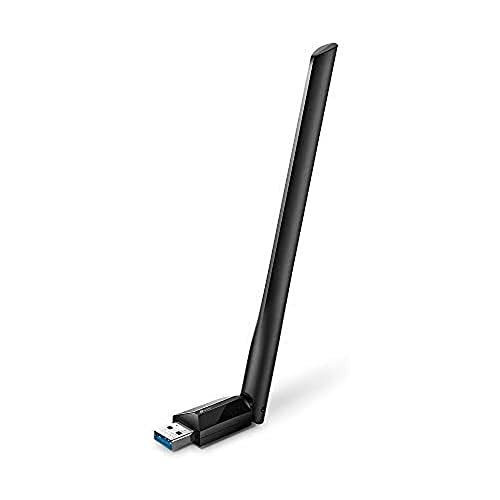
The Archer T3U Plus delivers dual-band wireless with MU-MIMO technology to improve throughput across multiple devices. It supports up to 867 Mbps on 5 GHz and 400 Mbps on 2.4 GHz. The device uses USB 3.0 for faster data transfer and offers compatibility with Windows and Mac OS versions. The high-gain antenna design helps extend wireless coverage, making it suitable for rooms with weak signal reception or interference from neighboring networks.
TP-Link Archer TX30U Plus — AX1800 USB 3.0 WiFi 6

The Archer TX30U Plus brings WiFi 6 performance to a USB adapter form factor. It switches intelligently between 5 GHz for demanding tasks like gaming and 2.4 GHz for everyday browsing, delivering faster speeds and lower latency in congested environments. With two high-gain antennas and beamforming, it achieves improved coverage and stability. It supports Windows 11/10 and is designed for quick, plug-and-play setup with modern networks.
TP-Link Archer T3U — 2.4G/5G Dual Band USB 3.0

The Archer T3U offers a compact USB 3.0 dual-band solution with MU-MIMO for improved network efficiency. It provides reliable connectivity across 2.4 GHz and 5 GHz bands, supporting a wide range of Windows and Mac OS versions. Its USB 3.0 interface is designed to deliver higher throughput than USB 2.0 adapters, making it a practical upgrade for desktops without built-in wireless.
Nilone USB 3.0 WiFi Adapter — 1300 Mbps Dual-Band

The Nilone adapter combines dual-band 1300 Mbps capability with two 5dBi antennas for improved reception and coverage. It uses USB 3.0 to maximize data transfer rates and supports Windows and Mac systems. The device is designed for stable, long-range connections and is suitable for streaming, gaming, and large file transfers on desktops or laptops lacking built-in WiFi.
Cudy WU1300S — AC1300 USB 3.0 Adapter

The Cudy WU1300S delivers 867 Mbps on the 5 GHz band and 400 Mbps on the 2.4 GHz band through USB 3.0, offering a balance of speed and reliability. Its compact form factor makes it easy to transport and use with multiple devices. The adapter supports Windows and Mac OS and includes features that help users set up a home or small office wireless network efficiently.
Buying Guide: Key Considerations for USB 3.0 AC WiFi Adapters
- Speed and real-world performance: Look for adapters that advertise robust dual-band performance (5 GHz for high-speed tasks and 2.4 GHz for range). Real-world speeds depend on your router, room layout, and interference from other devices.
- MU-MIMO and beamforming: MU-MIMO increases throughput when multiple devices are present. Beamforming helps concentrate the signal toward your device for better stability.
- USB interface and form factor: USB 3.0 provides higher data transfer rates than USB 2.0. Consider size and orientation if you have limited USB ports or a tight desk setup.
- Antenna design: External high-gain antennas extend coverage and signal quality, especially in larger rooms or through walls.
- Software and drivers: Check OS support and driver availability. Some adapters offer driver-free setup for Windows, while others require installation on macOS or Linux.
- Security and standards: Prioritize adapters that support current security protocols (WPA2/WPA3) and up-to-date networking standards to ensure safe and efficient connections.
- Compatibility with routers: Ensure your router supports dual-band operation and MU-MIMO if the adapter relies on these features for peak performance.
- Versatility: If you need Soft-AP or hotspot capability, consider adapters that advertise easy-to-use soft access point features for sharing a wired connection wirelessly.
These considerations help compare the five highlighted options by emphasis—whether you want the latest WiFi 6 support, maximum range, or a compact, travel-friendly design. For most desktop setups, any of the listed adapters will deliver a noticeable upgrade over built-in network solutions, with the TP-Link models providing broad compatibility and strong performance, while Nilone and Cudy options offer a compact balance of speed and portability.