If you need to expand your screen real estate without upgrading your computer or graphics card, a USB 2.0/3.0 to VGA adapter can be a practical solution. These adapters enable external monitors, projectors, or TVs to work with laptops and desktops via USB, delivering smooth HD output and flexible display options. Below you’ll find five reliable options that balance compatibility, resolution, and portability for everyday work, presentations, and home theater use.
Summary Table of Selected Products
- Sellertree USB to VGA Adapter — USB 3.0/2.0, up to 1920×1080, versatile dual-display potential.
- Mindorlen USB to VGA Adapter — USB 3.0, up to 1920×1080, broad compatibility for multi-monitor setups.
- Groodo USB to VGA Adapter — DisplayLink chipset, full HD 1080p, portable and extendable.
- StarTech USB 2.0 to VGA Adapter — Windows-only, up to 1920×1200, high compatibility with Windows systems.
- KUPOISHE USB 3.0 to VGA Adapter — USB 3.0, 1080p, simple two-monitor expansion.
Sellertree USB to VGA Adapter for Monitors and Projectors

The Sellertree adapter provides a straightforward way to connect USB-enabled devices to VGA displays such as monitors, projectors, or TVs. It supports dual-monitor configurations, enabling extended desktops or mirrored displays. With a USB 3.0 interface, it promises faster data transmission and smoother video output, while also being compatible with USB 2.0 ports for broader accessibility. This flexibility makes it suitable for both home offices and conference rooms where multiple display options are needed.
Mindorlen USB to VGA Adapter for Multi-Display Workspaces
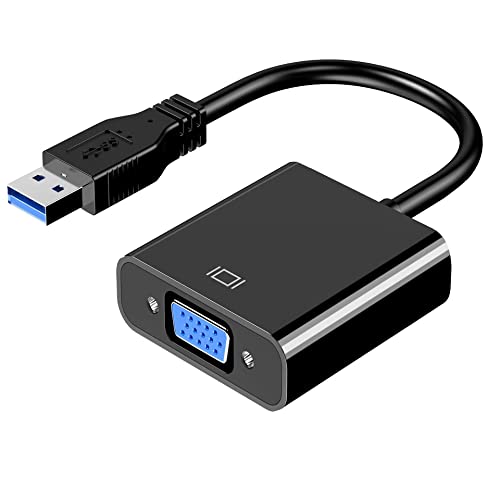
The Mindorlen adapter targets expanding working space with split-screen or mirrored displays. It supports up to 1920 x 1080 resolution when connected to a VGA-enabled monitor or projector, with USB 3.0 ensuring faster transmission. Backward compatibility with USB 2.0 devices helps maintain accessibility across older laptops and desktops, making it a practical choice for classrooms or small offices that require reliable external display options.
Groodo USB to VGA Adapter with DisplayLink Tech

Groodo’s adapter leverages a built-in DisplayLink chipset to convert USB signals into VGA output, enabling external displays for multi-monitor setups. It emphasizes a compact, portable design suitable for travel and classroom use. The product supports both extended and mirrored modes, making it useful for presentations, home theaters, or collaborative work. It’s optimized for Windows environments and designed to be a cost-effective upgrade for existing laptops or desktops without dedicated VGA ports.
StarTech.com USB 2.0 to VGA Adapter for Windows

StarTech’s USB 2.0 to VGA adapter is designed for Windows systems and does not support macOS, ChromeOS, or Linux. It supports a single external VGA monitor and provides 1920×1200 display capability with a USB 2.0 connection and a 19-inch cable length. Suitable for Windows-based workstations, it requires driver installation and offers a straightforward external graphics solution when internal GPU options are limited.
KUPOISHE USB 3.0 to VGA Adapter for Windows

KUPOISHE’s USB 3.0 to VGA adapter enables connecting a PC to a VGA display for extending or mirroring content. It supports high-definition output up to 1920×1080 via USB 3.0 and works with USB 2.0 ports as well. The device is designed for simple plug-and-play use, though some systems may require driver installation or initial setup. It’s a practical option for users who need quick external displays without updating internal hardware.
AKWOR USB 3.0 to HDMI/VGA Dual-Output Adapter

The AKWOR adapter offers a dual-output configuration with both HDMI and VGA ports, enabling two external displays from a single USB 3.0 connection. It supports 1920×1080 at 60Hz on both ports (HDMI and VGA) when using USB 3.0, with USB 2.0 offering lower resolutions. A built-in driver option exists to simplify setup, though users should follow the included guidance for installation. This is useful for multi-monitor workflows where different display types are needed.
Xyembu USB to VGA Adapter for Multi-Display
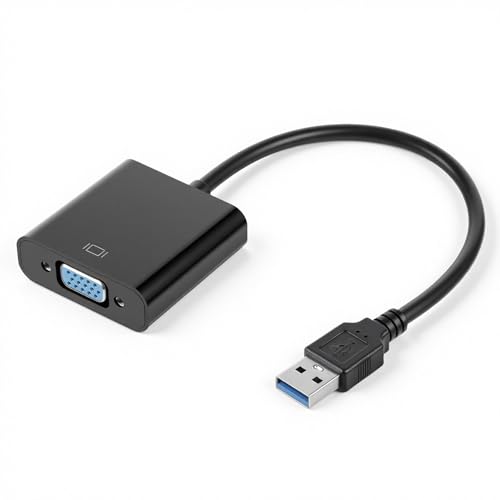
The Xyembu USB to VGA Adapter focuses on multi-display versatility, connecting USB-enabled devices to VGA displays for extended desktops or mirrored output. It supports up to 1920×1080 resolution when paired with USB 3.0, and remains compatible with USB 2.0 for broader device compatibility. This makes it a solid choice for classrooms, small offices, or home setups where reliable external displays are needed without complex configurations.
TIMEJONS USB 3.0 to HDMI+VGA Dual-Output Adapter

TIMEJONS offers a USB 3.0 to HDMI and VGA dual-output adapter, enabling simultaneous or extended display across two external screens. It supports resolutions up to 4K at 30Hz on HDMI and 1080p at 60Hz on VGA, depending on port utilization and system capabilities. The adapter is designed to work with USB 3.0 ports for best performance and is suitable for workstations, home offices, or presentations requiring two external displays from a single USB connection.
Buying Guide: Key Considerations For USB To VGA Adapters
- Port compatibility: Check whether your computer has USB 3.0/3.1 ports to maximize performance. USB 2.0 adapters can still work but typically offer lower resolutions and slower refresh rates.
- Display resolution: Look for adapters rated to support at least 1080p (1920×1080). Some models can reach 1920×1200 or higher when connected via USB 3.0 and to compatible monitors.
- Single vs. dual outputs: If you need two external displays, choose adapters that offer HDMI and/or VGA outputs or dual USB-to-video ports. Consider whether you need extend, mirror, or both modes.
- Driver requirements: Some adapters require driver installation. Portable or “driver-free” options can be more convenient, but may have limitations on certain systems.
- Operating system compatibility: Most USB-to-VGA adapters support Windows; macOS or Linux support varies by model. Verify OS compatibility before purchase.
- DisplayLink vs. native USB solutions: DisplayLink-based adapters provide broad compatibility and features like extended displays, but may require driver updates. Native USB-to-VGA solutions can be simpler but sometimes offer fewer features.
- Use case and mobility: For travel or classrooms, a compact, lightweight adapter is advantageous. For office desks, a durable model with robust driver support may be preferable.
- Power consumption and heat: USB-powered adapters depend on the computer’s USB port. Ensure your device can supply adequate power, especially for high-resolution outputs.
- Cable length and build quality: Longer cables can increase signal delay; check the included cable length and build materials for durability in daily use.
When choosing, align the adapter’s capabilities with your display requirements, computer ecosystem, and whether you need one or two external displays. For Windows-centric environments, several options provide reliable performance with straightforward setup, while macOS and ChromeOS users may face more limitations and driver considerations.