For creators, photographers, and videographers, a reliable USB-C card reader with UHS-II support can dramatically shorten workflow times. This guide highlights top USB-C readers that handle SD and microSD cards at high speeds, with dual-slot designs for simultaneous transfers. Each option supports USB-C connectivity, robust data transfer, and broad compatibility with modern devices. Read on to compare features, speeds, and practical use scenarios to choose the right model for your setup.
| Product | Brand | Key Benefit |
|---|---|---|
| Lexar Pro USB 3.2 Type-C Dual-Slot Reader | Lexar | Fast read speeds up to 312 MB/s; SD/microSD support |
| UGREEN USB C SD 4.0 Card Reader | UGREEN | High-speed 312 MB/s; two-card support |
| Acer SD 4.0 Card Reader | Acer | Dual-slot UHS-II read/write up to 312 MB/s |
| uni USB-C SD 4.0 Card Reader | uni | Plug-and-play; up to 312 MB/s |
| SABRENT USB Type-C Card Reader | SABRENT | Integrated USB-C cable; dual-slot up to 312 MB/s |
Lexar Pro USB 3.2 Type-C Dual-Slot Reader
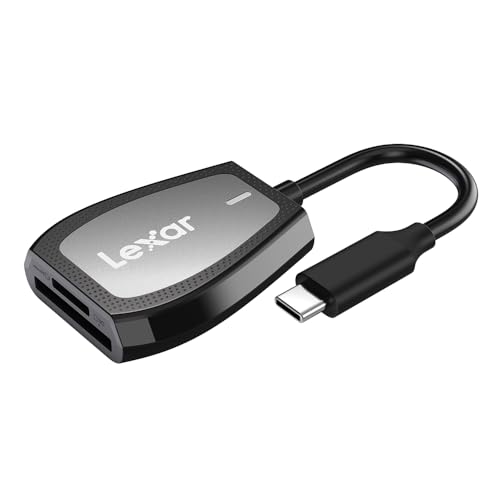
The Lexar LRW470U-RNHNU is a dual-slot USB-C reader designed for SD and microSD UHS-II cards. It delivers sequential read speeds up to 312 MB/s, making it suitable for rapid offloading of 4K video, high-resolution stills, and large project files. It supports USB 3.2 Gen1 Type-C compatibility and includes an LED activity indicator to confirm operation. Dual-slot operation lets users transfer from two cards without swapping hardware, which can streamline post-production workflows.
UGREEN USB C SD 4.0 Card Reader

The UGREEN reader supports SD 4.0 with UHS-II speeds up to 312 MB/s and offers two-card slots (SD and microSD) for simultaneous reads. It emphasizes rapid transfers of 4K video, high-res photos, and vlogs, while enabling copy-and-transfer between the two cards without re-plugging. The device supports a broad range of SD standards and memory card types, making it a versatile option for creators who work with multiple memory formats.
Acer SD 4.0 Card Reader

The Acer SD 4.0 Card Reader uses UHS-II support to reach speeds up to 312 MB/s. It offers dual-card slots for simultaneous transfers and supports a wide range of cards including SD, microSD, SDHC, SDXC, and MMC variants. Its dual-slot design helps simplify workflows by allowing users to transfer data between two cards with minimal interruptions. Note that some limitations may apply with certain card types depending on case fit and device compatibility.
uni USB-C SD 4.0 Card Reader

The uni USB-C SD 4.0 Card Reader focuses on fast access with a UHS-II SD slot capable of up to 312 MB/s. It supports dual-card slots for SD and MicroSD with SD4.0 protocols, enabling flexible workflow management for photographers and videographers. The unit emphasizes plug-and-play usability, minimizing setup time across devices such as laptops, tablets, and smartphones. It is positioned as a compact, travel-friendly option for creators who need speed on the go.
SABRENT USB Type-C Card Reader

The SABRENT CR-CSDM is a USB Type-C dual-slot reader that supports SDXC UHS-II and microSDXC with speeds up to 312 MB/s. It includes an integrated 6-inch USB 3.2 Gen1 Type-C cable for direct connectivity and is designed for compatibility with modern devices. An LED indicator provides quick status feedback during transfers, and the compact build makes it a practical option for on-the-go editing and field work.
ProGrade Digital SD UHS-II Dual-Slot Card Reader
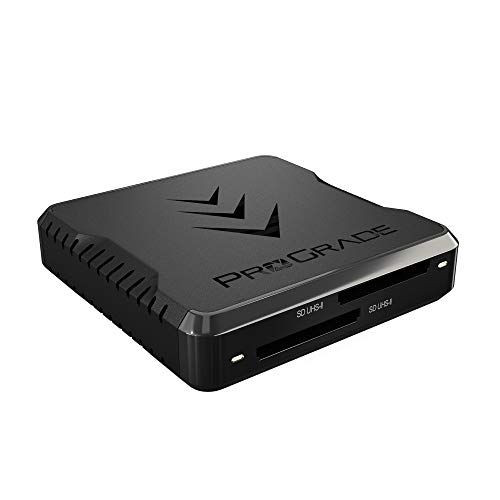
The ProGrade Digital USB 3.2 Gen 2 Dual-Slot reader is engineered for professionals requiring maximum speed. It supports simultaneous transfers from both SD UHS-II cards at speeds up to 1.25 GB/s (10 Gbps total bandwidth). The unit is designed for on-the-road use with an adhesive metal plate to secure it to a laptop, aiding mobile workflows. It is positioned as a high-end option for photographers, videographers, and other content creators who need reliable performance in demanding environments.
UGREEN USB C SD 4.0 Card Reader (Second Option)

UGREEN’s second listing emphasizes 2-in-1 design with USB A or USB C connectivity, two slots supporting SDXC, SDHC, MicroSD, MMC, RS-MMC, and UHS-II/UHS-I cards up to 2TB. Data transfer reaches up to 5 Gbps, with 312 MB/s speeds when paired with UHS-II cards. It targets broad device compatibility—from PCs to mobile devices—facilitating seamless cross-device work for creators who switch between ecosystems.
Buying Guide
Key considerations when choosing an UHS-II card reader with USB-C:
- Speed and bandwidth: Look for UHS-II support and advertised read/write speeds up to or beyond 300 MB/s for efficient offloads, especially with 4K video and RAW photos.
- Slot configuration: Dual-slot readers enable simultaneous transfers from SD and microSD cards, reducing idle time between cards and improving workflow efficiency.
- Connectivity and compatibility: Ensure USB-C interface is native or widely supported on your devices. Check compatibility with SD formats (SD, SDHC, SDXC) and microSD variants (Micro SD, Micro SDHC, Micro SDXC, UHS-I/UHS-II).
- Build and portability: For field use, prioritize compact designs with sturdy housings and, if possible, a detachable or integrated cable for reliability in rugged environments.
- Plug-and-play vs. drivers: Many options are plug-and-play on modern systems, but some may benefit from driver support for specific devices or OS versions. Consider your primary devices and operating systems.
- Additional features: LED indicators, included cables, and mounting options can improve usability and reliability during intense shoots or on-location work.
- Price-to-performance value: Higher-end Pro/ProGrade options offer speed and durability for professionals, but well-made mid-range readers can satisfy most hobbyists and semi-professionals.
When evaluating options, compare the number of slots, compatibility with UHS-I vs. UHS-II, real-world transfer speeds reported by credible sources, and how well the device integrates into your existing workflow. For some users, a single-slot reader with excellent speed might suffice, while others benefit from dual-slot capabilities for simultaneous card transfers and more streamlined editing pipelines.