For a clean desk that blends TV and computer monitor capabilities, all‑in‑one (AIO) PCs offer integrated displays with powerful components. The following selections combine large, vibrant screens with capable processors, ample RAM, and fast storage, making them suitable for work, entertainment, and everyday computing in American homes and small offices. Below you’ll find five top all‑in‑one options that align with a TV‑like viewing experience while handling multitasking and productivity needs.
| Product | Screen | CPU | RAM | Storage |
|---|---|---|---|---|
| Lenovo AIO 24″ FHD | 23.8″ FHD | Intel N100 (4‑core) | 8GB | 512GB SSD |
| ALNERUZL 27” Curved AIO | 27″ FHD | Core i3‑8100T | 16GB | 512GB SSD |
| Lenovo IdeaCentre 24″ | 23.8″ FHD | Intel N100 | 16GB | 512GB SSD |
| HP 27″ All‑in‑One (2025/25) | 27″ FHD | Ryzen 7 7730U | 32GB | 1TB SSD |
| Dell 27″ All‑in‑One ec27250 | 27″ FHD | Core 7 150U | 32GB | 1TB SSD |
Lenovo AIO 24″ FHD All‑in‑One Desktop

This Lenovo AIO combines a 23.8″ full‑HD display with a compact all‑in‑one chassis. Powered by an Intel N100 quad‑core processor, it includes 8GB of DDR4 RAM and a 512GB PCIe NVMe SSD for fast boot times and snappy multitasking. The system integrates WiFi 6 and Bluetooth 5.2 for wireless peripherals, with HDMI connectivity for external displays or TVs. The built‑in camera and mono microphones support video calls, while the Windows 11 Home environment keeps daily productivity familiar for home offices and study spaces.
ALNERUZL All‑in‑One Desktop, 27” Curved

A larger screen option with a 27‑inch curved FHD display intended for immersive viewing and productivity. The ALNERUZL setup uses a Core i3‑8100T quad‑core processor, paired with 16GB RAM and a 512GB SSD to support multitasking, streaming, and business tasks. The device offers extensive wired connectivity (multiple USB ports, VGA, LAN) along with dual‑band Wi‑Fi and Bluetooth, enabling flexible HDMI passthrough and peripheral setup for a TV‑like living room or home office arrangement.
Lenovo 24 IdeaCentre All‑in‑One
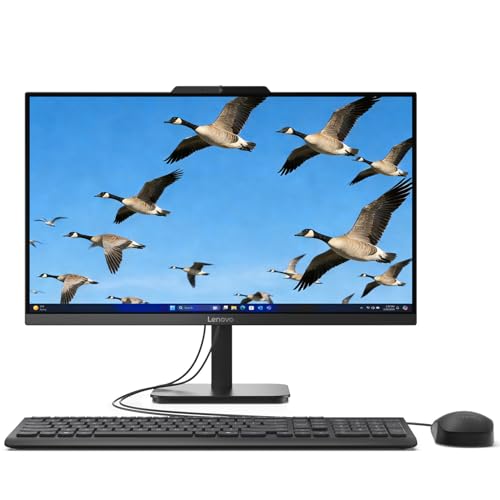
This compact Lenovo IdeaCentre integrates the display with the CPU in a single unit designed to save desk space. It features an Intel N100 quad‑core processor, 16GB DDR4 RAM, and a 512GB PCIe SSD for efficient multitasking and day‑to‑day productivity. The 23.8″ FHD IPS anti‑glare display offers crisp images and broad color coverage, making it suitable for long sessions of browsing, conferencing, and streaming in both home and small office spaces.
HP 27″ All‑in‑One Desktop PC (Ryzen 7)

This HP all‑in‑one pairs a high‑tier Ryzen 7 7730U processor with 32GB RAM and a 1TB SSD, delivering strong performance for multitasking, content creation, and media consumption. The 27‑inch FHD display supports smooth visuals for gaming and video editing, while Windows 11 Home provides familiar productivity tools. The system emphasizes connectivity and a sleek, modern aesthetic suited for tech‑forward homes and small offices that double as living spaces.
HP 27″ All‑In‑One Touchscreen (2025 New)

This HP All‑in‑One uses an Intel Ultra 7 255U CPU with AI Boost to deliver responsive performance and AI‑enhanced features for video calls and background tasks. The 27‑inch FHD touchscreen is paired with a three‑sided micro‑edge display for a modern, expansive viewing experience. With 32GB DDR5 RAM and a 1TB Gen4 SSD, it supports demanding workloads and media projects, while Windows 11 Pro adds enterprise‑grade management tools for professionals and power users alike.
Buying Guide: Key Considerations For Choosing An All‑In‑One With TV‑Style Use
- Display size and type: Larger screens deliver a TV‑like viewing experience, but consider panel type (IPS for wide viewing angles and color accuracy) and anti‑glare coatings for comfortable long sessions.
- Processor and memory: For blended tasks such as streaming, video calls, document editing, and light multitasking, aim for at least 8–16GB RAM and a modern multi‑core CPU. Higher RAM (16–32GB) benefits multitasking with multiple apps open.
- Storage: SSDs improve boot and load times. A 512GB SSD is common for midrange models, while 1TB is preferable for heavy media libraries and large projects.
- Connectivity: Ensure robust wireless (Wi‑Fi 6/6E) and Bluetooth, plus multiple USB ports, HDMI in/out, and RJ‑45 Ethernet. HDMI passthrough can help connect to a TV or external monitor.
- Operating system and software: Windows 11 Home or Pro provides broad compatibility. Consider pre‑installed productivity suites, security features, and easy remote collaboration tools if you work from home.
- Audio and webcam: Built‑in cameras and microphones are useful for video calls. Look for privacy features, noise suppression, and front‑facing stereo speakers for media playback.
- Space and design: All‑in‑one units save desk space, but ensure ventilation and a stable stand. A curved screen can enhance immersion but requires more depth on the desk.
- Future needs: If you anticipate demanding tasks or future upgrades, prioritize higher RAM and faster processors, plus reliable warranty and service options.
These considerations help balance a TV‑style viewing experience with everyday PC needs. When selecting, prioritize models offering strong display quality, responsive performance, and flexible connectivity to bridge the line between living room entertainment and productive workspaces.