External USB DVD drives remain a practical solution for backing up important files, sharing media, or booting systems from optical discs. This guide highlights five reliable options from well-known brands, emphasizing compatibility, ease of use, and speed. Whether you need to read, burn, or copy DVDs and CDs, the following drives offer plug-and-play setup, USB 3.0 or Type-C interfaces, and broad operating system support. Use the buying guide below to compare features and pick the best fit for your computer setup.
| Product | Brand | Key Benefit | Interface | Disc Types | OS Compatibility |
|---|---|---|---|---|---|
| Amicool External DVD Drive | Amicool | Versatile dual interface with robust compatibility | USB 3.0 / Type-C | DVD±R/±RW, CD-R/ RW | Windows, macOS, Linux |
| ORIGBELIE External CD DVD Drive | ORIGBELIE | High-speed performance with wide OS support | USB 3.0 (USB-C adapter possible) | DVDRW, CD-RW | Windows, macOS, Linux |
| Laurensory External DVD Drive | Laurensory | Compact, portable design with dual interfaces | USB 3.0 / USB-C | DVD±R/±RW, CD-R/ RW | Windows, macOS, Linux |
| ROOFULL External CD DVD Drive | ROOFULL | All-around reader/writer with built-in USB hub | USB 3.0 / USB-C | CD-R/ RW, DVD±R/ RW | Windows, macOS, Linux |
| YOTUO External CD/DVD Drive | YOTUO | Slim, travel-friendly with reliable write speeds | USB 3.0 / USB-C | CD-R/ RW, DVD±R/ RW | Windows, macOS, Linux |
Note: All products listed are designed for computer use and may not work with TVs, tablets, consoles, or standalone media players without appropriate software or hardware.
Amicool External DVD Drive Review

The Amicool external drive features both USB 3.0 and Type-C interfaces for versatile connections. It supports DVD+R, DVD-R, CD-R, and CD-RW formats, with read speeds up to 8x for DVDs and 24x for CDs. The device is plug-and-play with no extra drivers required in most setups, and it is recommended to connect directly to a computer port for stable power and performance. It is compatible with Windows, macOS, Linux, and Apple devices, making it a flexible choice for mixed ecosystems. Its dual-interface design helps future-proof setups that transition between USB-C laptops and USB-A desktops.
Its limitations include non-support for Blu-ray, DVD-RAM, and certain proprietary formats. The device is not intended for use with TVs or standalone Blu-ray players. Users should avoid USB hubs and extensions which can impact power delivery and performance. Overall, Amicool’s portability and broad compatibility make it a practical solution for everyday data transfer and media playback on a range of devices.
ORIGBELIE External CD/DVD Drive Review
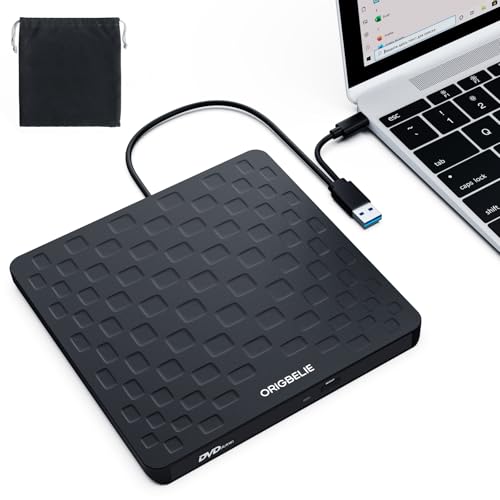
ORIGBELIE emphasizes a plug-and-play setup with USB-powered operation and wide OS compatibility. It supports USB 3.0 with backward compatibility to USB 2.0, delivering up to 5 Gbps data transfer and up to 8x DVD write speeds alongside 24x CD write speeds. The drive is designed for desktops to use rear USB ports to ensure power sufficiency and for most laptops to connect via USB-A or Type-C adapters. The model is compatible with Windows, Linux, and macOS. It is noted that Mac users may need to wait for the disc to be recognized after insertion in some configurations.
The device is not suitable for certain devices like Chromebooks or mobile devices and does not support Blu-ray discs. It offers strong error correction and efficient power use, making it a reliable option for frequent disc reading and burning tasks, especially in mixed computer environments.
Laurensory Portable DVD Drive Overview
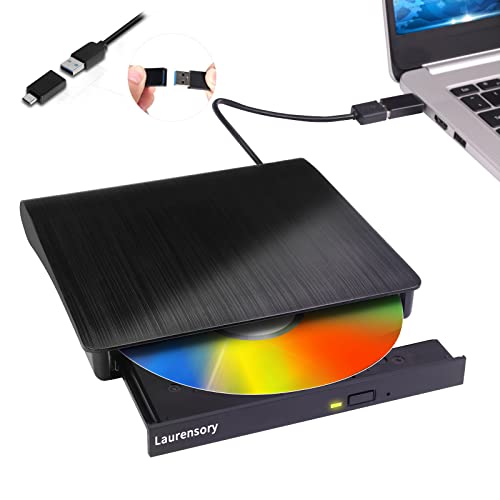
Laurensory’s drive is billed as a portable CD/DVD burner and reader with a slim profile, weighing around 0.4 kg. It offers both USB 3.0 and USB-C interfaces for fast data transfer (up to 5 Gbps) and supports up to 8x DVD reading and 24x CD reading. It is designed for broad compatibility across Windows, macOS, and Linux. The drive’s compact form factor and recessed cable design make it easy to carry in a bag or backpack, ideal for travelers who need optical media access on the go. Like other external drives, it may require connecting to a back USB port on desktops to ensure sufficient power.
ROOFULL External CD/DVD Drive Feature Set

ROOFULL markets a plug-and-play external CD/DVD drive with an integrated USB hub and optional SD card reader. It supports a wide range of disc formats, including CD-R, CD-RW, DVD-R, DVD+R, and their rewritable counterparts, though Blu-ray is not supported. Compatibility spans Windows, macOS, and Linux, covering most common computer setups. The vendor notes it can be used to read, write, and burn discs, including bootable discs, which can be useful for system recovery and OS installation tasks. Power delivery is achieved via USB, with desktop and laptop configurations typically performing optimally when connected to higher-power USB ports.
YOTUO USB-C And USB-A CD/DVD Drive

YOTUO offers a dual-interface drive supporting USB 3.0 and USB-C, designed for easy plug-and-play operation. It is slim and travel-friendly, with a 1.8 cm thickness and light weight, making it easy to carry. It supports a maximum read speed of 8x for DVDs and 24x for CDs, with data transfer speeds up to 5 Gbps. Compatibility spans Windows, macOS, and Linux. The drive’s compact build and included pouches make it convenient for portable media tasks, such as occasional backups, media playback, or software installation from discs while on the move.
Buying Guide: Key Purchase Considerations
When choosing a USB to DVD drive, consider the following factors to ensure you get the right model for your needs.
- Interface and power: USB 3.0/USB-C offers faster data transfer; ensure direct connection to a computer port for adequate power, especially on desktops.
- Compatibility and formats: Check supported disc formats (DVD±R, DVD±RW, CD-R, CD-RW) and operating systems (Windows, macOS, Linux) to match your devices.
- Read/write speeds: While real-world speeds vary, higher numbers generally translate to faster performance for burning and reading discs.
- Portability: If you travel often, a slim, lightweight drive with a protective case adds convenience.
- Build quality and reliability: Look for robust housings, error correction features, and reviews noting durable construction and stable performance.
- Power options: USB-powered drives are convenient, but some setups may benefit from dedicated power adapters or using back-panel USB ports on desktops.
- Additional features: Built-in USB hubs, card readers, and compatibility notes (e.g., not supporting Blu-ray) can influence usefulness depending on your needs.
In practice, users prioritize ease of setup, broad OS support, and dependable read/write performance. For mixed environments—PCs, Macs, and Linux machines—a drive like the Amicool or ROOFULL offers flexible interfaces and a broad feature set. For portability and travel use, the Laurensory and YOTUO models provide compact form factors with reliable speeds. The ORIGBELIE option balances speed and compatibility, especially for users who frequently swap between USB-A and USB-C devices. Compare these attributes against your own hardware, software, and typical disc tasks to identify the best fit.