For artists and students who sketch, annotate, or annotate on the move, a dedicated drawing tablet can be a game changer. The following picks prioritize portability, responsive stylus performance, and compatibility with popular software. Each model offers a compact form factor, pressure-sensitive input, and reliable battery-free pens to keep drawing wherever your day takes you. This guide highlights five top options to consider for on-the-go creativity, learning, and note-taking.
| Product | Brand | Key Benefit |
|---|---|---|
| 4 Pack LCD Writing Tablet (8.5″) | TQU | Bright, pressure-sensitive doodling for kids and adults |
| StarG640 Digital Graphic Tablet (6×4″) | XP-Pen | Battery-free pen, portable drawing on the go |
| KOKODI LCD Writing Tablet (10″) | KOKODI | Large, glare-free drawing surface with long battery life |
| Wacom MovinkPad 11 | Wacom | Android-based, battery-free pen, quick access to sketch apps |
| HUION Note 2-in-1 Digital Notebook | HUION | Hybrid paper-to-digital experience with refillable notepad option |
These selections cover a range of needs—from child-friendly doodling to professional digital art on the move. Each product blends portability with practical drawing features, ensuring you can capture ideas anytime, anywhere.
4 Pack LCD Writing Tablet for Kids

The 4 Pack LCD Writing Tablet from TQU offers a shared canvas for multiple users, making it suitable for classrooms or family use. Each board uses flexible liquid crystal technology to deliver bright, high-contrast lines with pressure-sensitive capability that can render varying line thickness. The 8.5-inch display is compact enough for travel, while the erase button provides quick cleanup. A lock switch helps preserve important drawings when needed. The included style pen nests securely atop the tablet, reducing the chance of loss during transit. The unit uses a replaceable battery, ensuring long-term usability in a compact form factor.
XP-Pen StarG640 Digital Graphic Tablet 6×4
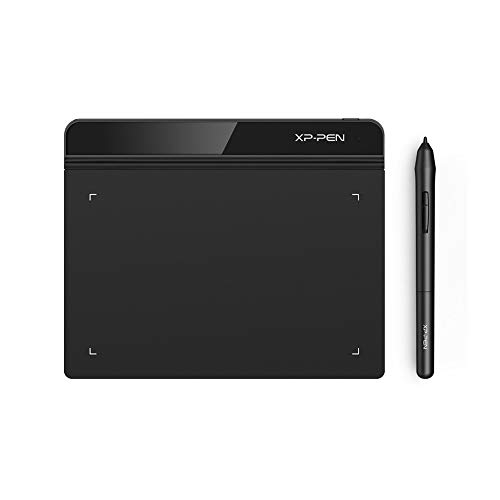
The StarG640 from XP-Pen is a compact drawing tablet designed for on-the-go creativity. It features a battery-free PN01 stylus that never requires charging, enabling uninterrupted drawing sessions. Its 6×4 inch working area keeps the device highly portable, fitting easily into backpacks or carry-on bags. The tablet excels for digital drawing, sketching, e-signatures, and remote learning. It works with popular productivity and creativity apps on Windows, macOS, and Chromebook environments, making it a versatile companion for students and professionals even while away from a full desktop setup.
KOKODI LCD Writing Tablet (10″)
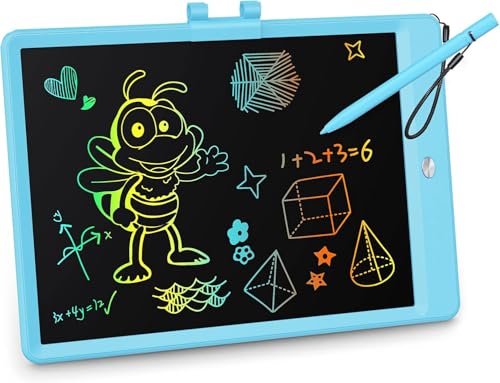
The KOKODI 10-inch LCD writing tablet provides a larger, glare-free drawing surface with eye-safe LCD technology. It is designed for long-term use with low battery demands and a replaceable battery life estimate that supports thousands of writes. This tablet emphasizes safety and durability, featuring a secure battery compartment and a robust, child-friendly construction. It is well-suited for homeschooling, creative doodling, and note-taking. A simple erase function and a screen-lock option help protect work when needed, making it practical for both kids and adults who travel frequently.
Wacom MovinkPad 11

The Wacom MovinkPad 11 pairs an 11.45-inch anti-glare etched glass display with Android 14, offering a laptop-free drawing experience. The device comes with 8 GB of RAM and 128 GB of storage, plus a battery-free slim Pro Pen 3. It supports a quick-draw workflow with the Wacom Canvas app and additional software like Clip Studio Paint Debut. The pressure-sensitive pen supports detailed line variation, enabling precise handwriting and sketching. Its portable form factor and standalone capabilities make it a strong choice for artists who want to work away from a traditional computer setup.
HUION Note 2-in-1 Digital Notebook

HUION Note combines a digital pen with a refillable A5 notepad and a companion app, delivering a hybrid experience that preserves the tactile feel of traditional pen-and-paper while digitizing notes and sketches. It captures handwriting in real time and transfers vector lines to your connected devices via the Huion Note app. Additional features include audio recording to sync with notes, ensuring you can revisit thoughts and sketches later. The device is designed for note-taking, planning, and creative brainstorming during travel, with a focus on preserving a familiar writing experience in a digital format.
Buying Guide: Key Purchase Considerations
- Portability: Consider screen size, weight, and how easily the device fits in a bag. Small to mid-sized tablets (6–11 inches) are typically best for travel.
- Pen Technology: Battery-free or rechargeable pens affect ongoing usability. A pressure-sensitive stylus enhances line work and shading, especially for sketching and calligraphy.
- Display Quality: Look for displays with good contrast, glare reduction, and adequate color accuracy. An anti-glare surface helps in bright travel environments.
- Compatibility: Ensure the device supports the software you rely on (art apps, note-taking tools, or office suites) and is compatible with your computer or mobile devices.
- Battery and Connectivity: Battery-free pens reduce charging needs. For standalone tablets, verify battery life and whether the device can function without a computer.
- Durability and Safety: For kids, consider rugged builds, rounded corners, and secure battery compartments. Safety certifications and non-toxic materials are beneficial.
- Storage and Expandability: Check available storage and whether cloud sync or local export options meet your workflow. Some devices offer expandable storage or offline functionality.
- Price and Value: Compare features such as pen sensitivity, display size, and included software to determine overall value for your use case.
Choosing the right on-the-go drawing device depends on your priorities—whether it’s shared use, professional illustration, or personal note-taking during commutes and travels. By evaluating pen response, display quality, and ecosystem compatibility, you can select a tablet that supports creative work without tying you to a desk.