Choosing the right stand to raise your monitor can improve posture, reduce neck and back strain, and free up desk space for a cleaner, more productive workspace. The following picks are among the top-rated options that balance height adjustability, ventilation, storage, and ease of assembly. Each product targets different desk layouts and monitor sizes, so you can compare features side by side and decide which stand best fits your setup.
| Product | Brand | Key Benefit |
|---|---|---|
| WALI Computer Monitor Stand | WALI | Adjustable height and ventilated shelf with solid weight support |
| Amazon Basics Height Adjustable Rectangular Monitor Riser | Amazon Basics | Three height options and under-stand storage space |
| HUANUO Monitor Stand Riser | HUANUO | Three height settings, airflow vents, and desk organizer |
| BONTEC Dual Monitor Stand Riser | BONTEC | Dual monitors with long adjustable length and large storage |
| DOLALIKE 2 Pack Desktop Riser | DOLALIKE | Two risers with three height levels for expanded workspace |
WALI Monitor Stand With Adjustable Height

The WALI monitor stand features a large 14.6 x 9.3-inch metal shelf capable of supporting up to 44 lbs (20 kg). It provides three height options: 3.9 inches, 4.7 inches, and 5.5 inches, enabling users to position monitors, laptops, or printers at a comfortable ergonomic level. Rubber pads protect surfaces from slipping or damage, and a vented platform helps prevent overheating, keeping devices cooler during longer sessions.
Amazon Basics Height Adjustable Monitor Riser

Designed to reduce neck strain, this riser offers three height options: 2.87 inches, 4.25 inches, and 4.9 inches. It uses stackable legs for versatile elevation and includes efficient under-platform space (11.6 x 11 x 4 inches) to store office supplies, keeping the desk surface organized and open for work.
HUANUO Monitor Stand Riser
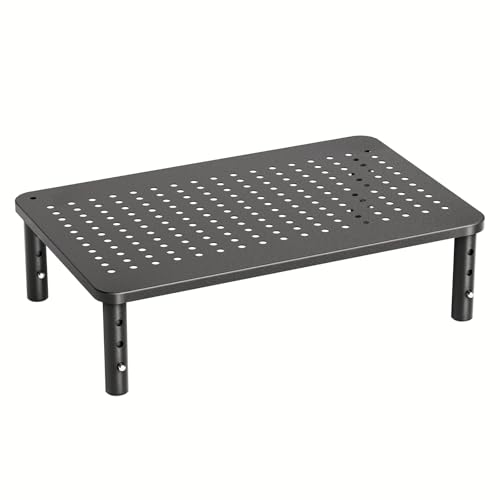
The HUANUO stand offers three height settings: 3.94”, 4.72”, and 5.51”. It includes 12.40” x 7.09” of storage space underneath for organizing desk items and features ventilation to improve heat dissipation. The design supports stacking two stands if additional height or storage is needed, expanding workstation flexibility while maintaining airflow.
BONTEC Dual Monitor Stand Riser

This dual monitor stand elevates two displays to a comfortable height and offers adjustable length from 31.5″ to 42.5″, making it suitable for various desk sizes. It also includes three spacious under-storage compartments for organizing keyboards, mice, files, or other office essentials, supporting a tidier workspace and improved posture during long work sessions.
DOLALIKE 2 Pack Desktop Riser

Each platform measures 14.6” x 9.2” and comes in a two-pack for expanded workspace. The risers provide three height levels: 3.9”, 4.7”, and 5.5” via simple button presses on the legs. They are designed to stack together to create additional storage space and act as a desk organizer for items like printers, laptops, and gaming devices, enhancing desk organization and workflow efficiency.
Buying Guide: Key Considerations For Choosing A Monitor Riser
When selecting a monitor stand riser, consider how you work, your monitor size, and your desk layout. Height adjustability should align with your eye level and seating position to reduce neck strain. Look for stands with multiple height options, vented platforms for heat dissipation, and non-slip pads to protect surfaces. Storage beneath the platform can help you keep essential items within reach, while the option to stack or combine stands adds flexibility for multi-monitor setups. For smaller desks, compact platforms and integrated organizers can maximize workspace without crowding the surface. Finally, check for easy assembly and sturdy construction to ensure the stand remains stable as you type and move your workstation devices.
Other perspectives to weigh include:
– Single-monitor vs. dual-monitor compatibility: If you use two screens, a longer, adjustable dual riser can prevent neck strain more effectively.
– Material and durability: Metal builds tend to offer greater weight support and longevity, while plastics may be lighter and more affordable.
– Ventilation and heat management: A design with ventilation holes helps prevent overheating of laptops and displays during extended use.
– Aesthetics and footprint: Choose a style and color that harmonizes with your desk and room, as well as a footprint that fits your space without crowding it.
In sum, the right stand to raise your monitor can transform comfort, posture, and workspace organization. The selections above cover a range of needs—from simple elevating risers to dual-monitor organizers—so you can optimize for ergonomic health and productivity.