Discover top internal storage options that blend solid-state performance with traditional hard drive capacity. This guide compares 2.5-inch SSDs and SSHDs (solid-state hybrid drives) to help you choose faster boot times, quicker file access, and smoother multitasking. All selections support laptop and desktop ecosystems, with emphasis on BIOS compatibility, endurance, and energy efficiency.
Summary Table
- Crucial BX500 2TB — SATA SSD, up to 540 MB/s, strong all-around upgrade
- Crucial BX500 1TB — SATA SSD, up to 540 MB/s, portable upgrade option
- Seagate St500lm000 500GB — SSHD with 8 GB flash cache, hybrid performance
- KingSpec 1TB 2.5” SSD — SATA III SSD, up to 550 MB/s read, 520 MB/s write
- Seagate FireCuda 2TB SSHD — SSHD with large capacity, optimized for gaming
Crucial BX500 2TB 3D NAND SATA 2.5-Inch Internal SSD

The Crucial BX500 2TB SSD uses 3D NAND flash to deliver rapid boot times and faster file loading. With up to 540 MB/s sequential read/write, it enhances overall system responsiveness compared to traditional hard drives. It is designed for energy efficiency, offering significantly lower power use than HDDs. This makes it suitable for laptops and desktops seeking a budget-friendly, high-value upgrade without sacrificing reliability.
Key features include fast booting, quicker file access, and notable energy efficiency improvements—claims include about 300% faster responsiveness than a typical hard drive and up to 45x energy savings per workload. This makes it a solid choice for extending battery life in laptops and reducing load times in desktops.
Crucial BX500 1TB 3D NAND SATA 2.5-Inch Internal SSD
The 1TB variant shares the same 3D NAND architecture and SATA interface as the 2TB model, delivering up to 540 MB/s speeds. It’s an accessible option for upgrading older laptops or desktops that rely on spinning drives, offering a notable boost in boot speed, application launch, and general responsiveness. Its slim form factor fits most 2.5-inch bays, and the energy efficiency helps extend laptop battery life.
With the same performance benefits described for the larger model, users can expect quicker system updates, shorter application startup times, and reduced latency in everyday tasks. It provides a balanced mix of capacity, speed, and efficiency for mainstream computing needs.
Seagate St500lm000 500 GB 2.5″ Internal Hybrid Drive

This SSHD combines a traditional 500 GB hard drive with 8 GB of flash storage to accelerate frequently used data. It provides larger storage while delivering faster access to popular programs and files, improving startup times and load speeds for a mixed-use laptop or desktop setup. The integration aims to offer a middle ground between pure SSD performance and HDD capacity.
Typical use cases include gaming libraries and media collections where quick access to frequently used assets reduces load times without sacrificing capacity. It’s a practical transition option for users upgrading from an HDD to a hybrid solution without fully committing to an SSD upgrade.
KingSpec 1TB 2.5” SATA III Internal SSD

The KingSpec 1TB 2.5″ SATA III SSD uses 3D NAND flash and delivers up to 550 MB/s read and 520 MB/s write speeds. It offers a fast, reliable upgrade path for laptops and desktops needing quicker boot times, faster file transfers, and snappier program launches. The drive emphasizes high performance with solid reliability for everyday computing and light to moderate workloads.
Designed for shock resistance and low power consumption, it’s a practical choice for mobile use and office environments. Its endurance features, such as wear leveling and TRIM support, help maintain consistent performance and data integrity over time.
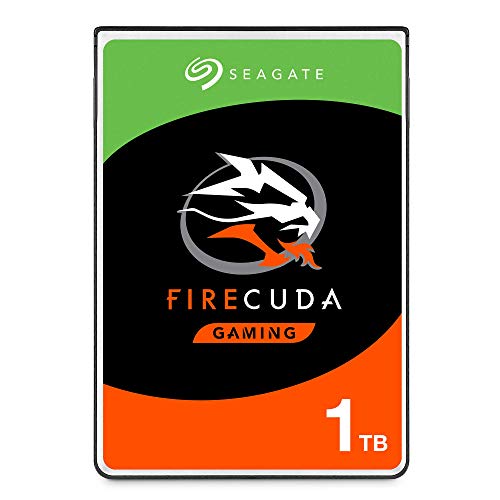
Seagate FireCuda 1TB SSHD — 2.5 Inch

The FireCuda SSHD blends SSD-like responsiveness with HDD capacity in a 2.5-inch form factor. It targets gamers and power users who want fast load times for maps, levels, and boot sequences while maintaining substantial storage space. It supports a range of capacities to optimize a rig for gaming laptops or desktops, delivering a balanced mix of speed and capacity.
When compared to pure HDDs, users typically experience quicker map loading and shorter boot times thanks to the flash-accelerated cache. The SSHD design helps reduce latency during heavy multitasking and gaming scenarios, though it won’t match the raw sequencing speeds of a pure SSD.
Seagate FireCuda 2TB SSHD — 2.5 Inch
The 2TB FireCuda SSHD expands the same concept to a larger capacity, providing substantial space for games, media libraries, and project files. The flash-accelerated cache helps improve load times for frequently accessed data, while the large HDD portion offers ample space for bulk storage. It is particularly appealing to gaming PCs and laptops where both speed and capacity matter.
Choosing a FireCuda SSHD involves weighing the desire for greater storage against the best possible raw speed. It remains a practical compromise for users who want a single drive that covers both performance and capacity without allocating multiple drives or a full SSD upgrade.
Buying Guide: Key Purchase Considerations
When selecting a 2.5-inch drive that blends solid-state speed with traditional storage, consider the following factors to ensure the right fit for your system and workflow:
- <strongPerformance vs. Capacity: SSHDs offer faster access to frequently used data but still rely on HDD capacity. Pure SSDs provide higher sustained speeds and lower latency for all data, with the trade-off of lower capacity per dollar.
- <strongInterface and Form Factor: SATA III 2.5-inch drives are widely compatible with most laptops and desktops. Ensure your system has available 2.5-inch bays or adapters for upgrades.
- <strongEndurance and Reliability: Look for endurance ratings, wear leveling, and TRIM support in SSDs. SSHDs benefit from robust cache management to extend lifespan and performance consistency.
- <strongPower Efficiency: SSDs typically consume less power than HDDs, which translates to longer battery life in laptops and cooler operation in desktops.
- <strongCache Size (SSHDs): SSHDs rely on a flash cache. A larger cache can improve the frequency of accelerated data, but real-world gains depend on your workloads and file access patterns.
- <strongUsage Scenario: Gaming and media libraries benefit from SSHDs due to faster load times for frequently played assets. Professional workloads with large datasets may benefit more from pure SSDs for consistently high throughput.
- <strongBudget and Upgrade Path: Consider whether a larger capacity SSD or a mixed SSHD solution aligns with your budget and upgrade trajectory. A 2.5-inch drive is often a straightforward upgrade target.
- <strongCompatibility Checks: Verify BIOS/UEFI support for SATA drives and ensure you have the right cables, mounting brackets, and mounting height (9.5 mm vs. 7 mm thickness) for your laptop or desktop.