When a laptop screen falters, replacement screens offer a practical route to restore clarity without buying a new device. This guide highlights five reliable options that balance easy installation with solid display quality. Each choice comes with DIY-friendly tools, clear specs, and compatibility notes to help you pick confidently.
The following table provides a quick reference to the featured products, including display type, resolution, and finish. Use it to compare at a glance and then read deeper into each option below.
| Product | Brand | Display | Finish | Key Feature |
|---|---|---|---|---|
| HP 14-cf2111wm / 14-cf2112wm Screen | SCREENARAMA | HD 1366×768 | Matte | DIY kit with tools |
| HP 15-DW0083WM Screen | SCREENARAMA | HD 1366×768 | Glossy | Includes installation tools |
| Rinbers 11.6″ Chromebook Screen | Rinbers | WXGA HD | NA | Compatibility with multiple HP/Dell/Chromebook models |
| FirstLCD Samsung ChromeBook 2/3/4 Screen | FirstLCD | 1366×768 | NA | 11.6″ non-touch panel |
| LHM A2337 MacBook Air 13.3″ Retina Screen | LHM | 2560×1600 | NA | Retina-class replacement with fix kit |
Note: All selections emphasize ease of installation and broad compatibility where stated. Check your exact model number and connector type before purchasing to ensure a proper match with your device.
SCREENARAMA HP 14-cf Series Matte Screen Replacement

Designed for DIY installation with included tools, this matte-finish display helps reduce glare for easier viewing in bright rooms. The kit targets HP 14-cf2111wm and 14-cf2112wm series laptops, offering a straightforward replacement option for damaged or cracked LCD panels. The matte finish helps minimize reflections and eye strain during long sessions. A two-year warranty backs the product, which can streamline post-purchase support if needed. Compatibility notes should be reviewed to ensure a proper fit for your specific HP model.
SCREENARAMA HP 15-DW0083WM Screen Replacement

This HD 1366×768 display comes with a kit that includes installation tools for a do-it-yourself upgrade. The screen uses a glossy finish, which can deliver vibrant colors and punchy contrast for media and photos. It includes a two-year warranty, and specifications indicate a focus on reliable LCD/LED performance with straightforward replacement steps. Review your model’s connector type and mounting method to ensure full compatibility with your HP 15 series laptop.
Rinbers 11.6″ Laptop LCD Screen Replacement
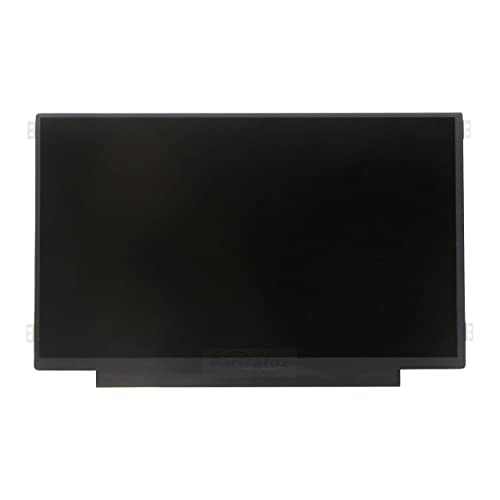
The Rinbers screen is a 11.6 inch non-touch LCD panel with 30-pin eDP connector and side brackets. It is designed for broad compatibility across several HP Chromebook models and other brands, including Dell and select ProBook/Latitude lines. The listing emphasizes to verify the exact part number before purchase due to many similar models. The package typically includes mounting brackets and a clear guide to installation. Non-touch panels offer a budget-friendly option for basic display needs, like web browsing and document editing, with a compact form factor suitable for smaller devices.
FIRSTLCD LCD Screen Replacement For Samsung ChromeBook

This 11.6″ LCD panel targets Samsung Chromebook 2, 3, and 4 series with a 1366×768 resolution and non-touch functionality. The product is positioned as an easy replacement option for Chrome OS devices, with left and right mounting brackets typically required for proper alignment. As with other replacements, users should verify connector compatibility and mounting points before purchase. This option is suitable for users seeking a budget-friendly, straightforward restoration of a Chromebook’s display.
LHM A2337 MacBook Air 13.3″ Screen Replacement

Engineered for MacBook Air 13.3″ M1 models (A2337), this 2560×1600 LED-backlit LCD assembly offers a Retina-style display experience. The kit includes a fix package and guides to simplify the installation process, with emphasis on addressing common screen issues such as dead pixels, color distortion, or backlight failure. It is intended for technically capable users who want a high-resolution replacement that preserves the MacBook’s visual fidelity. Compatibility is specific to the A2337 family and related EMC variants, so confirm your model before purchasing.
Buying Guide: Key Purchase Considerations
- Display quality and finish: Matte panels reduce glare, while glossy panels offer more vibrant color. Your lighting conditions and personal preference will guide this choice.
- Connector type and resolution: Match the pixel count (e.g., 1366×768, 2560×1600) and the 30-pin/40-pin connectors to your laptop’s motherboard.
- Compatibility notes: Many listings include broad compatibility, but exact model numbers and brackets matter for a clean fit and proper cable alignment.
- DIY tool kit: Some screens come with installation tools; verify what’s included to avoid needing additional accessories.
- Warranty and support: A longer warranty and available customer support can provide reassurance if you encounter installation challenges.
- Installation difficulty: Some panels require careful handling of hinges and bezels; follow manufacturer guides or official video tutorials to minimize damage risk.
- Avoiding counterfeit parts: Prefer reputable sellers and confirm part numbers against your original screen’s model number to ensure compatibility.
- Usage scenario: For heavy editing or gaming, prioritize IPS matte panels with wide viewing angles and stable color reproduction.