In today’s fast-paced office environment, choosing a high-speed document scanner can dramatically improve productivity. This guide highlights top options that deliver 50 pages per minute (ppm) or more, with features like large-capacity feeders, duplex scanning, and reliable OCR. The selections below emphasize reliability, compatibility, and ease of use for American businesses and home offices alike.
| Product | Speed (ppm) | ADF Capacity | Platform Compatibility |
|---|---|---|---|
| Plustek PS186 Desktop Document Scanner with 50-Page ADF | Up to 50 | 50 pages | Windows 7/8/10/11 |
| Xerox D50 Duplex Document Scanner | 70 | 120 pages | PC and Mac (Visioneer software included) |
| Visioneer Patriot PD45 Scanner | 50 | 100 pages | PC (USB) |
| Visioneer Xerox W110 Duplex Scanner | Up to 120 | Not stated | PC (Visioneer software) |
| Epson WorkForce DS-6500 | 25 | 100 pages | Windows |
Plustek PS186 Desktop Document Scanner
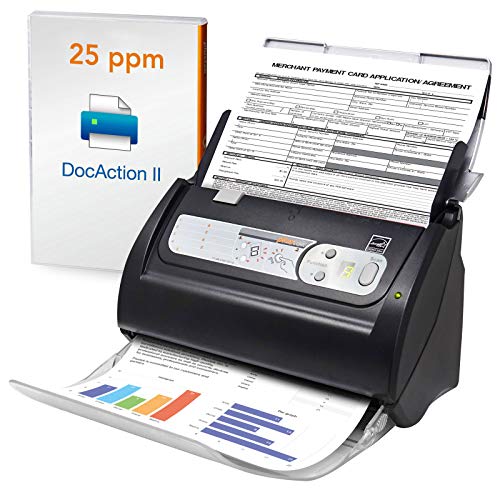
The Plustek PS186 offers a 50-page automatic document feeder (ADF) and optimized scanning workflows designed for Windows environments. It supports up to 50 pages per minute, making it suitable for medium-volume offices that require duplex scanning with quick turnaround. The device emphasizes customizable scan settings, including OneTouch-style shortcuts, and OCR-enabled output to create searchable PDFs. Barcode capabilities assist with document organization by naming files automatically, adding efficiency to document management tasks.
Xerox D50 Duplex Document Scanner

The Xerox D50 delivers high-speed duplex scanning for PC and Mac with a 120-page ADF and speeds up to 70 ppm at 200 dpi. Visioneer software delivers OneTouch workflows, enabling quick starts for common scanning tasks. The built-in organizer AI classifies and sorts documents, while flexible file conversion and cloud-ready outputs simplify digital workflows. This model is designed to handle dense office stacks, making it a strong fit for teams that process large batches of documents daily.
Visioneer Patriot PD45 Scanner

The Visioneer Patriot PD45 is a compact, desktop duplex scanner that handles up to 50 ppm with a 100-page ADF. It emphasizes quick integration into business environments with reliable color, grayscale, and black-and-white scanning. The included software supports simple organization and cloud sharing, making it suitable for teams that require secure digital document delivery and easy retrieval. Its fold-up design also helps save desk space in busy offices.
Visioneer Xerox W110 Duplex Scanner

The Visioneer Xerox W110 is a high-speed duplex desktop scanner with strong performance, featuring up to 120 ppm/240 ipm scanning speeds and a large input tray. It’s designed to boost productivity in high-volume settings, with reliable feed handling and quick organization features for converting scanned documents into searchable PDFs. The W110 pairs fast scanning with robust output options, including direct save-to-cloud workflows and flexible file formats.
Epson WorkForce DS-6500

The Epson WorkForce DS-6500 is a versatile color document scanner with a 100-page ADF and robust scanning capabilities. While it offers efficient duplex scanning and cloud connectivity, its rated speed at 25 ppm (not reaching the 50 ppm threshold) makes it more suited for lighter workloads or hybrid environments where budget and space are crucial factors. It remains a solid option for offices needing reliable document capture with broad software compatibility.
Buying Guide: Key Purchase Considerations
- Scanning Speed and Duty Cycle: For 50+ ppm performance, prioritize models with duplex ADFs and robust feeder mechanisms. Consider whether you need continuous, high-volume processing (look for higher daily duty cycle).
- ADF Capacity and Media Handling: A larger ADF reduces reloading frequency. Check if the device handles a mix of documents, receipts, and photos, and whether it can scan card-sized media if needed.
- Software and OCR Capabilities: Evaluate bundled software for OneTouch workflows, OCR accuracy, and output formats (searchable PDFs, JPEG/TIFF, etc.). Compatibility with Windows and Mac is essential for mixed environments.
- File Organization Features: Barcode recognition, automatic file naming, and AI-based classification streamline archiving. These features help maintain organized digital libraries.
- Connectivity and Portability: USB connectivity is common for desktops, but some models offer network or cloud integration. Consider space constraints and whether a fold-up design or compact form factor fits your workspace.
- Reliability and Support: Look for models with strong warranty options and recognized manufacturer support. A three-year warranty or higher is beneficial for business use.
- Future-Proofing: Choose devices that support evolving file formats and cloud destinations to minimize rework or replacement in coming years.
- Pricing and Total Cost of Ownership: While this guide focuses on speed, balance upfront cost with long-term savings from efficiency, maintenance, and consumables.
These considerations help compare high-speed scanners across the market. When evaluating models, align capabilities with your typical batch sizes, document types, and software ecosystem to maximize ROI.