This guide highlights reliable all-in-one printers that handle scan, copy, and fax tasks while delivering solid copy quality and efficient operation for small offices or home offices. Each option combines compact design with fast monochrome or color printing, strong connectivity, and user-friendly features like automatic document feeders and duplex printing. The selections below focus on models that balance upfront cost, maintenance, and long-term practicality for everyday document workflows.
| Product | Type | Best For | |
|---|---|---|---|
| Brother MFC-L2820DW | Monochrome All-in-One | Small offices needing fast black-and-white prints | 36 ppm print, 23.6 ipm scan, 50-page ADF, wireless+Ethernet |
| HP OfficeJet Pro 8139e | Color Inkjet All-in-One | Home offices needing color and AI-friendly prints | Color/scan/copy/fax, auto 2-sided, ADF, 225-sheet tray |
| Epson Workforce WF-2960 | Color Inkjet All-in-One | Color-rich home office documents | PrecisionCore, 150-sheet tray, 2.4″ touchscreen |
| HP OfficeJet Pro 9125e | Color Inkjet All-in-One | Office environments needing robust color output | 18 ppm color/22 ppm black, ADF, 250-sheet tray |
| Brother DCP-L2640DW | Monochrome All-in-One | Small businesses needing reliable black-and-white output | 36 ppm print, 50-page ADF, duplex, wireless+Ethernet |
Below are five top picks that align well with “scan, fax, copy” workflows, emphasizing dependable printing, scanning accuracy, and practical features for busy workdays.
Brother MFC-L2820DW: Compact Mono All-in-One

The Brother MFC-L2820DW is designed for small offices needing efficient monochrome printing along with reliable scanning, copying, and faxing. It delivers fast black-and-white output and includes a 50-page auto document feeder for multi-page tasks. Built-in dual-band wireless and Ethernet provide flexible networking options, while USB connectivity supports local printing from a single computer. The compact footprint helps conserve desk space in tight office setups, and Alexa compatibility offers voice-activated control for common tasks.
HP OfficeJet Pro 8139e: Color All-in-One for Home Offices
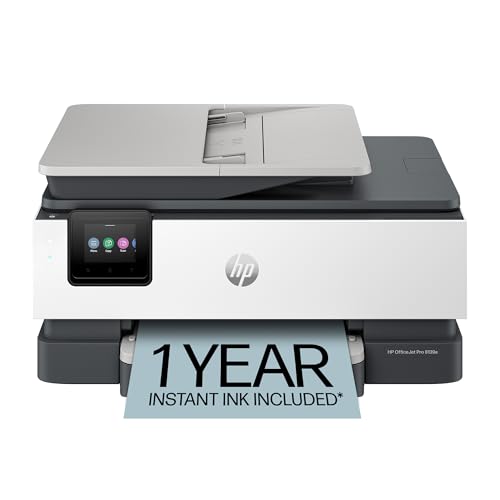
The HP OfficeJet Pro 8139e provides robust color printing and all-around functionality with scanning, copying, and faxing. It is well-suited for home offices that require sharp color documents, presentations, and marketing materials. The device features HP AI to optimize formatted prints, reducing wasted pages. It supports auto duplex printing and an Auto Document Feeder (ADF) with a sizable input tray for efficient day-to-day workflow.
Epson Workforce WF-2960: PrecisionCore Color Printing

For color-rich document output, the Epson Workforce WF-2960 leverages PrecisionCore technology to deliver sharp text and vibrant color graphics. It includes a 150-sheet paper tray, a 2.4-inch touchscreen for navigation, and straightforward setup via the Epson Smart Panel app. The printer is designed to support consistent performance in home offices with reliable color output and easy maintenance.
HP OfficeJet Pro 9125e: Office-Grade Color Efficiency
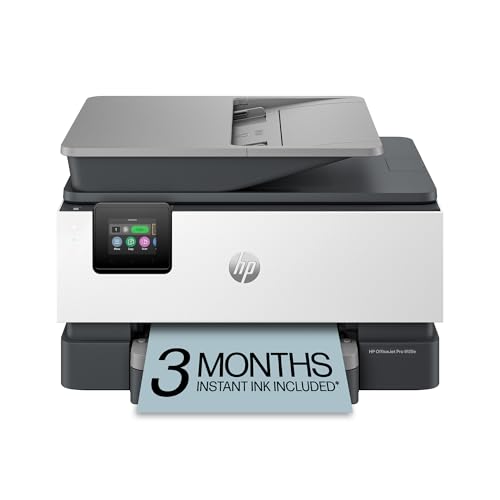
The HP OfficeJet Pro 9125e is built for office environments requiring color versatility and speed. It combines printing, scanning, copying, and faxing, supported by an Auto Document Feeder and a dual-sided printing capability. A 250-sheet input tray helps manage larger print jobs, while HP AI features help optimize document formatting and readability for professional communications and marketing materials.
Brother DCP-L2640DW: Reliable Monochrome Copy & Scan

The Brother DCP-L2640DW focuses on dependable monochrome output with integrated scanning and copying. It supports duplex printing and a 50-page ADF for multi-page tasks. Wireless and Ethernet connectivity provide flexible networking in a small office, while its compact design helps maximize workspace efficiency. This model is ideal for teams prioritizing fast black-and-white document production with reliable scanning and copying capabilities.
HP OfficeJet Pro 8135e: Color Inkjet for Home Office
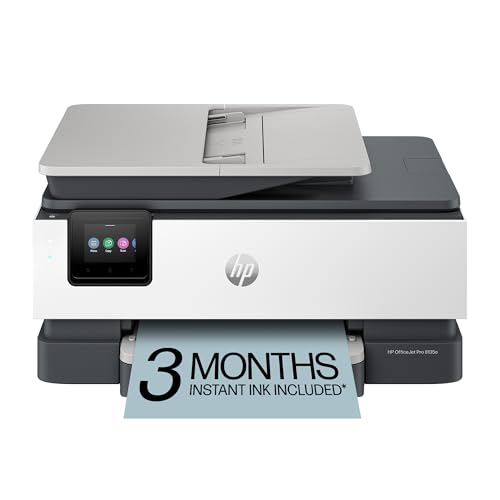
The HP OfficeJet Pro 8135e delivers comprehensive home-office color capability with scanning, copying, faxing, ADF, and duplex printing. It supports auto two-sided printing and an ample input tray for mixed-document workloads. HP AI features help refine layouts and remove unwanted content, ensuring clean, professional results for business communications and marketing materials.
Buying Guide: Key Purchase Considerations
- Printing technology: Monochrome laser versus color inkjet. Laser printers tend to be faster and more economical for high-volume black-and-white work, while inkjets excel at color printing for reports, graphics, and marketing collateral.
- All-in-one capabilities: Ensure the model supports scanning, copying, and faxing with the desired speed and reliability. An Auto Document Feeder (ADF) reduces manual handling for multi-page tasks.
- Duplex printing and scanning: Built-in duplex can save paper and costs over time, while duplex scanning can streamline two-sided documents.
- Paper handling and input trays: Consider total input capacity and supported media sizes. Larger trays reduce refill frequency in busy offices.
- Connectivity: Look for wireless, Ethernet, and USB options. Some models offer voice assistant compatibility or mobile apps for easy printing from smartphones or tablets.
- Maintenance and running costs: Consider toner or cartridge yields, page coverage, and compatibility with Instant Ink or similar programs if available.
- Space and footprint: Choose a unit that fits the workspace without compromising accessibility for loading paper and performing maintenance.
- Security and management: For shared offices, review network security features and compatibility with existing IT policies.
- Warranty and support: A solid warranty and accessible customer support can reduce downtime in busy environments.
- Total cost of ownership: Weigh upfront price against long-term consumables, maintenance, and energy use to determine the best value.