Find the right wireless presenter to move freely during your talks. This guide compares popular remote clickers with laser pointers, covering range, power, and compatibility to help you choose a reliable slides companion for classrooms, meetings, and conferences.
Summary of Selected Products:
| Product | Brand | Type | Key Features |
|---|---|---|---|
| Logitech Wireless Presenter R400 | Logitech | USB-A Presenter | Laser pointer, 50 ft range, slideshow controls |
| USB C Rechargeable Presentation Clicker (Green Light) | DinoFire | Rechargeable USB-C Presenter | Rechargeable, volume control, long range |
| Wireless Presenter with RF 2.4GHz | DinoFire | RF Presenter | Plug & play, 100 ft range, bright red pointer |
| DINOSTRIKE Wireless Presenter Remote | DINOSTRIKE | RF Air Mouse Presenter | Air mouse, long range, rechargeable |
| Logitech Wireless Presenter R500s | Logitech | USB Presenter | Laser pointer, 20 m range, intuitive controls |
Note: All products listed support slide advancing, laser pointers, and basic presentation controls. Availability and exact specs may vary by retailer.
Logitech Wireless Presenter R400
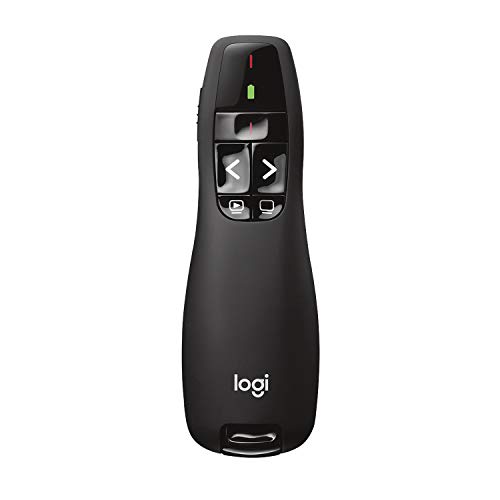
The Logitech R400 offers built-in Class 2 red laser pointer and intuitive touch keys for easy slideshow control. It supports a reliable wireless range of up to 50 feet and runs on AAA batteries (recommended Polaroid AAA batteries for optimal performance). The device doubles as a pointer for PowerPoint presentations and as a standard clicker for advancing slides, with a focus on simple, reliable operation in typical meeting rooms.
USB C Rechargeable Presentation Clicker (Green Light)

This rechargeable presenter features USB-A and USB-C receivers in one package. It includes a 360 mAh battery delivering weeks of use on a short charge and offers functions like volume control, page navigation, window switching, full/black screen, and hyperlink support. Its long-range operation (up to around 98–164 feet) supports large rooms and classrooms, reducing the need to stay near a computer during a presentation.
Wireless Presenter With RF 2.4GHz (Red Pointer)

This model emphasizes a plug-and-play setup with no software installation. It delivers a bright red pointer and a long wireless range up to 100 feet, plus functions for page forward/backward, volume, hyperlinks, and full/black screen. Its design aims at classrooms and conferences where distance from the computer is required for engagement.
DINOSTRIKE Wireless Presenter Remote

The DINOSTRIKE remote combines a traditional presentation pointer with an air mouse feature. It supports Windows, Mac, Linux, and Android, with a long control distance across multiple modes (air mouse, wireless presenter). A built-in rechargeable battery provides weeks of use on a full charge, while sleep mode conserves power when idle. It functions well for interactive demonstrations and multimedia presentations.
CLIKBUTM Wireless Presentation Clicker
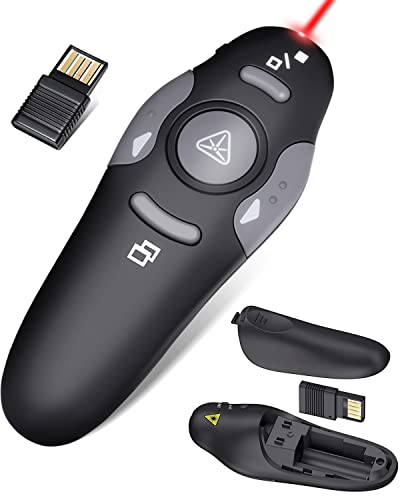
This ergonomic clicker emphasizes comfortable use with a compact, pocket-friendly design. It includes a laser pointer and magnetic USB receiver, with compatibility across Windows, Mac, Linux, and major productivity software including Keynote and Google Slides. The straightforward interface supports page navigation, volume control, hyperlink activation, and screen switching for smooth presentations.
Logitech Wireless Presenter R500s
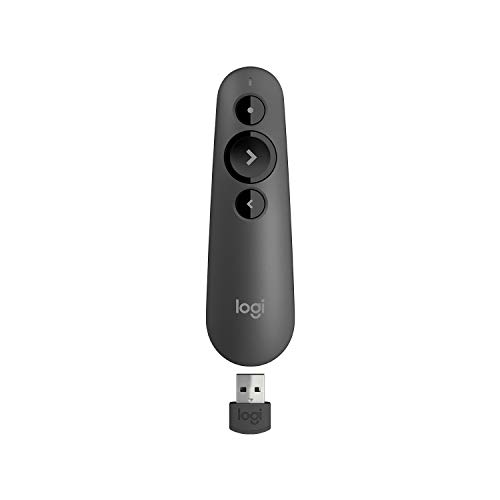
The R500s features a USB receiver, a built-in Class 1 laser pointer, and intuitive controls for navigating slides. It runs on AAA batteries and provides up to 20 meters of wireless range, offering flexibility in larger rooms while maintaining straightforward operation for presenters who prefer a familiar Logitech design.
Buying Guide
- Compatibility: Ensure the presenter works with Windows, macOS, or Linux as needed. Check for Keynote, Google Slides, and PowerPoint support if you use multiple platforms.
- Pointer Type and Visibility: Red laser pointers are common; some models offer green lasers which can be brighter in bright rooms. Consider background contrast in typical presentation venues.
- Range and Reliability: Look for a range that fits your room size. A 60–100+ foot range is ideal for large classrooms or auditoriums. RF 2.4 GHz generally provides stable connections without line-of-sight requirements.
- Power and Battery: Cheaper models use replaceable AAA batteries; rechargeable options save ongoing costs. Consider sleep or auto-off features to extend battery life.
- Additional Controls: Volume, hyperlink activation, full/black screen, and screen switching can reduce device switching during talks. Ensure the layout suits your workflow.
- Ease of Setup: Plug-and-play USB receivers or USB-C compatibility reduces setup time. Some units integrate receivers inside the device for portability.
- Ergonomics and Weight: The device should feel comfortable during long sessions. A compact, pocket-friendly design aids mobility between speakers and screens.
- Durability and Build: Look for solid construction and a reliable laser pointer that won’t overheat during extended use.
- Compatibility With Multimedia: If you plan to open web pages or media during a presentation, check for hyperlink and media control support.