Whether you’re archiving a cherished vinyl collection or expanding a home media setup, selecting the right turntable and CD/DVD drive combo matters. The following picks offer reliable playback, versatile recording options, and broad compatibility with Windows, macOS, and Linux. This guide highlights five products that help bridge analog and digital formats, from vinyl-to-MP3 conversion to external disc writing capabilities.
| Product | Brand | Key Benefit |
|---|---|---|
| DIGITNOW Bluetooth Record Player Turntable | DIGITNOW | Vinyl-to-MP3 conversion with USB/SD encoding |
| DIGITNOW 9-in-1 Record Player | DIGITNOW | Multiple media formats in one unit |
| FEKTIK Bluetooth Record Player 10 in 1 | FEKTIK | Vinyl, CD, cassette, Bluetooth, FM radio |
| Victrola The Quincy 6-in-1 Center | Victrola | Integrated speakers, multiple media options |
| Amicool External DVD Drive | Amicool | External CD/DVD burning and reading |
Amicool External DVD Drive For Quick CD/DVD Duplications

The Amicool external optical drive supports USB 3.0 and USB Type-C connections for fast data transfer up to 5Gbps. It reads DVD+R, DVD-R, CD-R, and CD-RW formats with a maximum DVD read speed of 8x and CD read/write up to 24x. It’s designed for plug-and-play use on Windows, Linux, and macOS systems. For best results, connect directly to a computer port rather than through hubs. Note that it does not handle DVD-RAM or Blu-ray discs, and it is intended for computer use rather than standalone media players.
Product highlights include universal compatibility across major operating systems, straightforward setup, and a focus on stable operation for copying and archiving discs. This device fits desktops or laptops that require a compact, portable burner. It’s suitable for copying discs, backing up data, or creating multimedia backups from CD/DVD media to a computer.
JKNJX External CD/DVD Drive With USB 3.0 And Type-C

The JKNJX external drive emphasizes effortless plug-and-play operation via USB Type-A or Type-C, without external power adapters or drivers. It supports USB 3.0 with backward compatibility to USB 2.0/1.1 and offers read/write speeds up to 8x for DVDs and 24x for CDs. Compatibility spans Windows, Linux, and macOS, and it’s designed for desktop and laptop use. Note that ChromeOS, certain tablets, TVs, and some devices may not be supported. For best performance, connect directly to a motherboard rear USB port to ensure stable power delivery.
Its broad OS support and quick setup make it a versatile tool for archiving your disc collection, creating backups, or burning new discs. The device’s compact form factor adds portability for users who travel with media libraries or require an external burner on multiple machines.
Rioddas External CD/DVD Drive For Laptops And PCs
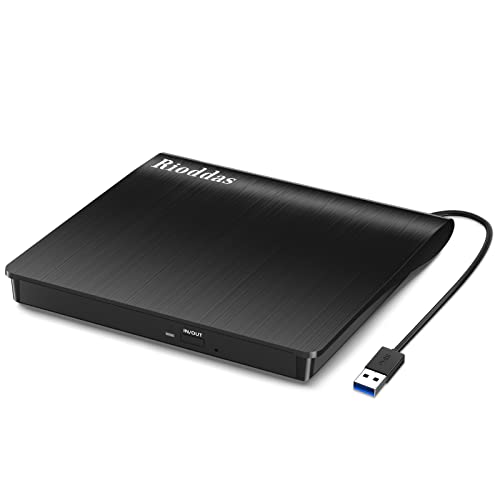
The Rioddas drive is a USB 3.0 external reader and writer with CD/DVD compatibility and a plug-and-play design. It’s powered through the USB port, requiring no separate power adapter. A back-of-the-host power supply source is recommended for desktops to ensure stable performance. The device is built to minimize freezing and errors during reading or burning, with a dedicated eject button for easy media removal, even in cases where the host computer has issues recognizing the drive.
Users benefit from its fault-tolerant operation and copper mesh improvements that help maintain stable data transmission. It’s a practical option for archiving vinyl or audio collections by backing up to digital formats or creating mixed-media backups from existing CD/DVD media. Compatible across a wide range of Windows and macOS releases, this drive fits a multimedia workstation or a simple home setup.
ORIGBELIE External CD DVD Drive For Laptops And Desktops
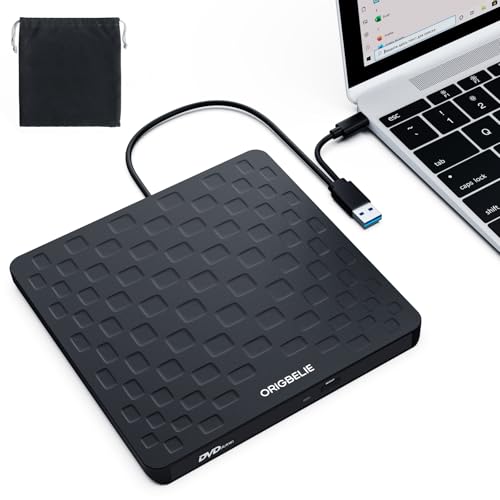
The ORIGBELIE drive supports USB 3.0 with backward compatibility to USB 2.0/1.1 and offers up to 8x DVD read/write speeds and 24x CD read/write speeds. It’s compatible with a broad range of Windows, Linux, and macOS versions, making it suitable for desktops and laptops alike. For power stability with desktops, connecting to a back USB port on the motherboard is recommended to avoid power shortages. It operates as a straightforward plug-and-play device with a focus on high-speed data transfer and robust error correction to support disc copying and media playback.
DIGITNOW Bluetooth Record Player With Vinyl To MP3 Encoding
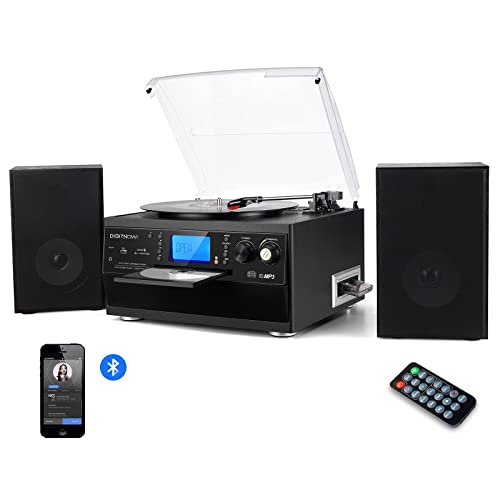
This unit combines a traditional turntable with modern digital recording capabilities. It supports Bluetooth connectivity for wireless playback and includes a CD player and encoder that can convert vinyl records into digital MP3 files via USB/SD. The design targets home entertainment while enabling easy archiving of vinyl into digital formats. It’s a practical option for collectors who want an all-in-one solution for playing records and transferring them to digital storage without needing separate devices.
DIGITNOW 9-in-1 Record Player With Modern Features
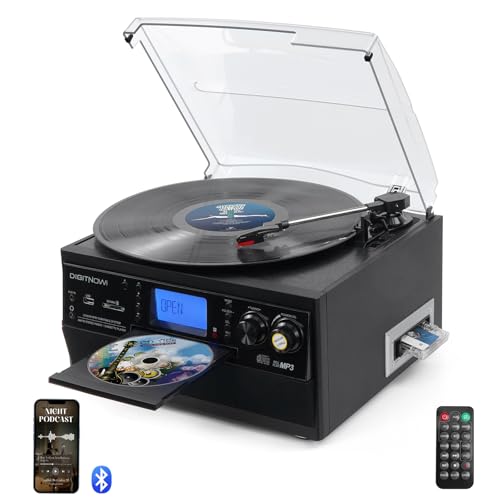
The 9-in-1 model blends vinyl playback with Bluetooth streaming, USB/SD music playback, CD and cassette compatibility, AM/FM radio, and remote control. It provides flexible listening options and multiple paths for converting or digitizing formats. While it doesn’t guarantee CD burning from vinyl directly, it supports recording and playback through digital inputs, making it a consolidated hub for music formats in a modern living space.
FEKTIK Bluetooth Record Player 10 In 1

The FEKTIK system blends vinyl playback with CD and cassette options, FM radio, Bluetooth streaming, and USB/SD/MMC encoding for vinyl-to-digital archiving. The 10-in-1 design emphasizes a vintage aesthetic with modern recording capabilities, enabling users to transfer vinyl to USB or SD cards. It does note that CD playback is available, but recording CD to USB is not always listed; however, encoding from vinyl or digital sources is supported, expanding the ways to digitize and preserve music collections.
Victrola The Quincy 6-in-1 Multimedia Center

The Quincy blends a classic turntable with built-in speakers and modern features. It supports vinyl playback, CD, cassette, AM/FM radio, and Bluetooth streaming, delivering a retro look with contemporary functionality. While the device is primarily designed for playback, its 6-in-1 capability makes it a capable center for enjoying or digitizing music via connected devices. This model is suitable for those seeking an all-in-one solution that emphasizes ease of use and vintage aesthetics alongside modern connectivity.
Buying Guide: Key Purchase Considerations
- Purpose and formats: Identify whether your priority is vinyl playback, disc burning, or digitizing vinyl to digital formats. Some units emphasize all-in-one playback (vinyl, CD, cassette, radio, Bluetooth), while others specialize in disc burning and reading.
- Connectivity and compatibility: Look for USB 3.0 or USB-C interfaces for fast transfers, and ensure the device supports your operating system (Windows, macOS, Linux). Check for SD/USB encoding options if you intend to digitize vinyl.
- Power and stability: For external drives, connect directly to a computer port (prefer rear USB ports on desktops) to ensure reliable power delivery and minimize disconnects.
- Speed ranges and media support: Note read/write speeds (CD up to 24x, DVD up to 8x) and which disc formats are supported (CD-R, CD-RW, DVD±R, DVD±RW). Some devices exclude Blu-ray or DVD-RAM formats.
- Intended usage: If you need a portable option, prioritize compact, bus-powered drives. For desktop setups, consider devices with robust build quality and a stable data path for long sessions of ripping or burning.
- Limitations: Some models do not support certain devices (Chromebooks, tablets, TVs, game consoles) or specific disc types. Verify compatibility with your exact hardware and software environment before purchasing.