Discover practical, plug-and-play portable DVD drives that work with Windows, macOS, and Linux. This guide highlights five top USB 3.0/Type-C external DVD drives that deliver reliable read/write performance, broad compatibility, and easy setup for on-the-go use. Each option prioritizes portability, durability, and straightforward operation so you can play, burn, or back up discs without fuss.
| Product | Brand | Key Strength |
|---|---|---|
| Rioddas External CD/DVD Drive | Rioddas | USB-powered, front-facing eject, stable USB 3.0 performance |
| Amicool External DVD Drive | Amicool | Dual USB 3.0/Type-C, easy plug‑and‑play, broad OS support |
| YOTUO External CD/DVD Drive | YOTUO | Slim design, dual interfaces, fast read speeds |
| Laurensory External DVD Drive | Laurensory | Portable and versatile, strong USB 3.0/2.0 compatibility |
| ORIGBELIE External CD/DVD Drive | ORIGBELIE | Ultra-slim, high-speed, wide OS compatibility |
Rioddas External CD/DVD Drive
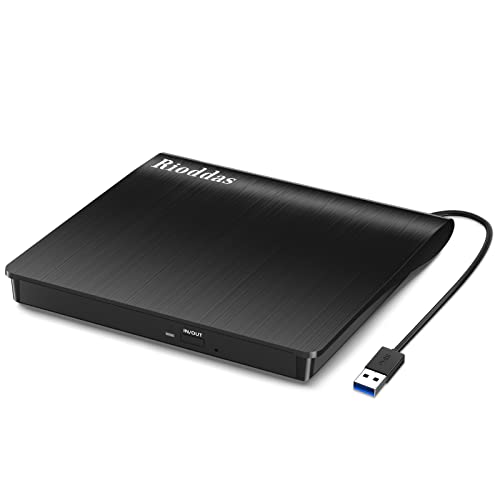
The Rioddas drive is powered directly by a USB port, removing the need for an external power adapter. It supports USB 3.0 with compatibility back to USB 2.0, delivering data transfer speeds up to 5Gbps. A notable feature is the physical eject button, enabling safe disc release even if the host computer fails to recognize the drive. Copper mesh technology helps maintain stable data transmission during reading and writing, reducing occasional stutters.
Key features
- Plug & Play, no driver needed
- Backwards compatible with USB 2.0
- High-speed data transfer up to 5Gbps
- Copper mesh for stable connections
Amicool External DVD Drive

The Amicool drive combines USB 3.0 and Type-C interfaces for flexible, fast connections up to 5Gbps. It is designed for plug-and-play use, ideally connected directly to a USB port on the computer (rear ports on desktops are recommended) to ensure stable power. It supports multiple disc formats, offering reliable read/write performance, but note that it does not support DVD-RAM, Blu-ray discs, or certain proprietary formats.
Key features
- Plug & Play with USB 3.0 and Type-C
- Maximum DVD read 8x, CD read/write up to 24x
- Broad OS compatibility (Windows, Linux, macOS)
- Direct connection preferred for best stability
YOTUO External CD/DVD Drive

The YOTUO drive features both USB 3.0 and USB-C interfaces, enabling fast data transfers up to 5Gbps. It is a compact, portable option designed for easy travel, with a slim profile and a lightweight build. The drive supports a range of common formats and is straightforward to set up, making it suitable for users who need reliable disc playback and burning on the go.
Key features
- Plug and Play with USB or Type-C
- Dual interface for versatile connections
- Maximum 8x DVD read, 24x CD read
- Compact, travel-friendly design
Laurensory External DVD Drive
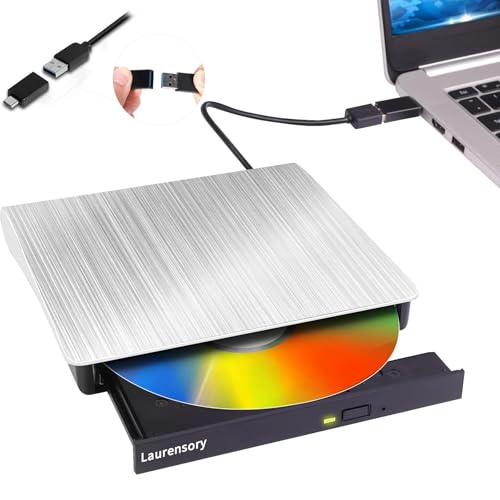
The Laurensory drive emphasizes wide compatibility across Windows, macOS, and Linux, and encourages connecting to the back USB port on desktop motherboards for optimal performance. It supports USB 3.0/2.0 speeds with a top read/write rate of 8x for DVDs and 24x for CDs. The device is designed to work as a burner, reader, and writer, making it a versatile option for backups and media playback.
Key features
- Plug-and-play with USB 3.0/2.0
- Wide OS compatibility
- Up to 8x DVD read, 24x CD read/write
- Desktop-backport guidance for best results
ORIGBELIE External CD/DVD Drive
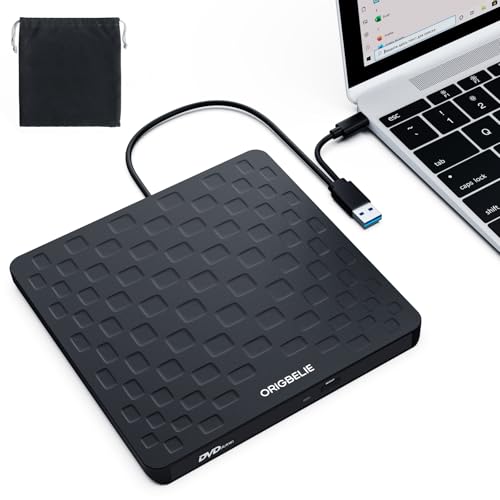
The ORIGBELIE drive is an ultra-slim, USB-powered external solution that supports USB 3.0 with backward compatibility to USB 2.0/1.1. It delivers up to 8x DVD read/write and 24x CD read/write with data transfer speeds up to 5Gbps. It is compatible with a broad range of Windows, Linux, and macOS versions, and advises connecting to rear USB ports on desktops for optimal performance. Its slim design makes it easy to transport.
Key features
- Plug & Play, USB-powered
- USB 3.0 with USB 2.0 compatibility
- High-speed read/write up to 8x/24x
- Wide OS support, including older Windows and Linux
Buying Guide
- Connection type: Prioritize USB 3.0 or USB-C for high data transfer speeds, and consider dual-interface models if you switch between devices.
- Power and portability: USB-powered drives are convenient, but desktop use may benefit from connecting to rear motherboard ports for stable power delivery.
- Compatibility: Check OS support (Windows, macOS, Linux) and whether the drive supports the common formats you use (DVD±R, DVD±RW, CD-R, CD-RW). Some models omit Blu-ray or DVD-RAM support.
- Build and reliability: Look for features like an eject button for safe disc removal, and sturdy chassis materials to withstand travel.
- Travel considerations: Slim, lightweight designs with protective packaging are ideal for frequent travelers or students.