The market offers compact, battery-powered and USB-powered all-in-one devices that combine printing, scanning, and copying for mobile professionals and home offices. This article highlights five portable options and practical considerations for choosing a device that fits your workflow, whether you’re commuting, traveling, or working in small spaces. Below is a quick overview of the selected products to help you compare at a glance.
| Product | Brand | Type |
|---|---|---|
| HP OfficeJet 250 Wireless Mobile Printer, Scanner, Copier | HP | Portable all-in-one with battery |
| Epson WorkForce ES-50 Portable Document Scanner | Epson | Portable sheet-fed scanner |
| Canon imageFORMULA R10 Portable Scanner | Canon | Compact USB-powered scanner |
| HP DeskJet 4255e Wireless All-in-One | HP | Color inkjet all-in-one |
| HP Small USB Document & Photo Scanner (HPPS100) | HP | Portable single-sheet scanner |
HP OfficeJet 250 Wireless Mobile Printer, Scanner, Copier

The HP OfficeJet 250 combines printing, scanning, and copying in a compact, battery-included package designed for on-the-go use. It works with laptops, tablets, and smartphones without requiring a network connection, making it ideal for field work, remote jobs, or quick business tasks in a car or hotel room. The built-in battery adds versatility for off-grid operation, and the HP app enables direct printing and scanning from mobile devices. This device prioritizes business documents, with portable portability that fits into a backpack, briefcase, or glove compartment for spontaneous jobs.
Key features include wireless mobile printing, scanning and copying on the go, a portable form factor, and a convenient app-based workflow. Users should consider battery life, print quality, and the balance between portability and paper capacity when evaluating this model for daily use.
HP DeskJet 4255e Wireless All-in-One
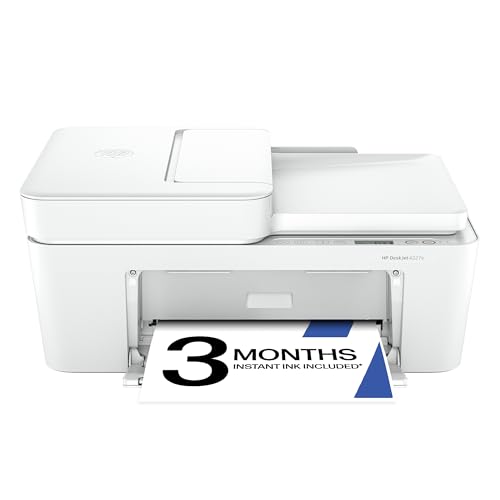
The DeskJet 4255e is designed for home use with color printing, copying, and scanning capabilities, plus an auto document feeder and a 60-sheet input tray. It connects wirelessly and supports multi-function tasks suitable for families, small offices, or shared spaces. The 3-month Instant Ink trial can help manage ongoing ink costs and waste, while HP AI features optimize pages by removing extraneous content for clearer documents and neater layouts. This model emphasizes value, ease of setup, and broad compatibility with mobile and desktop devices.
Considerations for this device include ink costs over time, print speed, and how the AI features affect everyday documents and web content. It’s well-suited for households or small teams seeking reliable color printing with occasional scanning and copying tasks.
Epson WorkForce ES-50 Portable Scanner

The Epson WorkForce ES-50 is a lightweight, single-sheet scanner designed for fast on-the-go document capture. It can scan a single page in as little as 5.5 seconds, and it supports both Windows and Mac with a TWAIN driver for smooth integration with common workflows. The ES-50 handles a range of documents, including receipts and ID cards, and can scan through longer pages up to 8.5 x 72 inches when needed. This makes it a strong choice for travel photographers, freelancers, or small businesses needing portable scanning without fuss.
When evaluating this scanner, users should consider the balance between speed, portability, and the ability to handle occasional longer documents. Its compact design and simple setup are ideal for minimal desk setups or on-site tasks where laptops are the main workstation.
Canon imageFORMULA R10 Portable Scanner
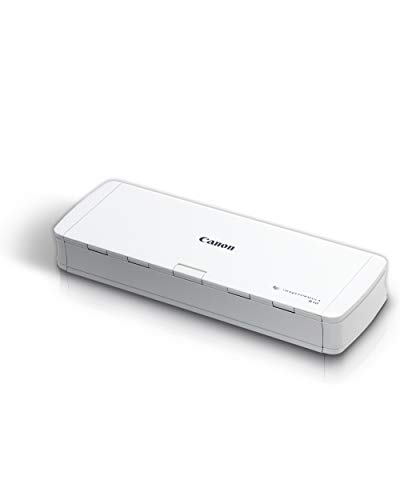
The Canon imageFORMULA R10 is a portable USB-powered scanner featuring a document feeder and duplex scanning, designed for mobile users who need reliable, high-quality digital copies of paper documents. The device emphasizes clean, searchable digital outputs and energy-efficient operation. It supports a range of media types and offers simple setup for quick deployment in homes or on the road. The R10 is suitable for users who frequently digitize receipts, contracts, and reports while traveling or working from small offices.
Considerations for this model include the need for a constant power source via USB, the volume of scanning, and the software ecosystem that accompanies the device. It is well-suited for road warriors who want dependable scans without heavier equipment.
Canon PIXMA TS6520 Wireless Color Inkjet Printer

The Canon PIXMA TS6520 is a versatile home printer that includes copying and scanning capabilities, offering a compact design and an OLED display for intuitive control. It is geared toward hybrid work scenarios where printing photos and documents from multiple devices is common. The TS6520 uses a 2-cartridge hybrid ink system to balance cost and quality, delivering sharp text and vivid colors for both documents and images. Quick setup makes it easy to start printing or scanning from mobile devices or computers.
Key considerations include the device’s overall size, consumable costs, and how well it integrates with your preferred cloud or local workflows. It’s a good fit for households or small spaces needing an all-in-one that can handle everyday printing with occasional scanning and copying tasks.
Buying Guide
- Portability and power: Decide between battery-powered mobile units, USB-powered scanners, or plug-in printers with compact footprints. Battery life and recharging options affect on-the-road productivity.
- All-in-one vs. dedicated scanner: If you primarily scan documents, a dedicated portable scanner (like the ES-50) may offer faster scans and better document handling. If you also print on the go, a compact all-in-one becomes more attractive.
- Connectivity: Look for Wi-Fi, Bluetooth, USB, or app-based workflows. Mobile-friendly apps and cloud printing/scanning can save time and simplify tasks when you’re away from a desk.
- Paper handling: Check input trays, feeder capacity, and whether the device supports duplex (two-sided) scanning or printing. For frequent reports or receipts, a feeder saves time.
- Scan speed and output quality: Faster pages per minute (ppm) and higher optical resolution translate to clearer scans, especially for text-heavy documents or images.
- Ink and consumables: For inkjet models, evaluate running costs, cartridge availability, and any ink subscription options. For laser or monochrome options, toner costs matter for long-term usage.
- Software and compatibility: Ensure compatibility with Windows, macOS, and mobile platforms. Consider whether OCR, file formats (PDF, JPEG), and file type conversions are included or require additional software.
- Durability and warranty: Portable devices should withstand travel and minor bumps. Check warranty length and support options for on-the-go use.
- Usage profile: For travel-heavy work, prioritize devices with compact dimensions and robust battery life. For home offices with occasional travel, a reliable USB or wireless scanner may suffice.
- Price vs. value: Balance upfront cost with ongoing consumables, warranty, and reliability. A slightly higher upfront price can yield lower long-term maintenance and better support.