For students, professionals, and travelers who need quick access to printed text, pen scanners offer a fast bridge between the real world and your computer or phone. This guide showcases top pen scanners that convert printed text into digital text, with features like OCR, text-to-speech, and real-time translation. Explore five leading options, compare core capabilities, and learn what to consider before buying.
| Product | Key Capability | |
|---|---|---|
| Scanmarker AI Pen | View | OCR, text-to-speech, AI chat integration |
| MOIDYOU Scan Reader Pen | View | 142 languages, online/offline translation |
| ACODO Translator Pen (Dyslexia) | View | Two-way translation, offline support |
| NEWYES AI Pen | View | AI dictionary, real-time AI chat, 5MP camera |
| Hublaolss Scan Pen Translator | View | 142-language translation, speech-to-text |
Scanmarker AI Pen With Built-In Screen

The Scanmarker AI Pen combines instant scan-to-text with a built-in screen, enabling on-screen word display within seconds. Ideal for students and professionals who need quick access to captured content, the device supports OCR to extract text from textbooks, documents, and labels. The integration with ChatGPT-style features helps users obtain concise explanations or context for study material, reducing time spent typing and boosting comprehension.
Key strengths include rapid text capture, note-generation capabilities, and text-to-speech support for improved focus. The compact form factor makes it well-suited for libraries, classrooms, and travel. Users can turn scanned passages into study notes or quick-reference highlights, accelerating revision and research workflows.
MOIDYOU Scan Reader Pen

The MOIDYOU Scan Reader Pen serves as a versatile translation and reading companion with real-time translation for 142 languages. It supports online and offline modes, and features text extraction and scan-to-read, making it suitable for students, travelers, and readers with dyslexia. The device also offers Bluetooth connectivity for seamless pairing with other devices, enabling quick sharing of translations and definitions.
Users benefit from a broad language range, immediate pronunciation guides, and an excerpt function that can scan text and QR codes without USB connection. This makes it a strong option for learning on the go and completing multilingual study tasks with less friction between printed materials and digital study tools.
ACODO Translator Pen for Dyslexia

The ACODO Translator Pen emphasizes accessibility and language support, featuring text-to-voice output and a broad language range. It includes online and offline translation options with 142 languages online and 112 languages for real-time voice translations, addressing needs of dyslexia readers and language learners. The device supports two-way translation and a scan-to-read workflow, making it practical for classroom use or independent study.
With its offline capability and quick print-to-voice translation, the pen helps reinforce reading comprehension and foreign language acquisition. It is particularly helpful for users who want immediate audio feedback and clear, natural-sounding translations while scanning printed materials or notes.
NEWYES AI Pen For Dyslexia

NEWYES combines AI-powered learning tools with a reading pen for dyslexia-friendly study. It includes an AI dictionary, AI homework checker, and real-time AI chat to assist with questions and explanations. The device integrates a built-in camera and scan-to-solve features, providing quick answers and visual context. It supports 112-language translation and voice output, making it a comprehensive study companion for multilingual learners and busy professionals.
Designed to reduce reading fatigue with adjustable reading speeds and accent options, NEWYES aims to help users process complex material more efficiently. The toolset is suitable for both classroom and self-guided study, offering a robust mix of OCR, translation, and interactive AI assistance.
Hublaolss Scan Pen Translator
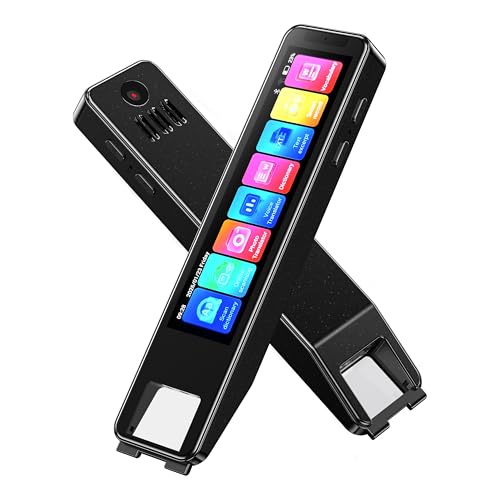
The Hublaolss device emphasizes real-time two-way translation across 142 languages, combining speech-to-text with OCR scanning. It supports voice input and text capture to break language barriers in conversations, travel, and study groups. The pen is designed for learners and professionals who need portable, hands-free language support and on-demand definitions, pronunciations, and translations.
Its large touch screen and quick-access features help users scan books, menus, or documents and instantly obtain translations, making it a practical tool for language learners and global collaboration. The device’s ability to convert spoken language and printed text into editable or translatable outputs supports efficient learning and communication in diverse settings.
Buying Guide: Key Considerations For Selecting A Pen Scan Device
When choosing a pen scanner that converts printed text into digital form, consider core capabilities, user needs, and environment. The following factors cover multiple perspectives to help you compare effectively.
- Language Coverage: If you work with many languages, prioritize devices with broad online/offline translation options and accurate pronunciation guides. Look for a mix of 142-language support and offline access for travel or areas with spotty connectivity.
- OCR and Text Extraction: High OCR accuracy and rapid text capture speed reduce time spent transcribing notes. Devices that support entire lines or pages without chunking are advantageous for dense reading materials.
- Text-to-Speech And Voice Output: For learners with reading fatigue or dyslexia, clear TTS output helps comprehension. Check voice options, accents, and adjustable speaking speed.
- Two-Way Translation: Real-time back-and-forth translation is valuable for conversations, meetings, and interviews. Ensure latency is minimal and translations appear promptly on screen or audio.
- Offline Capabilities: Offline translation and offline text recognition can be crucial during travel or exams where internet access is limited.
- AI Assistance: Some pens offer AI dictionaries, homework checkers, or chat features. Consider whether AI tools align with your study or work workflow and privacy expectations.
- Device Usability: Assess screen size, weight, battery life, and ease of scanning across pages. A built-in screen helps review results instantly, but may add bulk.
- Storage And Connectivity: Look for on-device storage (e.g., 8GB or more) and USB/Bluetooth options to transfer texts to a computer or phone without friction.
- Durability And Comfort: For students and travelers, a durable, ergonomic design is important for frequent use and extended scanning sessions.
Overall, the best choice depends on your primary use case: academic study with frequent reference lookups, travel and language learning, or accessibility needs for reading and comprehension. Compare translation breadth, OCR speed, and AI features to find a pen that integrates seamlessly into your daily routines and digital workflows.