Discover top network attached storage (NAS) solutions that blend media streaming, data backup, and cloud-like access into one compact system. This guide highlights five standout NAS devices from Buffalo, Asustor, and TerraMaster, featuring fast processors, ample RAM, and multi‑bay configurations for expanding storage. Whether you’re building a private media library, a small office file server, or a home backup hub, these options deliver reliable performance, easy setup, and remote access. Use the quick summary table to compare core specs at a glance.
| Product | Brand | Bay Count | Notable Feature |
|---|---|---|---|
| BUFFALO LinkStation 720 8TB | BUFFALO | 2 | Cloud-capable, 24/7 support |
| Asustor Drivestor 2 Pro Gen2 AS3302T v2 | Asustor | 2 | 1.7GHz quad-core, 2.5GbE |
| BUFFALO LinkStation 720 16TB | BUFFALO | 2 | High-capacity, private cloud |
| TERRAMASTER F2-425 | TERRAMASTER | 2 | Intel quad-core, 2.5GbE, 4K capable |
| Asustor Drivestor 4 Pro Gen2 AS3304T v2 | Asustor | 4 | 1.7GHz quad-core, 2.5GbE |
BUFFALO LinkStation 720: 8TB Quick Overview
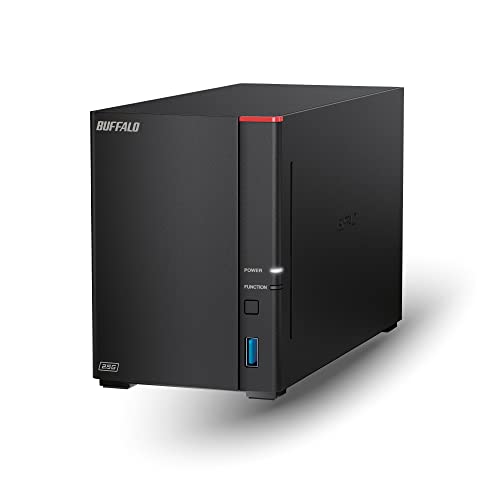
The BUFFALO LinkStation 720 8TB delivers private cloud capabilities with a two-bay chassis for simple storage expansion. It is designed to integrate with Windows and MacOS 26, and Buffalo offers 24/7 US-based support for installation walkthroughs. The device emphasizes cloud-like access for media, backups, and file sharing without recurring subscription fees. This model emphasizes straightforward network sharing via a compatible router setup, making it a strong choice for households needing centralized media and document storage.
ASUSTOR Drivestor 2 Pro Gen2 AS3302T v2

ASUSTOR Drivestor 2 Pro Gen2 AS3302T v2 offers a Realtek RTD1619B 1.7GHz quad-core processor and a 2.5GbE network port. With 2GB DDR4 RAM and an upgraded internal display, it supports smooth 4K transcoding and reliable multi-user access. This compact, diskless (optional drives) NAS is suitable for home media libraries, personal backups, and light office use, delivering fast local network performance with straightforward setup via the ASUSTOR ecosystem.
BUFFALO LinkStation 720: 16TB High Capacity
The 16TB variant of the LinkStation 720 provides ample space for large media libraries and multiple user profiles. Like its 8TB sibling, it supports cloud-style access, cross-platform compatibility with Windows and MacOS, and 24/7 US-based support. The larger capacity makes it well-suited for households with extensive video libraries, music collections, and shared documents that require centralized backup and streaming across devices.
BUFFALO LinkStation 720: 4TB Basic Model
The 4TB LinkStation 720 provides an entry-level option within the same family, offering the same cloud-like access and cross-platform compatibility. It is suitable for users who need a compact, reliable NAS for light media streaming, backups, and shared file access across Windows and Mac devices. Its straightforward configuration helps users establish a centralized data hub with minimal setup time.
TERRAMASTER F2-425: 2-Bay NAS

The TERRAMASTER F2-425 features an Intel x86 quad-core processor and 4GB RAM, with a 2.5GbE LAN port for high-speed transfers and multi-user access. It supports hardware-accelerated 4K transcoding and is compatible with popular media servers like Plex, Emby, and Jellyfin. Its TNAS Mobile app enables setup and backups from a smartphone, making it a practical option for a home media hub or small business file server with mobile management capabilities.
ASUSTOR Drivestor 4 Pro Gen2 AS3304T v2

The ASUSTOR Drivestor 4 Pro Gen2 AS3304T v2 expands to four bays, offering a robust 1.7GHz quad-core processor and 2.5GbE connectivity. It builds on the ASUSTOR feature set with a capable CPU, ample RAM, and a display for easy local management. This configuration is well-suited for users who want more drive slots for larger media libraries, greater backup capacity, and smoother media transcoding for multiple streams.
Buying Guide
- Drive bays and scalability: Choose between 2-bay and 4-bay models based on current needs and future growth. More bays allow larger total capacity and more drive redundancy strategies.
- CPU and RAM: For smooth 4K transcoding and multi-user access, opt for quad-core CPUs and at least 2GB–4GB RAM, with 4GB or more preferred for heavier workloads.
- Networking: A 2.5GbE port or higher enables faster file transfers and better multi-user performance. Consider link aggregation if you have multiple clients.
- Media server compatibility: If you plan to stream to multiple devices, ensure compatibility with Plex, Emby, Jellyfin, or DLNA, and check GPU-accelerated transcoding features if available.
- Backup and cloud features: Look for built-in cloud-like access, scheduled backups, and easy file synchronization to protect media libraries and documents without ongoing fees.
- Software ecosystem and support: A well-supported platform with mobile apps (iOS/Android) and reliable vendor support helps with setup and ongoing maintenance.
- Disk configuration and RAID options: Diskless units let you choose drives; consider RAID configurations (0, 1, 5, 6, 10) for a balance of capacity and redundancy.
- Power consumption and noise: For a home theater setup or quiet office, verify fan noise levels and power use to minimize disruption.
- Price-to-capacity balance: Higher-capacity units offer more room to grow, but evaluate whether the additional bays align with your expected data growth and media library size.