For Windows desktops and laptops, compact Bluetooth dongles offer a simple upgrade path to wireless peripherals. This guide highlights five nano USB adapters that support ED R and BLE technologies, focusing on versions around Bluetooth 4.0–6.0 with fast pairing and extended range. Each product is evaluated by size, compatibility, and feature set to help you choose a reliable plug-and-play option.
| Product | Brand | Bluetooth Version | Key Features |
|---|---|---|---|
| UB400 | TP-Link | Bluetooth 4.0 | Nano size, plug & play, backward compatibility |
| UB500 | TP-Link | Bluetooth 5.4 | EDR & BLE, faster speeds, extended range |
| BT-8500 | Edimax | Bluetooth 5.0 | Nano-sized, plug-n-play, Linux/Windows support |
| UGREEN 6.0 | UGREEN | Bluetooth 6.0 | EDR & BLE, multi-device connection, plug & play |
| ZEXMTE 5.3 | ZEXMTE | Bluetooth 5.3 | EDR + BLE, long range, plug & play |
TP-Link USB Bluetooth Adapter UB400 — Nano 4.0 Dongle
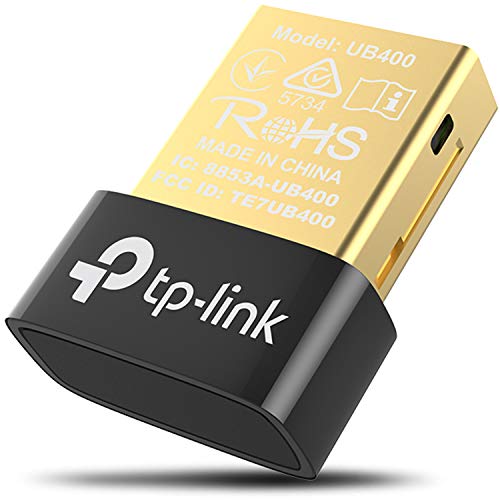
TP-Link’s UB400 adds Bluetooth 4.0 with backward compatibility to earlier versions, enabling a quick upgrade for desktop and laptop PCs lacking wireless BT. The nano-sized design fits flush in USB ports, making it ideal for travel. It supports plug-and-play on Windows 8, 10, and 11 with driver options for older systems. While 4.0 offers solid basic wireless performance, users should expect lower data rates and shorter range than newer standards.
TP-Link UB500 USB Bluetooth 5.4 Dongle

The UB500 introduces Bluetooth 5.4 with EDR and BLE, delivering faster data transfer and broader coverage compared to the 4.0 era. It remains compact and plug-and-play, compatible with Windows 7 through Windows 11. The device is designed for stable connections to keyboards, mice, and audio devices while optimizing power consumption for extended use. This makes it a strong choice for users who need dependable performance and longer range in a small footprint.
Edimax BT-8500 Nano USB Bluetooth 5.0
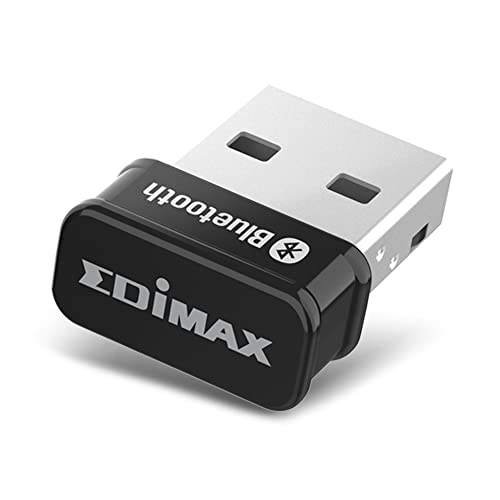
Edimax BT-8500 offers a compact nano USB 5.0 dongle suitable for quick upgrades to PCs and laptops. It supports Linux and Windows, providing plug-and-play ease for most setups. The small form factor minimizes USB port obstruction, making it apt for laptops with limited space. While it emphasizes 5.0 performance, users should consider whether 6.0 or 5.4 devices offer the broader compatibility they require for newer devices.
UGREEN USB Bluetooth 6.0 Dongle — EDR & BLE
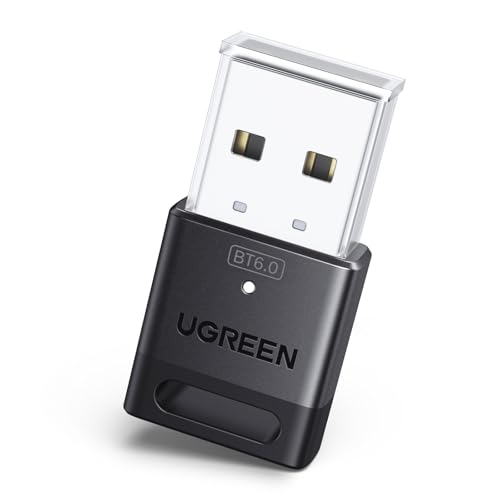
UGREEN’s 6.0 dongle combines EDR and BLE for improved efficiency and faster connections. It supports up to five device connections simultaneously and is designed for plug-and-play use with Windows 11/10/8.1. While it claims broad compatibility, the 6.0 standard aims to optimize multi-device environments, making it ideal for users with multiple Bluetooth peripherals like mice, keyboards, and audio devices running concurrently.
Cudy USB Bluetooth 5.3 Nano Dongle

The Cudy BU530 leverages Bluetooth 5.3 with EDR, offering faster data rates and improved range over 4.x versions. It features plug-and-play setup for Windows 11/10/8.1 and supports multiple backward-compatible profiles. The nano design keeps USB ports clear, helpful for laptops and compact desktops. It emphasizes reliability and higher-speed wireless connections, suitable for streaming and peripheral pairing.
Buying Guide
Key purchase considerations for nano Bluetooth dongles:
- Bluetooth version and EDR/BLE: Newer versions (5.x/6.x) typically provide faster transfers, longer range, and better efficiency. EDR enhances data rates, while BLE lowers power consumption when connected devices are idle.
- Compatibility: Ensure Windows version support (11/10/8.x/7) and check any driver requirements for older systems. Some adapters are driver-free on newer Windows, but may need drivers on legacy systems.
- Form factor: Nano dongles fit most USB ports without blocking adjacent ports, ideal for laptops and travel. If you frequently unplug/plug, a compact design reduces wear on USB ports.
- Device support: Consider how many devices you plan to connect concurrently. Some models support multiple connections (up to 5) but may reduce performance when many audio devices are involved.
- Use case: For audio streaming, gaming, or file transfers, prioritize higher data rates and stable range. For basic peripherals like mice and keyboards, older 4.x standards can be sufficient.
- Operating system nuances: Some models offer broad Linux kernel support or Mint compatibility, while others are Windows-centric. If you dual-boot or use Linux, verify driver availability.
Buying considerations should align with your hardware ecosystem, whether you need maximum range, low latency for gaming, or simply reliable peripheral pairing with minimal setup.