Surveillance setups often require monitors that handle multiple inputs, including component (YPbPr), HDMI, VGA, and audio, while delivering clear, color-accurate images 24/7. The following selection focuses on monitors designed for CCTV and NVR/DVR workflows, emphasizing 21.5″ and 17″ to 19.5″ sizes with durable builds, VESA mounting, and easy wall installation. Each option supports component input (YPbPr) alongside other common interfaces to ensure compatibility with a wide range of security devices.
| Product | Screen Size | Key Features |
|---|---|---|
| Cocar 21.5″ CCTV Monitor (BNC/YPbPr) | 21.5″ | Component BNC input, HDMI, VGA, 2x BNC, 24/7 operation, VESA mounting |
| ZOSHING 17″ Security Monitor | 17″ | HDMI, AV, VGA, 3.5mm audio, USB media player, built-in speakers |
| Cocar 21.5″ CCTV Monitor (BNC/YPbPr) | 21.5″ | Similar to first Cocar model, YPbPr, HDMI, composite, VESA |
| Cocar 19.5″ CCTV Monitor | 19.5″ | YPbPr/Component BNC, HDMI, VGA, audio, VESA |
| Beetronics 15″ Full HD IPS Monitor | 15″ | HDMI, VGA, BNC, RCA, 24/7 operation, durable housing |
Choosing the right monitor for security applications means balancing input versatility, display quality, and reliability. The items below are organized to help you compare sizes, interfaces, and mounting options quickly, so you can identify a model that fits your NVR/DVR and camera lineup while remaining easy to deploy across a site or multiple rooms.
Cocar 21.5″ CCTV Monitor With Component Input
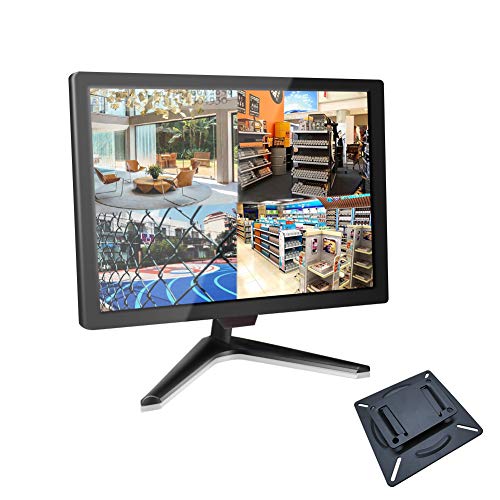
This 21.5-inch Cocar monitor is built for continuous surveillance operation. It features composite and component BNC inputs and outputs, along with HDMI, VGA, and a 3.5mm audio interface. The LED backlight supports prolonged usage, and the 1920×1080 resolution with a 16:9 aspect ratio ensures clear image reproduction. A fast 3ms response time, 300 cd/m2 brightness, and 1000:1 contrast provide readable footage across multiple camera angles. The monitor offers NTSC/PAL auto-switching for compatibility with diverse cameras and CCTV systems. A wide viewing angle of 178 degrees helps maintain visibility from different positions. It ships with a wall mounting bracket and 75×75 mm VESA compatibility for secure installation.
Benefits include dedicated YPbPr (component) inputs to minimize interference and maximize brightness and color clarity, reducing chroma bleed in busy scenes. The combination of multiple inputs makes it a versatile choice for security rooms, kiosks, or home surveillance that uses DVR/NVR systems alongside other media sources.
Ideal use cases: CCTV control rooms, small business surveillance, home security setups that require a single display for camera feeds and backup media players. Consider pairing with a DVR or NVR that can output via BNC or HDMI to keep the workflow simple and reliable.
ZOSHING 17-Inch Security Monitor
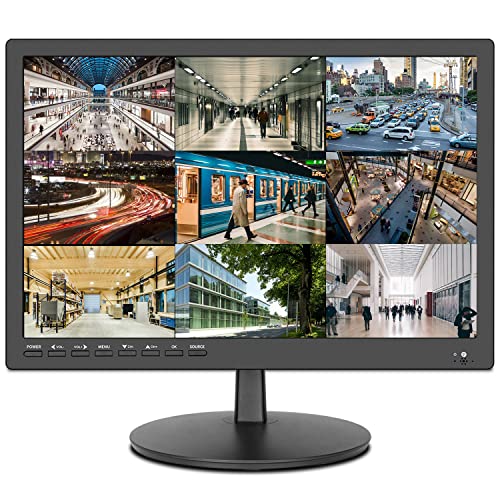
The ZOSHING 17-inch security monitor emphasizes compact footprint with comprehensive I/O. It provides HDMI, AV, VGA, and a 3.5mm audio path, plus a built-in USB port for media playback via USB drives and two integrated speakers. The display supports a broad viewing angle, enabling easier monitoring from multiple positions. Its built-in USB media player adds basic on-site playback capabilities, which can be useful for quick reviews or demonstrations without a separate computer. The device is designed to suit home, office, or small retail surveillance setups, where a modestly sized, feature-rich display helps keep costs down while preserving essential clarity.
Considerations include whether you need explicit component input (YPbPr) in addition to HDMI and VGA. If not, this monitor remains flexible for various DVR/NVR configurations because it can accept multiple common digital and analog inputs, and the built-in speakers can reduce the need for external audio equipment in smaller installations.
Cocar 21.5″ CCTV Monitor With Enhanced YPbPr

This Cocar model reiterates strengths for CCTV applications: a 21.5-inch screen with YPbPr/component inputs, plus composite BNC, HDMI, VGA, and 3.5mm audio. The 1920×1080 resolution and 178-degree viewing angle deliver broad coverage of camera feeds, while the 24/7 operation readiness suits daily surveillance demands. The wall-mount compatibility and VESA 75×75 mm pattern simplify installation in a control room, store, or home security setup. The device emphasizes image clarity and reliable performance under continuous operation against variable lighting.
Practical considerations include ensuring your camera lineup has compatible BNC and YPbPr output signals and confirming that your NVR/DVR supports these inputs. This monitor’s flexible connections help reduce the number of adapters needed in multi-camera installations.
Cocar 19.5″ CCTV Monitor With Component Inputs
The 19.5-inch Cocar monitor balances compact size with robust input options. It supports YPbPr/component BNC signals, HDMI, composite BNC (two inputs and one output), VGA, and a 3.5mm audio interface. The LED backlight provides durability for 24/7 surveillance usage, and its 1600×900 resolution with a 16:9 aspect ratio keeps footage legible across camera feeds. With a 178-degree viewing angle, the screen remains readable from various angles. The included wall mounting bracket and VESA compatibility facilitate straightforward installation in tight spaces like elevator lobbies or small server rooms.
For setups with diverse camera outputs, this model offers a reliable way to consolidate feeds from both older analog cameras and newer digital devices, without needing multiple displays. It is suitable for NVR/DVR connections and can be used alongside PCs or media players when the security system requires on-site monitoring and quick playback from USB devices.
Beetronics 15-Inch Full HD IPS Monitor

The Beetronics 15-inch IPS monitor is designed as a durable, industrial-grade display suitable for CCTV and security environments. It offers HDMI, VGA, BNC, and RCA inputs, enabling broad compatibility with various cameras, DVRs, and media players. IPS technology provides wide viewing angles and consistent color accuracy, making it easier to view multiple feeds at once or from different positions in a control area. The monitor supports a wide operating range and a fully dimmable backlight, adapted for challenging environments where brightness control and longevity matter. Its metal housing adds to its ruggedness, making it a practical choice for continuous operation in professional settings.
Choosing this model is advantageous when you need a balanced mix of input options (including BNC for component and RCA for audio) and robust construction. It’s well-suited for surveillance rooms, vehicle installs, and industrial monitoring stations that seek dependable performance without frequent replacements.
Buying Guide: Key Purchase Considerations
- Input versatility: Look for monitors that support component (YPbPr/BNC), HDMI, VGA, and audio when possible. Component inputs help integrate older cameras with newer systems, reducing adapter needs.
- Display quality and size: Choose a screen size that fits your control room or mounting location. IPS panels provide wide viewing angles and stable color, which helps with identifying details across feeds.
- Durability and 24/7 operation: Security displays should handle continuous use. Check for robust backlights, durable housings, and a design intended for extended duty cycles.
- Mounting options: Ensure VESA compatibility and a suitable wall-mount or bracket. If space is tight, a slim bezel and efficient layout can improve operator efficiency.
- Audio considerations: If monitoring requires audible alerts or scene context, integrated speakers or easy external audio integration can be valuable.
- Auto-switching and compatibility: Auto NTSC/PAL switching helps accommodate cameras from different regions. Confirm compatibility with your NVR/DVR and camera outputs.
- Port placement and cable management: Rear-facing ports with downward-oriented layouts can simplify installation and reduce cable clutter in compact spaces.
- Maintenance and service life: Look for models with straightforward firmware updates, and check warranty terms or vendor support for ongoing security deployments.
In selecting the right monitor, teams should map their existing cameras, DVR/NVR configurations, and future expansion plans. A single display with multiple inputs simplifies operator training and minimizes downtime when switching between feeds or reviewing footage. For sites that require tight integration with legacy analog cameras and newer IP cameras, a monitor emphasizing YPbPr/component inputs can save both time and cost over the device’s lifetime.