For designers and engineers working with CAD, 3D navigation mice offer precise control and intuitive views that standard mice can’t match. This guide highlights five top Amazon picks that specialize in 3D navigation or ergonomic, feature-rich control for modeling, rendering, and sculpting. Each product emphasizes six-degrees-of-freedom (6Dof) movement, programmable keys, and smooth compatibility with Windows, macOS, and Linux where noted. Use this overview to compare models that best fit your workflow, from space-saving compact mice to full-size professional controllers.
| Product | Brand | Key Benefit |
|---|---|---|
| Spacemouse Compact | 3Dconnexion | Portability with precise 6Dof navigation |
| SpaceNavigator | 3Dconnexion | Compact, intuitive 3D model manipulation |
| SpaceMouse Pro | 3Dconnexion | Full-size with extensive programmable keys |
| CadMouse Compact | 3Dconnexion | Dedicated middle button and programmable keys |
| UM2030AK | ANRANK | Ergonomic 3-button 3D navigation option |
Spacemouse Compact 3D Mouse – 3Dconnexion
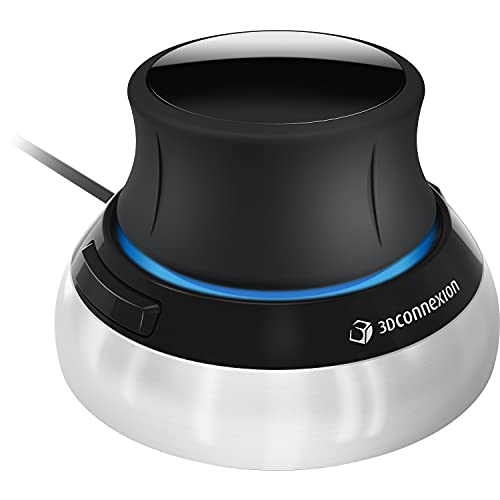
The Spacemouse Compact is designed to deliver intuitive and precise 3D navigation in CAD tasks that surpass what a standard mouse provides. Its six-degrees-of-freedom (6Dof) sensor enables smooth, effortless navigation of digital models or views. The compact form accommodates desktops with limited space while maintaining robust control for professionals who frequently switch between pan, zoom, and rotate gestures. It supports Windows, macOS, and Linux environments, and its two programmable buttons access up to eight commands via a radial menu for quick workflow adjustments.
SpaceNavigator 3D Mouse – 3Dconnexion
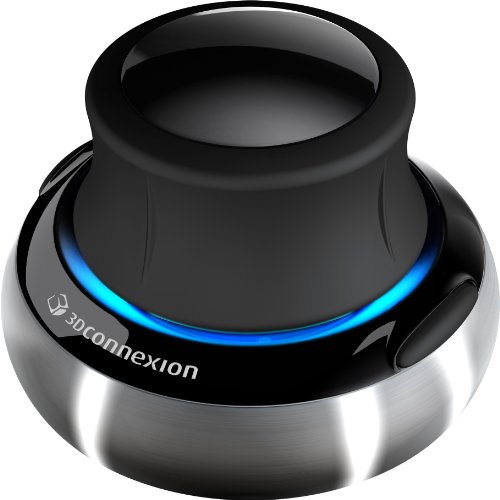
The SpaceNavigator offers a lightweight, accessible option for 3D modeling professionals who need precise, fluid navigation. Its advanced 6Dof optical sensor supports simultaneous panning, zooming, and rotating of 3D models, enabling a streamlined workflow. The device combines simplicity with functionality, including two programmable function keys to tailor essential tasks to a single click, reducing context switching during design sessions.
SpaceMouse Pro – 3D Mouse
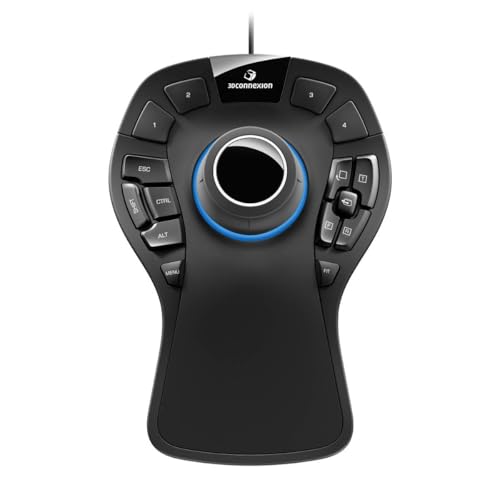
The SpaceMouse Pro represents a full-featured navigation solution, featuring a soft-coated hand rest and a 6Dof sensor for precise, multi-axis control. It includes quick view keys, a rotation toggle, intelligent function keys, an on-screen display, and a virtual Numpad. With 15 programmable keys and support for keyboard modifiers, the Pro model is suited for power users who assign frequent CAD commands to dedicated controls, improving efficiency across complex assemblies.
CadMouse Compact – 7 Button Optical

The CadMouse Compact provides a focused CAD experience with seven buttons (five programmable) and a dedicated middle mouse button. Its compact ergonomic shape supports prolonged use without excessive strain, making it a popular choice for users who rely on quick access to multiple commands while maintaining a comfortable grip during long design sessions. The device emphasizes precise optical tracking and reliable button performance in a CAD-centric workflow.
UM2030AK Black USB Optical 3-Button 3D Mouse

The ANRANK UM2030AK offers an ergonomic three-button design with a USB optical sensor suitable for 3D navigation tasks. While simpler than 6Dof models, it provides reliable optical tracking and a straightforward user experience for those who prefer a compact, no-fuss device for 3D modeling or general computer use. It supports plug-and-play operation across common operating systems and is a budget-friendly entry point into 3D navigation hardware.
3Dconnexion CadMouse Compact – Features and Fit
CadMouse Compact combines compact design with a full CAD-oriented feature set. The 7-button layout, with five programmable keys and a dedicated middle button, enables rapid tool switching and precise selection in complex assemblies. Its ergonomic shape supports extended sessions, and the device integrates smoothly with major CAD software through configurable keys and modifiers, helping engineers work efficiently without sacrificing comfort.
Buying Guide: Key Purchase Considerations for 3D Model Mice
- Movement and precision: 6Dof devices excel at 3D navigation, allowing pan, zoom, rotate, and push/pull actions. If your workflows rely on fluid orientation in complex assemblies, prioritize 6Dof models like Spacemouse Compact, SpaceNavigator, and SpaceMouse Pro.
- Ergonomics and comfort: Extended modeling sessions demand comfortable grips. The SpaceMouse Pro and CadMouse Compact offer ergonomic shaping and padding that reduce fatigue during long design bouts.
- Programmable keys and workflow integration: Look for devices with multiple programmable keys to map frequent CAD commands (view, measure, section, etc.). The SpaceMouse Pro and CadMouse Compact provide substantial customization to streamline tasks.
- System compatibility: Ensure compatibility with your operating system and design suite. Most 3D mice support Windows and macOS; some have Linux compatibility guidance—verify for your setup.
- Form factor and desk space: If you have a compact workspace, consider the SpaceNavigator or Spacemouse Compact. For desks with ample room, both the SpaceMouse Pro and CadMouse Compact offer more keys and tactile feedback.
- Ease of setup: Some kits emphasize plug-and-play with optional software and radial menus. Evaluate whether drivers and software add value or if a simple, reliable device is sufficient for your needs.
- Interoperability with CAD software: Check whether your primary tools (SolidWorks, AutoCAD, Fusion 360, etc.) support 3Dconnexion devices natively or via customization profiles to ensure optimal performance.
- Budget considerations: While high-end models bring advanced features, entry-level 3D navigation devices still offer meaningful improvements over traditional mice for 3D work, such as the ANRANK UM2030AK.
In selecting a 3D optical navigation mouse, consider the balance between advanced 6Dof control, number of programmable keys, ergonomic design, and operating system support. Each model in this guide targets different user priorities—from compact portability to feature-rich professional control—helping designers maintain precise manipulation of 3D models without compromising comfort.