Finding a reliable micro USB keyboard for tablets helps boost productivity on the go. This guide highlights five options that work well with tablets, whether you prefer a wired setup or a portable wireless model. Each pick focuses on compatibility, portability, and practical use for everyday tasks like email, note-taking, and light document work. Read on to compare features and identify the best keyboard accessory for your tablet experience.
| Product | Brand | Key Feature |
|---|---|---|
| Targus Wired Tablet Keyboard with Micro USB | Targus | Micro-USB connector; two typing angles; long 18” cord |
| OMOTON Bluetooth Keyboard for Tablet | OMOTON | Wireless, multi-system compatibility; larger keycaps |
| TOHAKATA Backlit Bluetooth Keyboard | TOHAKATA | 7-color backlight; portable; universal mobile compatibility |
| AKNICI Keyboard Case With Micro USB Plug | AKNICI | Built-in keyboard case; Micro USB/Type-C plug; folio design |
| CATSELURRY OTG Adapter Cable (Micro USB Hub) | CATSELURRY | Micro USB host adapter; USB 2.0 hub; hot plug support |
Note: The entries below include direct links to Amazon product pages. They are selected for compatibility with tablets using micro USB connections or OTG-enabled USB keyboards, and they emphasize portability, ease of use, and practical typing experiences.
Targus Wired Tablet Keyboard With Micro USB

The Targus AKB122US is a wired keyboard designed for PC and Android devices, featuring a Micro-USB connector. It offers two typing angles with feet that flip down, helping users position a comfortable typing stance. An 18-inch cord provides flexibility in how you set up your tablet for typing. This model emphasizes a straightforward, reliable wired connection ideal for travelers or desk setups where a stable keyboard is preferred over wireless options.
OMOTON Bluetooth Keyboard For Tablet
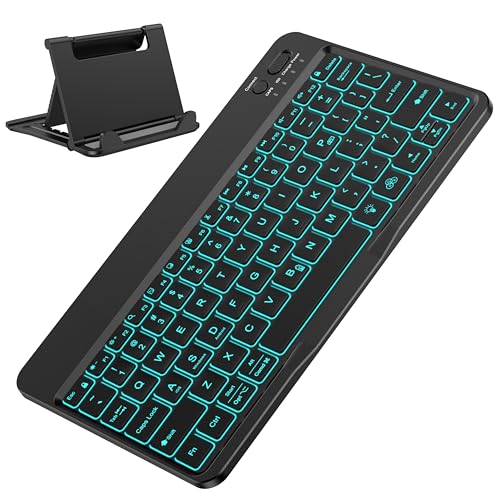
The OMOTON keyboard is a portable, multi-system Bluetooth keyboard designed for tablets and other devices. It supports switching among iOS, Windows, and Android with FN shortcuts (FN+A for iOS, FN+S for Windows, FN+D for Android). Its compact 9.7 x 5.9 x 0.2 inch form fits neatly with tablets, while larger keycaps provide a more comfortable typing experience. USB-C charging options and wireless operation enable flexible use for travel and everyday tasks.
TOHAKATA Backlit Bluetooth Keyboard For Tablets
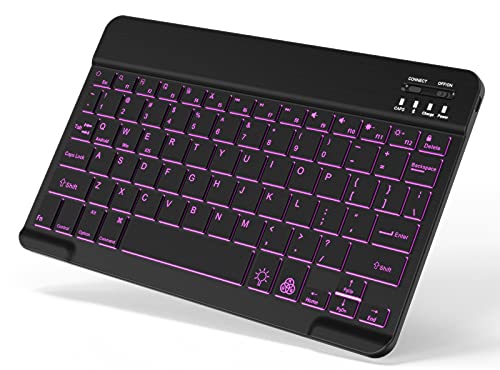
This TOHAKATA keyboard provides a 7-color LED backlight with one breathing mode and three brightness levels. It is designed for compatibility with tablets and mobile devices equipped with Bluetooth, including iPad and Android tablets. The keyboard offers stable Bluetooth performance, easy pairing, and convenient hot keys for quick access. It is optimized for small-screen devices, delivering a portable typing solution with illuminated keys for low-light use.
AKNICI 10-10.5 Inch Keyboard Case

The AKNICI case with a built-in keyboard turns a tablet into a compact laptop-like setup. It uses Micro USB or Type-C connectors to power and connect the keyboard, and the folio design protects the device while enabling a stable typing angle. The built-in stand provides a comfortable viewing position for typing and viewing media. This option suits users who want an all-in-one protective case plus keyboard for 10–10.5 inch Android tablets that support micro USB or Type-C connections.
CATSELURRY Micro USB OTG Hub Adapter

The CATSELURRY OTG adapter provides a micro USB host hub with three USB 2.0 ports plus a micro USB power supply. It enables direct keyboard connectivity to tablets and other OTG-capable devices, making it useful for those who need to connect multiple peripherals, including keyboards, mice, or flash drives. The plug-and-play design supports hot plugging, offering a practical expansion option for tablet users who rely on micro USB keyboards.
Buying Guide
- Connectivity type: Wired micro USB keyboards offer stable connections with no pairing needed, while Bluetooth keyboards provide wireless flexibility. Choose based on your tablet’s ports and usage scenario.
- Portability: For travel, opt for compact layouts and lightweight builds. Backlit keys improve usability in low-light environments but can slightly impact battery life on wireless models.
- Compatibility: Ensure the keyboard supports your tablet’s OS (Android, iOS, Windows) and any required pairing method or adaptor (micro USB vs USB-C).
- Power considerations: Wired keyboards draw power from the device; Bluetooth keyboards rely on internal batteries. OTG hubs require power passthrough in some cases to power connected devices.
- Durability and protection: If you’re frequently on the go, consider folio or case-integrated keyboards for protection and convenience.
- Typing comfort: Larger keycaps and ergonomic angles help reduce fatigue during longer typing sessions. Look for keyboards with comfortable key travel and spacing.
- Future-proofing: If planning to upgrade devices, prefer models with flexible compatibility (multi-OS support, USB-C adapters) to maximize lifespan.
This selection emphasizes practical micro USB keyboard options and compatible accessories to enhance tablet productivity. Each product aims to support everyday tasks with reliable connectivity, portability, and ease of use across different tablet ecosystems.