Pairing the right long DVI-D cable with your monitor, TV, or projector helps you maintain sharp image quality without signal loss. This guide highlights top long DVI-D and DVI-compatible cables, focusing on durability, bandwidth, and ease of use. Each option supports high resolutions and solid shielding for minimal interference, making them suitable for gaming, video editing, and presentations. Read on to compare features and find the best match for your setup.
| Product | |||
|---|---|---|---|
| URELEGAN DVI to DVI Cable | 10 Feet | DVI-D Male to DVI-D Male | 1920×1200, 1080p @60Hz |
| Cable Matters Long DVI Cable | 50 Feet | DVI-D Dual Link | 2560×1600, 2560×1440, 1080p |
| StarTech.com DVIDDMM20 | 20 Feet | DVI-D Dual Link M/M | 1920×1200, 1080p |
| YOTETION HDMI to DVI Cable | 50 Feet | HDMI to DVI-D | 1920×1200, 1080p |
| Conable DVI-D 15 FT | 15 Feet | DVI-D Dual Link | 1920×1200, 1080p |
Note: This article focuses on long, reliable DVI-D and DVI-related cables suitable for distributing high-definition video with minimal interference. Audio transmission is not supported by DVI cables.
URELEGAN DVI to DVI Cable 10 Feet
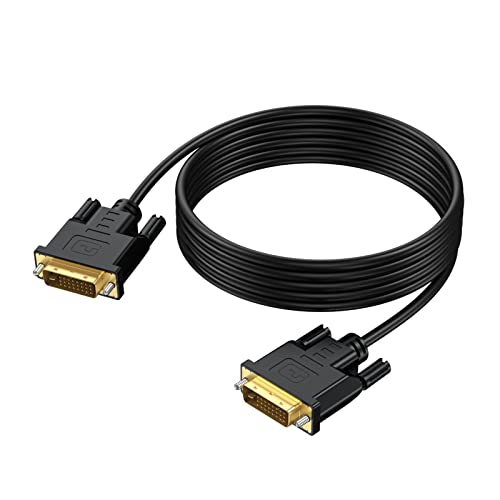
The URELEGAN cable provides a straightforward DVI-D to DVI-D link for desktops or laptops to displays with DVI-D ports. It features gold-plated connectors, bare copper conductors, and shielding to help minimize static and noise. The 10-foot length offers flexibility for mid-range setups and studio desks. It supports resolutions up to 1920×1200 and 1080p at 60 Hz. A note for users: this is a digital-only connection without audio transmission, which is typical for DVI-D cables.
Cable Matters Long DVI Cable With Ferrites

This 50-foot DVI-D dual-link cable from Cable Matters is designed for extended runs between computers and displays. It supports high-bandwidth video and is built with ferrite cores to reduce electromagnetic interference. The dual-link design enables higher resolutions and better color accuracy for gaming, video editing, or large presentation displays. The connectors feature molded strain relief for durability and grip treads for easier plugging and unplugging. It’s compatible with a range of devices and can handle demanding graphic workloads across larger rooms or studios.
StarTech.com DVIDDMM20 20-Feet DVI-D Dual Link Cable

StarTech’s long DVI-D cable delivers a high-speed, reliable connection for DVI-D equipped displays. The 20-foot length facilitates flexible device placement without signal degradation, thanks to dual-link design and shielding. It supports up to 9.9 Gbits/sec bandwidth and works well for connecting desktops or laptops to projectors or HD displays. This option is ideal for conference rooms or classrooms where walls or furniture require longer cables, while still providing a stable, high-quality digital signal.
Conable DVI-D 15 FT Gold Plated Dual Link Cable

The Conable 15-foot DVI-D dual-link cable uses 30 AWG pure copper conductors with gold-plated connectors for resilience against corrosion and improved signal integrity. The aluminum shell aids heat dissipation, and the shielding mitigates EMI/RFI interference. It supports resolutions up to 1920×1200 or 1920×1080 at 60 Hz and is plug-and-play, eliminating the need for extra drivers. This cable is well-suited for office setups, home theaters, or gaming rigs that require a moderate-length, dependable DVI-D link.
BENFEI DisplayPort to DVI 15 Feet Cable
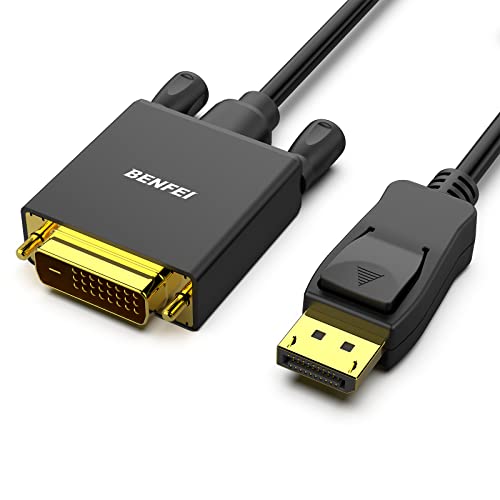
Although primarily a DisplayPort to DVI adapter, this cable is included for users upgrading or bridging devices with DP outputs to DVI monitors. It converts DP to DVI-D and supports up to 1920×1080 at 60 Hz, with gold-plated connectors and shielding for stable signal transfer. Note that this is uni-directional: from DisplayPort source to DVI display. It’s useful in mixed-device environments where a DP source needs to drive a DVI display across a longer distance.
Buying multiple long cables can help you tailor signal paths for dynamic rooms or multi-monitor setups. When evaluating options, consider cable length, resolution support, shielding quality, and connector durability. If you frequently move equipment, look for cables with reinforced strain relief and robust outer jackets. For professional environments, ferrite cores and batch shielding reduce EMI and RFI, preserving image clarity across long runs.
Buying Guide: Key Purchase Considerations And Comparisons
Long DVI and DVI-compatible cables vary in length, shielding, and bandwidth. Use these criteria to compare options and pick the right cable for your setup.
- Length vs. signal quality: Longer cables may introduce minor degradation, even with dual-link design. Opt for the shortest length that meets your distance needs, or choose models with strong shielding for long runs.
- Resolution support: Check maximum resolution and refresh rate. For gaming or editing, ensure the cable supports 1920×1200 or higher and 60 Hz or more as required by your display.
- Shielding and ferrites: Multi-layer shielding and ferrite cores reduce EMI/RFI, offering cleaner signals in noisy environments or near power lines.
- Connectors and durability: Gold-plated contacts resist corrosion; molded strain relief improves longevity and plug/unplug life, especially in high-use setups.
- Bi-directionality and compatibility: Some adapters are uni-directional (DP to DVI only) or bi-directional. Confirm signal direction and device compatibility before purchase.
- Use case: Home theater, office presentations, or professional editing suites may demand different features; prioritize dual-link bandwidth for higher resolutions and future-proofing.
Across the selected options, users gain a range of lengths from 10 to 50 feet, with standout features like dual-link support, gold-plated connectors, and ferrite cores. These elements help maintain image clarity across long runs, whether connecting a PC to a projector in a conference room or a gaming rig to a large monitor at home.