The following selection highlights top LCD picture frames with WiFi that use the Frameo app to share photos and short videos. These devices combine a clear 1280×800 IPS display, built-in storage, and easy-to-use interfaces for private, instant family sharing from anywhere. Each model supports portrait and landscape viewing, and many offer battery options or expanded storage for growing photo libraries.
| Product | Screen Size | Storage | Key Feature |
|---|---|---|---|
| 32GB FRAMEO 10.1″ Akimart | 10.1″ | 32GB (microSD expandable) | Private sharing via Frameo app |
| CONTINU.US 10.1″ WiFi Frame | 10.1″ | 32GB | Easy Frameo photo management |
| FRAMEO 10.1″ Akimart Battery | 10.1″ | 32GB | Built-in 5000mAh battery for portability |
| Frameo 10.1″ MaxAngel | 10.1″ | 32GB | Smart cloud frame with 32GB and wall mount |
| 64GB 15.6″ BIGASUO Frameo | 15.6″ | 64GB | Largest display in list with Frameo |
Note: All models use the Frameo app to receive photos and short videos, typically up to 15 seconds. They are designed for secure, private sharing with invited family and friends, and many support USB/SD expansion for more flexible storage options. The following sections summarize five relevant LCD WiFi frames and their standout features.
Akimart 10.1” Frameo WiFi Frame with 32GB
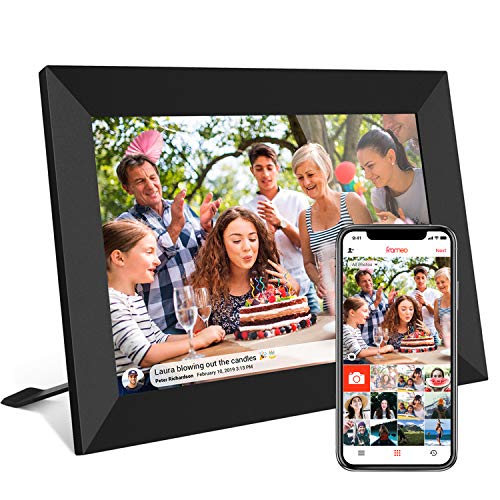
This 10.1-inch Akimart model offers a 1280×800 IPS touch screen with auto-rotate for portrait or landscape viewing. It ships with 32GB of built-in storage and supports microSD expansion, enabling a larger library without constantly swapping cards. The Frameo app enables private photo sharing from anywhere, with supported formats including JPG/JPEG/BMP/PNG and MP4 videos up to 15 seconds. A detachable stand provides flexible placement, and the display can show captions, weather, and a clock. Browsing and brightness controls are accessible via the touch screen, making everyday use straightforward for all ages.
CONTINU.US 10.1” Frameo WiFi Frame

This Continu.us frame centers on a user-friendly Frameo experience with a 10.1-inch IPS HD touch screen and a 1366×768 resolution. It includes 32GB of storage and supports SD card and USB options for extended storage. The app-based setup emphasizes quick onboarding and simple photo management, enabling easy sharing of photos and videos from anywhere. The device is suitable for both portrait and landscape orientation and emphasizes clear navigation, brightness settings, and sleep mode for customized viewing.
Akimart Frameo with 5000mAh Battery

This model combines portability with a built-in 5000mAh battery, letting you move the frame between rooms or take it to gatherings without a power outlet. It features a 1280×800 IPS touch screen, supporting standard image formats and MP4 video playback. The frame includes 32GB of memory, with the option to add storage via USB or SD cards. Like other Frameo devices, it enables private sharing via the Frameo app for quick, secure moment sharing with loved ones.
MaxAngel Frameo 10.1” Smart Frame
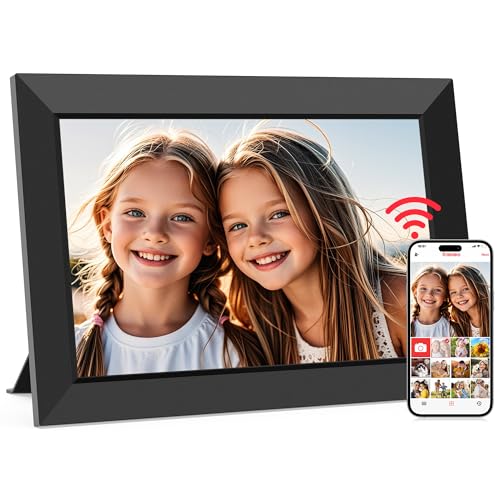
The MaxAngel Frameo model focuses on privacy and ease of use, ensuring only invited users can access shared content. It features a 10.1-inch IPS HD touch screen with 1280×800 resolution and a 32GB memory capacity, with support for SD cards for expanded storage. The device supports portrait and landscape viewing, and includes a wall-mount option along with a cloud-based sharing workflow via the Frameo app. Photos and short videos can be sent directly from a phone, making it suitable for gifting to family members who value privacy and simplicity.
BIGASUO 64GB 15.6″ Frameo WiFi Frame

The largest option in this list, the 15.6-inch BIGASUO frame delivers a 1920×1080 IPS Full HD display and 64GB of built-in storage, with expansion via SD cards and USB drives. It supports 2.4GHz Wi-Fi for Frameo sharing, and provides a roomy display area for viewing rich, vivid photos and longer collections. The device uses a 178-degree viewing angle and a responsive touchscreen, with a user interface designed for easy operation and simple setup. It’s an ideal choice for someone who prioritizes a bigger screen and local storage alongside wireless sharing.
Buying Guide
Key considerations when choosing a WiFi LCD photo frame include screen size and resolution, storage options, and how content is shared. For family use, Frameo-based sharing is a common and private solution; ensure the app is compatible with iOS and Android devices you or your family members use.
- Screen size and resolution: Higher resolution and a larger display improve photo clarity, but larger screens require more space and power. A 10.1” to 15.6” range balances size with readability for most rooms.
- Storage and expandability: Built-in memory (16–64GB) is typical; check for microSD/USB expansion to add thousands of photos or longer videos. FAT32 formatting is often recommended for SD cards.
- Sharing and privacy: Frameo is a common app for safe, invited sharing. Verify who can access your frame and whether you can manage permissions easily from your phone.
- Power options: Some frames rely on a constant power supply, while others offer built-in batteries for portability. Consider whether the frame will mostly stay in one place or move around the house.
- Ease of use: Look for touch-screen interfaces, portrait/landscape auto-rotation, brightness and sleep settings, and a simple onboarding process for guests and seniors.
- Connectivity and compatibility: Ensure the frame supports 2.4GHz Wi-Fi if required, and confirm supported image formats (JPG/JPEG/BMP/PNG) and video formats (MP4).
- Mounting and placement: Wall-mount compatibility or freestanding stands improve placement flexibility. If you plan to mount it, check the frame’s weight and mounting options.
Across these models, the core benefits are consistent: private, easy-to-use sharing, clear IPS displays, and flexible storage. Your choice depends on screen size preferences, the importance of battery portability, and whether you prioritize maximum built-in storage or expandable options for a growing photo library.