Searching for a laser printer that pairs well with a MacBook? This guide highlights top monochrome laser printers that deliver crisp, fast output, easy setup, and solid compatibility with macOS. We evaluated performance, connectivity, and mobile printing capabilities to help you choose a model that fits home offices or small teams. The selections below emphasize reliability, manageable footprints, and straightforward software support for Apple devices.
| Product | Brand | Key Features |
|---|---|---|
| Brother HL-L2405W | Brother | Monochrome laser, up to 30 ppm, dual-band wireless, USB, mobile printing via Brother app |
| Brother DCP-L2640DW | Brother | 3-in-1 (print, scan, copy), auto document feeder, duplex printing, wireless and Ethernet |
| HP Laserjet M110w | HP | Compact design, up to 21 ppm, wireless, mobile printing, ideal for small teams |
| HP Laserjet MFP M140w | HP | Print/scan/copy, 21 ppm, compact, mobile printing, easy setup for teams |
| Brother HL-L2460DW | Brother | Duplex printing, wireless, Ethernet, 36 ppm, mobile print, compact |
Note: These models are chosen for macOS compatibility, driver availability, and ease of use with MacBook devices. The list focuses on monochrome output for efficiency and cost effectiveness in document-heavy environments.
Brother HL-L2405W Wireless Compact Monochrome Laser Printer

The HL-L2405W is designed for homes and home offices that need reliable black-and-white output with easy wireless setup. It supports multiple devices via built-in dual-band wireless (2.4GHz/5GHz) and USB. The Brother Mobile Connect app enables remote management, toner tracking, and on-the-go printing, making it a practical choice for Mac users who value straightforward operation and consistent quality.
Brother DCP-L2640DW Wireless Monochrome Multi-Function

This 3-in-1 printer combines laser printing, scanning, and copying in one compact unit. It offers fast print speeds up to 36 ppm and up to 23.6/7.9 ipm for scanning, plus a 50-page auto document feeder for efficient handling of multi-page tasks. Connectivity includes built-in dual-band wireless, Ethernet, and USB, providing flexible options for Mac environments and shared networks.
HP LaserJet M110w Wireless Black & White Printer
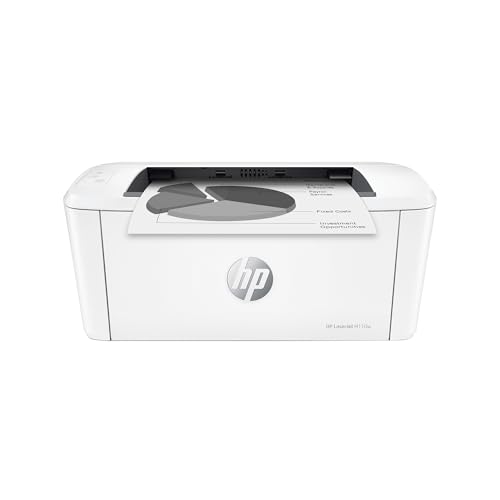
HP’s LaserJet M110w emphasizes a compact footprint suitable for small spaces while delivering reliable monochrome output. It supports wireless printing and mobile printing capabilities, making it a practical choice for MacBook users who need a ready-to-use solution with simple setup and dependable performance for everyday documents.
HP LaserJet MFP M140w Wireless Black & White Printer

This model bundles printing, scanning, and copying into a compact device with simple wireless setup. With up to 21 ppm single-sided printing, it suits small teams that need versatile functionality in a space-conscious footprint, while maintaining straightforward compatibility with macOS and mobile printing options.
Brother HL-L2460DW Wireless Monochrome Laser Printer

Designed for home offices and small teams, the HL-L2460DW focuses on dependable monochrome output with duplex printing and efficient performance up to 36 ppm. It offers flexible connections—wireless, Ethernet, and USB—plus Brother’s Mobile Connect app for remote printing and management from Apple devices, aligning with MacBook workflows.
HP Color LaserJet Pro MFP 3301sdw

Note: This model is listed as a color laser printer; it is included for context about the broader printer landscape but remains distinct from monochrome options. It supports color printing, scanning, copying, and duplexing, which may suit teams needing color capability alongside comprehensive document handling. For Mac users prioritizing speed and simplicity, focus on the monochrome options above for efficient home and small-office use.
HP LaserJet M209d Laser Printer

HP’s M209d focuses on fast two-sided printing and compact design suitable for small offices. It includes USB connectivity and a sheet-fed approach that supports efficient handling of multi-page documents, making it a robust choice for Mac-based workflows that rely on quick, dependable black-and-white printing.
Canon imageCLASS LBP6030w

Canon’s imageCLASS LBP6030w offers a compact wireless option with a respectable 19 ppm speed. Its small footprint makes it suitable for home offices or schools, and wireless connectivity helps Mac users print from tablets or laptops without wired constraints.
Buying Guide: What to Consider When Shopping for a Laser Printer for Mac
When selecting a laser printer to pair with a MacBook, consider compatibility, driver support, and the macOS versions you use. Optical clarity, page-per-minute speed, and effective duplexing can impact daily workflows. Also weigh the following perspectives:
- Connectivity: Look for wireless options (Wi‑Fi, AirPrint support) and USB if you prefer direct connections. Ethernet is useful for shared office networks.
- Monochrome vs. color: For document-heavy environments, monochrome laser printers typically deliver faster speeds and lower running costs.
- Mobile printing: Apps from the manufacturer (e.g., Brother Mobile Connect) and AirPrint compatibility simplify printing from iPhones and Macs.
- Duty cycle and reliability: In small offices, choose a model with an ample monthly duty cycle and simple maintenance to minimize downtime.
- Scanning and document handling: For multi-function devices, an automatic document feeder (ADF) and duplex scanning can save time on large tasks.
- Footprint and noise: Compact designs fit smaller desks; check sound levels if the printer will be in a quiet home office.
- Consumables and cost per page: Toner yield and replacement costs influence long-term expenses. Consider compatible or genuine toner options.
- Software ecosystem: Ensure driver availability for macOS, plus compatibility with your preferred cloud and productivity tools.
Mac users should prioritize printers with robust macOS drivers, straightforward setup, and reputable support. The options listed above offer a range of features—from basic, compact models to multi-function devices—so you can balance speed, space, and cost while maintaining seamless compatibility with your MacBook environment.