The right high-capacity envelope printer can streamline mail, billing, and large format mailings for small businesses and busy offices. This guide highlights five dependable Brother models with expanded paper capacity, strong reliability, and features that optimize envelope handling. Each section provides key capabilities, recommended uses, and what to consider when choosing the best fit for your organization.
| Product | Brand | Key Benefit | Ideal For |
|---|---|---|---|
| Brother HLL6210DW | Brother | Up to 50 ppm; large capacity trays | Medium to large offices needing fast batch mail |
| Brother DCPL2640DW | Brother | 3-in-1 with high-yield toner | Small businesses needing scanning and copying |
| Brother HL-L6310DW Enterprise | Brother | 52 ppm; triple-layer security | Mid-to-large workgroups requiring security |
| Brother HLL6200DW | Brother | Duplex printing; large capacity | Workflows with high-volume duplex needs |
| Brother HL-L2460DW | Brother | High yield toner; strong value | Home offices and small teams |
Brother HLL6210DW Business Monochrome Laser Printer
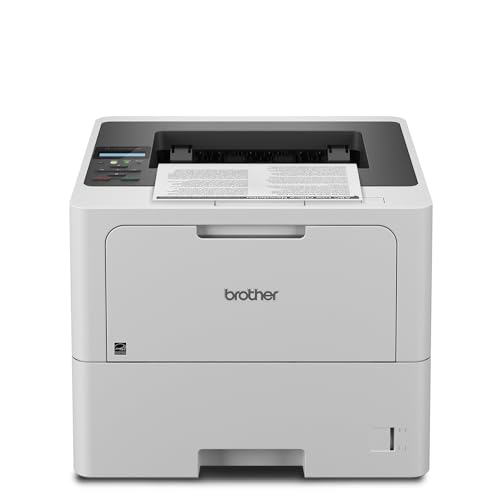
The Brother HLL6210DW is designed for fast, large-volume output with up to 50 pages per minute. Its substantial paper handling includes a 520-sheet main tray and a 100-sheet multipurpose tray, with total capacity expandable to 1,660 sheets using additional trays. This model emphasizes efficiency in busy environments and supports wireless and Gigabit Ethernet networking for easy sharing across teams. It ships with durable toner options optimized for high-volume work, helping reduce run-time maintenance and costs over time.
Brother DCPL2640DW Printer with High-Yield Toner

The DCPL2640DW blends printing with scanning and copying in a single compact footprint, ideal for tight office spaces that still demand high-volume output. The included TN830XL high-yield toner cartridges provide extended pages per cartridge, supporting cost-effective printing over time. Although compact, it’s built to handle consistent black-and-white output for everyday business documents, invoices, and internal memos with dependable performance.
Brother HL-L6310DW Enterprise Monochrome Printer

The HL-L6310DW Enterprise stands out for high-speed output and enterprise-grade security. With up to 52 ppm, this model is built for mid-to-large workgroups that require rapid, high-quality monochrome prints. It includes a strong value with a 6,000-page starter toner and supports optional high-yield toners for deeper cost efficiency. Enhanced security features help protect the network and documents in transit, while NFC badge authentication adds a convenient layer of access control.
Brother HLL6200DW Wireless Monochrome Printer

The HLL6200DW emphasizes fast printing with speeds up to 48 ppm and a large, expandable paper capacity. It supports wireless connectivity for easy networked printing and is well-suited to environments with steady high-volume needs, including mail rooms and reception areas where envelope printing is frequent. Its straightforward design focuses on reliability and predictable performance for heavy workloads.
Brother HLL2405W Printer with High Yield Toner

The HLL2405W is positioned as a budget-friendly option for homes and small offices, delivering crisp, reliable monochrome prints. While not the largest capacity model, it works well for lower-volume envelope tasks and daily document printing. The provided high-yield toner cartridges extend the period between replacements, reducing maintenance interruptions for smaller teams or home-based operations.
Brother MFC-J5845DW Inkjet All-in-One

The MFC-J5845DW represents an inkjet alternative with the INKvestment Tank system, offering up to a year of ink in the box. While not a laser-driven high-capacity device, it provides lower ongoing ink costs for color and monochrome print tasks and is capable of handling diverse office needs, including scanning, copying, and wireless printing. It suits mixed-media teams that require flexible printing options and reduced cartridge changes.
Buying Guide: Key Considerations for High Capacity Envelope Printers
- Envelope handling and paper capacity: Look for dedicated envelope feeding options, multipurpose trays, and the ability to expand capacity for peak mail seasons.
- Print speed and workflow: Office efficiency benefits from fast duty cycles and reliable duplexing capabilities, minimizing bottlenecks in mailrooms.
- Security features: Enterprise-grade printers often include triple-layer security, NFC badge authentication, and secure printing to protect sensitive documents.
- Connectivity and management: Wireless, Ethernet, and network management features streamline setup and remote monitoring, especially in multi-user environments.
- Cost per page: Favor printers with high-yield cartridges and compatibility with economical toner options to reduce long-term operating costs.
- Reliability and support: Durable builds, robust warranty options, and access to timely replacement parts influence total ownership costs.
- Color vs monochrome: For envelope-heavy mail and forms, monochrome laser printers often offer higher speed and lower cost per page; color is generally more expensive unless the workflow requires color.
- Footprint and space: Some high-capacity units remain relatively compact, while others require dedicated desks or small-room setups. Consider your available space.
- Renewed or premium certifications: If budget-conscious, renewed or premium-certified models can provide value without sacrificing essential features.
In selecting a high-capacity envelope printer, prioritize models that combine fast print speeds with expandable paper handling, reliable security, and low ongoing costs. The featured Brother models offer a range of capabilities suitable for different office sizes, from small teams needing dependable monochrome output to mid-size workgroups requiring robust security and larger paper capacity for envelopes and standard media.