Many devices let you mirror your tablet’s display to a larger screen via HDMI. This guide highlights five reliable adapters and cables that support phone, tablet, or laptop mirroring to TVs, monitors, or projectors. Each option focuses on compatibility, ease of setup, and stable performance to help you choose the right cable for your needs.
| Product | Brand | Key Benefit |
|---|---|---|
| FIGYK Universal 3-in-1 HDMI Mirroring Cable | FIGYK | 3 interfaces in one cable (Lightning, Micro USB, USB-C) |
| Weton 2-in-1 USB-C/Micro USB to HDMI Cable | Weton | Inline charging while mirroring; supports up to 4K/60Hz |
| uni USB-C to HDMI Cable | uni | 4K@30Hz, compact, versatile USB-C to HDMI for laptops and devices |
| KAMING 2-in-1 USB-C/Micro USB to HDMI Cable | KAMING | Mirroring with charging, 1080P/HD, extend or duplicate modes |
| Anker HDMI Cable | Anker | 4K@60Hz, strong shielding, reliable for fast screen mirroring |
FIGYK Universal 3-in-1 HDMI Mirroring Cable
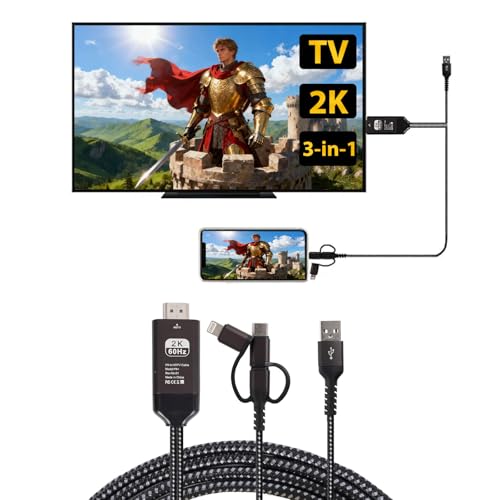
The FIGYK 3-in-1 HDMI Mirroring Cable combines Lightning, Micro USB, and USB-C connectors in a single nylon-braided cable. It supports iOS and Android devices, enabling seamless phone-to-TV mirroring via HDMI-equipped displays. Setup varies by device, with a QR-based app download on Android and a direct screen-mirroring path for iPhone/iPad. The cable emphasizes durability and universal compatibility, reducing the need for multiple adapters. The 6.6-foot length offers flexible placement for living rooms or classrooms.
Weton 2-in-1 USB Type C/Micro USB Android to HDMI Cable

The Weton cable provides 1080P HD mirroring with an integrated charging cable. It supports screen mirroring from apps like YouTube, FaceTime, Skype, and more, making it suitable for tablets and Android devices to TVs, monitors, or projectors. The design promotes continuous power delivery during use, and it supports up to 4K*2K HDMI output (30 Hz) while remaining backward compatible with 1080P. It’s a practical all-in-one solution for on-the-go presentations or media viewing.
uni USB C to HDMI Cable

The uni USB-C to HDMI Cable delivers up to 4K at 30Hz, with a sturdy, braided nylon build and a compact, durable aluminum housing. It supports USB-C devices with video output, making it suitable for modern laptops, tablets, and some Android devices. Note that the product is uni-directional (USB-C source to HDMI display) and does not support iPhone Lightning or HDR, which is important for users with iPhone ecosystems or HDR workflows. It focuses on reliability and simple plug-and-play setup.
KAMING 2-in-1 USB-C/Micro USB to HDMI Cable

The KAMING cable supports both USB-C and Micro USB inputs for Android devices, enabling 1080P mirroring to HDMI displays and optional charging. It notes limitations with certain streaming apps that restrict external playback, and it supports duplicate and extend modes to suit different use cases. This makes it a versatile option for home theaters, classrooms, or business presentations where different devices must connect to a larger screen.
Anker HDMI Cable

Anker’s HDMI Cable emphasizes advanced shielding and 4K@60Hz performance. The nylon-braided design contributes to durability and reduced wear, making it suitable for high-frequency screen mirroring from laptops, tablets, or other USB-C connected devices to HDMI displays. The cable aims to deliver stable performance with minimal interference, supporting high-resolution content with crisp colors and smooth motion for presentations, movies, and gaming alike.
Buying Guide
- Device compatibility: Check whether your tablet uses USB-C, Micro USB, or Lightning, and ensure the adapter or cable supports that interface.
- Resolution and refresh rate: If you plan 4K content, choose cables rated for 4K at 30–60Hz. Some adapters max out at 1080P, so match expectations to your display needs.
- Power delivery: For active mirroring, some cables include a charging pass-through. This helps maintain device power during long sessions.
- Mirroring vs. casting: Some products mirror exactly what’s on screen (AirPlay/Miracast compatible), while others rely on companion apps or limited app support. Decide which method fits your workflow.
- Directionality: USB-C to HDMI is generally unidirectional (source to display). Ensure your device’s output can drive the HDMI display in your setup.
- Ease of setup: Look for plug-and-play designs with minimal software requirements. Some Android setups may require enabling USB debugging or enabling screen mirroring in the OS.
- Durability: Nylon braiding and robust connectors help with everyday use, especially if you’ll reposition cables during presentations or casual viewing.
- App restrictions: Some streaming services restrict external playback; consider this if you plan to mirror apps like certain subscriptions or protected content.
- Length and routing: 6–7 feet is common and usually sufficient for most living rooms. Longer cables may introduce signal loss; verify maximum supported length for 4K.