For users seeking a large, affordable 32-inch display with Full HD resolution, several models stand out for everyday productivity, entertainment, and light gaming. This guide highlights five solid choices, covering IPS and VA panels, varying refresh rates, and eye-care features. Each selection emphasizes value, comfortable viewing, and easy connectivity to fit typical home and office setups. Read through to compare standout attributes and determine which monitor best fits your workflow.
Summary Comparison
| Product | Brand | Resolution | Notable Feature |
|---|---|---|---|
| ViewSonic VA3209M | ViewSonic | 1920×1080 | IPS panel, 75Hz, eye care |
| Philips 32E1N1100L | Philips | 1920×1080 | Adaptive-Sync, 100Hz |
| ViewSonic VX3276-MHD | ViewSonic | 1920×1080 | Ultra-thin bezels, presets |
| Samsung LS32B304NWNXGO | Samsung | 1920×1080 | Borderless design, FreeSync |
| Acer EZ321Q wi | Acer | 1920×1080 | IPS panel, 60Hz |
ViewSonic VA3209M 32 Inch IPS Full HD Monitor

Blend size and clarity with a 32-inch IPS panel delivering Full HD 1080p resolution. The design features slim bezels to minimize visual distraction on multi-monitor setups. The 75Hz refresh rate keeps motion smooth for everyday tasks and casual entertainment. Flicker-Free technology and a Blue Light Filter aim to reduce eye fatigue during long work sessions, making it a practical choice for desks, home offices, and classrooms. The monitor includes HDMI and VGA inputs for flexible connectivity to a wide range of devices.
Key features drawn from the listing include a versatile 32-inch IPS panel, thin bezels, 75Hz refresh rate, eye-care technology, and multiple inputs to accommodate laptops, desktops, and gaming consoles. This makes it a balanced option for productivity suites, video calls, and light gaming without a steep price tag.
Philips 32E1N1100L 32″ Frameless Monitor
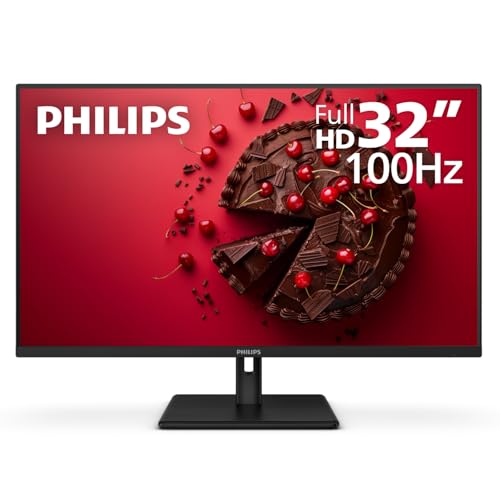
The Philips 32E1N1100L emphasizes a frameless design and a 32-inch VA panel for solid contrast. With Full HD 1920×1080 resolution, it delivers crisp text and clear media. Adaptive-Sync and a 100Hz refresh rate improve fluidity in games and dynamic scenes. Connectivity includes HDMI, DisplayPort, and VGA, plus audio out for multimedia use. The monitor is designed for wall mounting via VESA, making it suitable for modern workspaces that value clean lines and flexible placement. A four-year advance replacement warranty offers added peace of mind.
This model suits users prioritizing a large, immersive screen for productivity, streaming, and occasional gaming, with a focus on smooth visuals through Adaptive-Sync and a capable refresh rate for the price range. It pairs well with desks that require a streamlined aesthetic and easy installation options.
ViewSonic VX3276-MHD 32 Inch IPS Monitor

Designed for a modern desk, the VX3276-MHD pairs a 32-inch IPS panel with ultra-thin bezels for an expansive viewing experience. It offers a 75Hz refresh rate and Flicker-Free technology along with a Blue Light Filter to reduce eye strain during long sessions. The monitor ships with presets for Game, Movie, Web, Text, and Mono, allowing quick adjustments to optimize visuals for different tasks. It supports HDMI and DisplayPort, enabling straightforward connections to most PCs and media devices.
Ideal for users who value a large screen for productivity and media consumption, this model provides a balance of visual quality and user-friendly features. The slim profile helps reduce clutter on crowded desks and creates a clean, immersive setup for multitasking.
Samsung 32-Inch Flat Monitor with 75Hz

The Samsung LS32B304NWNXGO features a three-sided borderless display for a seamless multi-monitor setup. Its 75Hz refresh rate supports smoother motion, while AMD FreeSync helps synchronize the monitor with compatible graphics cards to reduce tearing. The borderless design enhances the visual continuity across displays, making it a strong choice for productivity walls and immersive home offices. Connectivity includes HDMI and DisplayPort for broad compatibility with modern computers and devices.
This monitor appeals to users who want a clean, expansive look for multitasking and media. The combination of FreeSync, a near-borderless frame, and a stable 75Hz refresh rate supports both work and casual gaming without extra cost or complexity.
Acer EZ321Q wi 31.5″ IPS Full HD Monitor
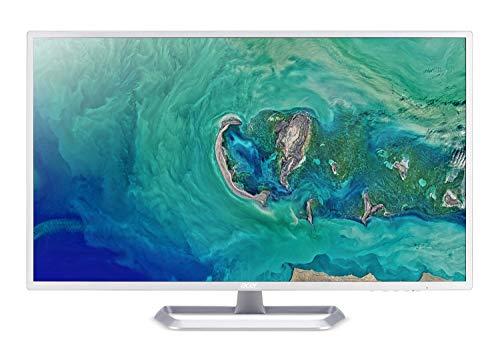
The Acer EZ321Q offers a 31.5-inch Full HD IPS panel with a focus on comfortable viewing and everyday tasks. With a 60Hz refresh rate and 4ms response time, it is geared toward office work, browsing, and media consumption. The monitor includes HDMI and VGA ports for flexible compatibility with a wide range of devices. Its white chassis and practical footprint suit desks that require a clean, bright display for multi-tasking and everyday productivity.
Users seeking a straightforward, large-screen option without gaming-centric features will find this monitor to be a reliable choice for document work, video calls, and general multimedia tasks in home offices and shared workspaces.
Buying Guide
Resolution and panel type: For a 32-inch screen, a Full HD (1920×1080) resolution is common, but consider whether you might want higher resolution in the future. IPS panels deliver better color accuracy and wide viewing angles, while VA panels can offer higher contrast. Pick based on your primary tasks—text work and color-accurate editing favor IPS, while movies and casual browsing can benefit from VA’s contrast.
Refresh rate and response: A 60Hz baseline is common for office use, while 75Hz provides smoother motion for video and light gaming. If you plan more gaming or action-heavy content, look for higher refresh rates and adaptive sync compatibility to reduce tearing.
Eye-care features: Flicker-Free backlighting and Blue Light Filtering can reduce eye fatigue during long sessions. Some models also offer reading modes or low blue light presets, which can be helpful for late-night work or study.
Connectivity: Ensure the monitor has HDMI as a standard input, plus DisplayPort or VGA if needed for older devices. A VGA input remains useful for compatibility with legacy PCs. Audio out can be convenient for multimedia setups, but many users rely on separate speakers or headsets.
Ergonomics and mounting: Check tilt, height, and swivel adjustments, especially if the monitor will be used for long periods. VESA compatibility enables wall mounting or monitor arms, which helps optimize desk space and viewing angles.
Design and usability: Slim bezels and a frameless look improve multi-monitor configurations. Consider whether you prefer a flat panel or a curved design for immersive viewing, and assess the overall build quality and warranty terms for long-term reliability.
Price and value: Compare total ownership cost, including warranty length and included features. A 32-inch monitor with a solid combination of color accuracy, stability, and ergonomic flexibility often offers the best long-term value for both home and office use.