Choosing an external CD/DVD drive that works seamlessly with both Mac and PC systems can simplify media playback, software installation, and data backup. The following selections highlight reliable, plug‑and‑play options with broad compatibility, USB 3.0/USB‑C support, and practical features to minimize setup hassles. The table below summarizes five strong choices along with their brands for quick reference.
| Product | Brand |
|---|---|
| Rioddas External CD/DVD Drive | Rioddas |
| ROOFULL External CD DVD +/-RW Drive | ROOFULL |
| VikTck USB-C Superdrive | VikTck |
| JKNJX External CD DVD Drive | JKNJX |
| ORIGBELIE External CD DVD Drive | ORIGBELIE |
Rioddas External CD/DVD Drive for Laptop and Desktop
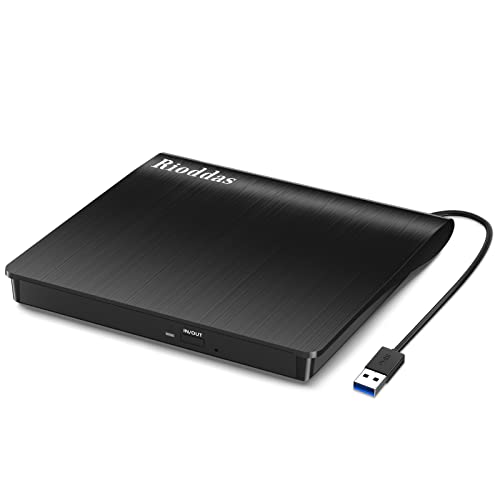
The Rioddas drive emphasizes Plug & Play operation, powered directly by USB with no external power adapter required. It is designed for easy recognition by most systems; if a particular USB port doesn’t detect the device initially, switching ports often resolves the issue. With USB 3.0 compatibility (backwards compatible with USB 2.0), users can expect data transfer speeds up to 5 Gbps. The design also includes fault tolerance to minimize freezing or errors during playback or burning, and a physical eject button to safely release discs even when the computer doesn’t recognize the drive. Copper mesh tech enhances data transmission stability across reading and writing tasks.
Key features include: USB 3.0 high‑speed performance, back‑compatibility, no driver installation, ease of use, and a focus on stable operation for both reading and burning discs. This model is suitable for laptops, desktops, and Mac systems, offering broad compatibility for everyday media tasks.
ROOFULL External CD DVD +/-RW Drive for Laptop and Mac
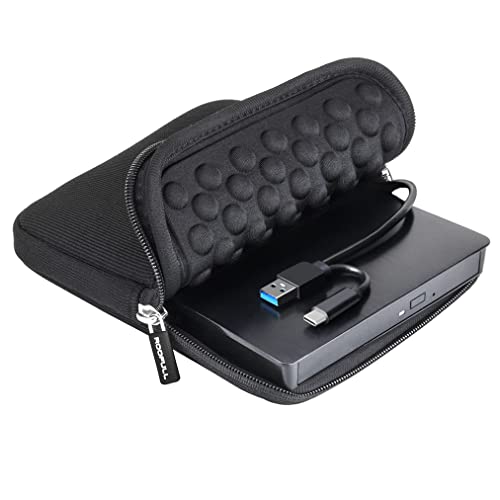
The ROOFULL ECD829‑Y is positioned as a trusted, straightforward external drive with a dual‑connector design (USB Type‑A and USB‑C) for versatile compatibility. It supports all common CD and DVD formats, excluding Blu‑ray and 4K discs, and delivers high transfer speeds up to 5 Gbps on USB 3.0. Users can plug in directly or via a powered hub; on Mac, a disc icon typically appears on the desktop upon successful read. The model emphasizes simplicity: plug, read or burn with your preferred software, and rely on robust error correction and reliable performance for daily tasks like software installation, backups, or media playback.
Highlights include: simple plug‑and‑play setup, dual USB connectors for flexible use with many devices, strong data transfer rates, and broad compatibility across Windows, macOS, and Linux ecosystems.
VikTck USB‑C Superdrive: Reader and Burner

The VikTck drive is designed for Mac users with USB‑C ports, providing a plug‑and‑play experience without separate driver installation. It supports Windows 11/10/8.1/7 and major Linux distributions, making it versatile for cross‑platform use. The device emphasizes energy efficiency, anti‑shock and noise reductions, and relies on USB‑C power for operation. An included USB‑C to USB‑A adapter expands compatibility for older laptops. Features include compatibility with modern MacBook models and various Windows/Linux systems, ensuring broad usability for media playback, software installation, or file backups.
JKNJX External CD DVD Drive with USB 3.0 & USB‑C

The JKNJX drive emphasizes effortless plug‑and‑play operation via USB Type‑A or Type‑C, with no external power adapter or drivers required. It supports fast USB 3.0 transfers up to 5 Gbps and is backward compatible with USB 2.0/1.1. Read/write speeds reach up to 8x for DVDs and 24x for CDs, with advanced error correction and low power consumption. It is broadly compatible with Windows, Linux, and macOS, and is noted as a practical choice for laptops, desktops, and all‑in‑one PCs. The device recommends using reliable media software such as VLC for optimal playback and burning tasks.
ORIGBELIE External CD DVD Drive: 4 USB Ports and Card Slots
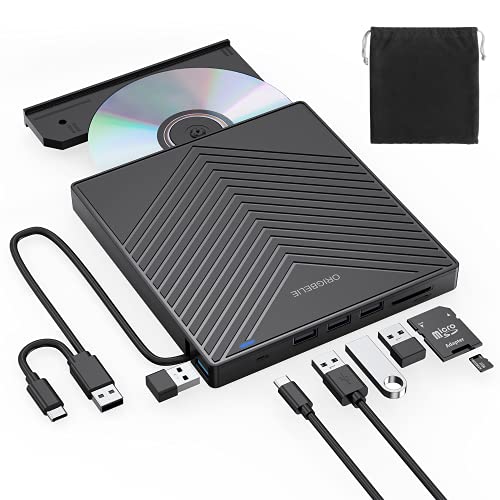
The ORIGBELIE model emphasizes a multi‑port USB approach, offering USB 3.0 with backward compatibility to USB 2.0/1.1 while including a practical USB‑C option. It supports burning and reading CD and DVD formats, with max read/write speeds around 8x for DVDS and 24x for CDs. It’s compatible with Windows, macOS, and Linux, and includes multiple connectivity options to accommodate different devices. The drive is designed for plug‑and‑play use without requiring drivers, making it a convenient solution for laptops and desktops alike.
Buying Guide — Key Considerations For Choosing An External DVD Drive
- Connectivity: Look for USB 3.0 or USB 3.1/3.2 with USB‑C compatibility for fastest transfers. Check if the drive offers dual connectors (Type‑A and Type‑C) to cover more devices.
- Platform compatibility: Ensure the drive supports Windows, macOS, and Linux if you switch between systems. Some models offer native macOS quick access icons when discs are inserted.
- Read/write speeds and media support: Most drives handle DVD±R/RW and CD±R/RW; note that Blu‑ray or 4K discs are not supported. Fast read/write speeds improve backup and media tasks.
- Power and portability: USB powered drives are convenient for laptops, but some setups benefit from a powered USB hub or rear motherboard USB ports for stable operation on desktops.
- Software and ease of use: Many drives are plug‑and‑play with no driver installation. Some include recommended playback or burning software; consider compatibility with your preferred apps (VLC, Burner software, etc.).
- Durability and design: If you travel often, choose a slim, lightweight drive with a rugged housing and a compact carry case or included storage features.
- Discs and data integrity: Drives with robust error correction and anti‑skip features offer more reliable playback and burning, especially for large data transfers.
- Special features: Physical eject buttons, copper mesh data transmission, and dual port options can improve reliability and usability in busy, mixed‑device environments.
Across these options, buyers should balance portability, compatibility, and performance. For Mac users with USB‑C laptops or iMacs, models offering USB‑C compatibility or adapters are particularly convenient. For mixed environments, dual‑connector drives that work with both USB‑A and USB‑C interfaces help maintain a seamless workflow. Compatibility with older Windows systems remains valuable for those with legacy machines, while Linux support can be a deciding factor for developers or tech enthusiasts.