Finding a reliable external DVD or CD burner is essential for backups, media playback, and software installation on devices without built‑in optical drives. This guide highlights five highly capable options, summarizing key features, compatibility, and performance to help American readers choose confidently. Each product is evaluated for portability, connection options, read/write speeds, and universal compatibility across Windows, macOS, and Linux.
| Product | Brand | Interface | Notable Strength |
|---|---|---|---|
| Amicool External DVD Drive (USB 3.0 / Type-C) | Amicool | USB 3.0 / Type-C | Dual interfaces with up to 5Gbps, wide compatibility |
| ASUS ZenDrive 13mm External DVD/Burner | ASUS | USB 2.0 / Type-C | Ultra-slim with Mac/PC support |
| LG GP65NB60 8X Portable DVD Writer | LG | USB 2.0 | Ultra-slim with M-Disc support |
| Amicool USB-C / USB 3.0 External DVD Drive | Amicool | USB-C / USB 3.0 | Ultra-slim, plug‑and‑play, broad media support |
| NOLYTH External CD/DVD Drive | NOLYTH | USB-C / USB 3.0 | Plug‑and‑play with wide OS compatibility |
Introduction continues: For users who need portable, dependable drives for Windows PCs, iMacs, MacBooks, or Linux machines, these options provide a balance of speed, compatibility, and ease of use. The following sections detail each product with a quick, objective snapshot of its capabilities and best-use scenarios.
Amicool External DVD Drive: Dual USB 3.0 And Type-C

The Amicool external drive emphasizes plug-and-play setup with both USB 3.0 and Type-C interfaces, simplifying connections to modern laptops and desktops. It is designed for quick detection without drivers, provided it is connected directly to a USB port—rear ports on desktops are recommended for power stability. The device supports DVD+R and DVD-R, CD-R, and CD-RW, with maximum read speeds around 8x for DVDs and 24x for CDs, but it does not support DVD-RAM or Blu-ray formats. This makes it suitable for standard data backups, software installation, and media playback on compatible systems.
Compatibility spans Windows 11/10/8.1/7, Linux, and macOS, with broad brand support from Apple to Samsung. Note that it is not intended for TVs, game consoles, or standalone Blu-ray players. The dual interface approach helps users with newer laptops that favor USB-C, while preserving USB-A compatibility for older machines. For users who frequently travel or work remotely, the drive’s portability and straightforward setup provide a practical balance of performance and convenience.
ASUS ZenDrive 13mm External DVD Burner

The ASUS ZenDrive is presented as an ultra-slim option that remains compatible with both Mac and Windows systems. It ships with USB 2.0 and Type-C cables, ensuring broad adaptability across devices and future-proofing for newer laptops. The 13mm profile makes it one of the thinnest external drives, ideal for travelers and students who need a compact solution without sacrificing functionality. It supports common disc formats for reading and burning, with a straightforward plug-and-play experience that minimizes setup complexity.
Performance considerations include data transfer speed tied to USB compatibility. While USB 3.0 is not listed, the Type-C interface generally implies strong performance on modern hardware when paired with USB-C ports and compatible hosts. This drive is a sensible choice for users prioritizing portability and ease of use in a Mac-centric or mixed-OS environment, especially where a slim footprint is critical. It remains suitable for backing up files, creating media discs, and distributing software if required.
LG GP65NB60 8X Ultra Slim External DVD Writer
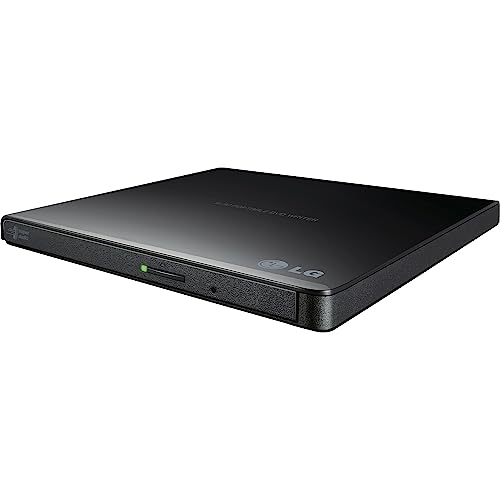
LG’s GP65NB60 is an 8X external DVD writer that emphasizes portability and reliability. The design is ultra-slim, with a height around 14 millimeters, making it easy to slip into a laptop bag. It uses USB 2.0 for connectivity, with compatibility notes indicating support for Mac OS and Windows. While USB 2.0 may limit peak transfer speeds on larger files, the drive remains capable for typical data burns, CD/DVD playback, and media archiving. Its M-Disc compatibility adds a layer of long-term data durability for backups and important archives.
As a compact, travel-friendly option, the GP65NB60 fits users who value a light footprint without sacrificing essential DVD reading and burning capabilities. It is suitable for students, professionals on the move, and households that need a dependable external optical drive for occasional use, software installation discs, and media backups. The build quality and LG branding provide reassurance for long-term reliability in varied environments.
Amicool USB-C / USB 3.0 External DVD Drive
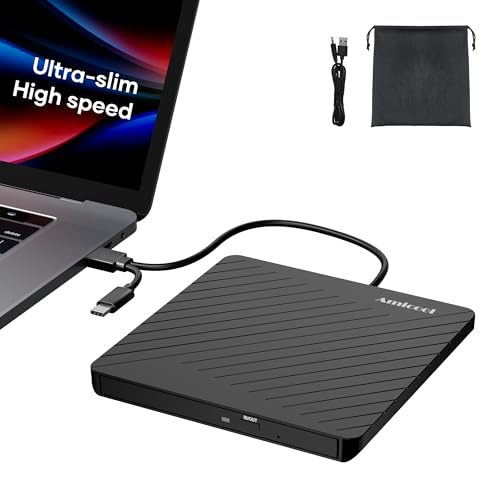
This Amicool model highlights ultra-slim design and portability with both USB-C and USB 3.0 compatibility. Weighing about 7.35 ounces and around half an inch thick, it is designed for easy transport in a bag or even a sleeve. It supports a broad range of disc formats for both reading and writing, including DVD-R/RW, DVD+R/RW, and various CD formats. The device can burn CDs at up to 24x and DVDs at up to 8x, enabling fast backups and media creation. The product emphasizes plug-and-play usability across Windows, macOS, Linux, and popular laptop brands.
Connectivity versatility makes this Amicool drive well-suited for users who switch between devices with USB-C or USB-A ports. It’s a practical option for students, freelancers, and travelers who need reliable disc access without cumbersome setup or driver installations. Given its compact form factor and dual-port capabilities, it supports on-the-go disc tasks such as data backups, music burning, and media creation in diverse environments.
Laurensory External DVD Drive: Portable CD/DVD Burner
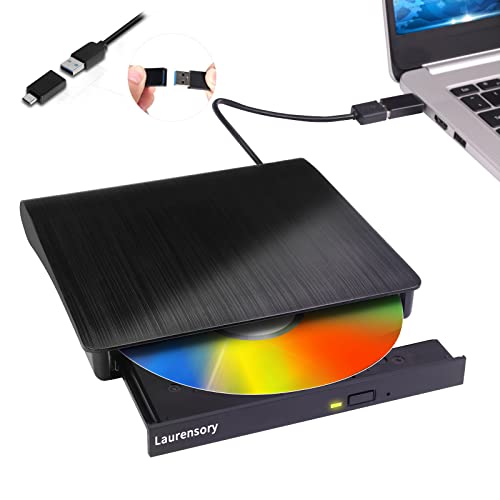
The Laurensory drive is positioned as a portable all-rounder for laptops and desktops needing reading, writing, and playback across CD/DVD formats. It emphasizes plug-and-play readiness with wide OS compatibility, including Windows and macOS. The device supports USB 3.0 and USB 2.0 connections, providing flexible performance depending on host capabilities. It aims to cover common tasks like backing up data, installing software from discs, and playing media on various machines. The absence of Blu-ray support makes it a practical choice for standard optical disc needs rather than high-capacity video discs.
Best-use scenarios include students setting up a new laptop, professionals handling legacy data, or households maintaining routine disc backups. The Laurensory drive combines portability with straightforward operation, ensuring users can access or create discs without technical hurdles.
Buying Guide: Key Purchase Considerations For External DVD/CD Drives
- Compatibility: Look for drives that support Windows, macOS, and Linux, and check for MacBook or PC-specific notes to ensure seamless plug-and-play operation.
- Interface: USB 3.0 or USB-C offers faster transfer rates; USB 2.0 is common but slower. Dual-interface (USB-C and USB-A) adds versatility for mixed devices.
- Read/Write Speeds: Typical CDs up to 24x and DVDs up to 8x provide satisfactory performance for backups and media, though speeds vary by disc type and media quality.
- Power and Port Location: Desktop users may benefit from rear USB ports for stable power; avoid hubs when possible to ensure reliable operation.
- Portability: If you travel often, prioritize slim profiles, light weight, and included cables that reduce clutter and prevent tangling.
- Media Formats: Verify support for DVD±R/RW, CD-R/RW, and M-Disc compatibility if long-term data durability is important.
- Special Features: Some drives offer additional capabilities like card readers or multi-drive functionality; evaluate whether these extras match your workflow.
- Limitations: Remember that external drives do not convert formats or provide transcoding; they simply read and write discs according to supported formats.
- Durability and Brand Support: Reputable brands with good support tend to offer more reliable performance and easier access to firmware updates or replacements.
In summary, choose a drive that aligns with your device ecosystem, preferred connection type, and typical use cases—whether for routine backups, media creation, or archival storage. The five options above provide a representative range of portability, compatibility, and performance to suit most household or small office needs. Always verify current compatibility notes and cable inclusions before purchase to ensure smooth operation with your specific computer setup.