Chromebooks rely on lightweight, cloud-first workflows, but there are times you need optical discs. The following external CD/DVD drives are designed to work with many laptops and desktops, including Chromebooks in some setups. This guide highlights five reliable options, their key features, and what to consider when choosing the right drive for a Chromebook environment.
Summary of chosen products:
| Product | Brand | Format Support | Connectivity | Notes |
|---|---|---|---|---|
| Rioddas External CD/DVD Drive | Rioddas | CD/DVD R+/RW | USB 3.0 (USB 2.0 compatible) | Plug & Play; back-end USB power recommended |
| Amicool External DVD Drive | Amicool | DVD+R/RW, CD-R/RW | USB 3.0 & Type-C | Direct USB connection; avoid hubs for stability |
| JKNJX External CD/DVD Drive | JKNJX | DVD/CD formats | USB 3.0/Type-C (integrated cable) | Broad compatibility; Mac needs disc present for icon |
| Laurensory External DVD Drive | Laurensory | CD/DVD +/-RW | USB 3.0 & USB 2.0 | Portable; desk setup via rear USB on desktop |
| ORIGBELIE External CD/DVD Drive | ORIGBELIE | CD/DVD +/-RW | USB 3.0 Type-C | High speed; wide compatibility |
Rioddas External CD/DVD Drive For Laptop And PC
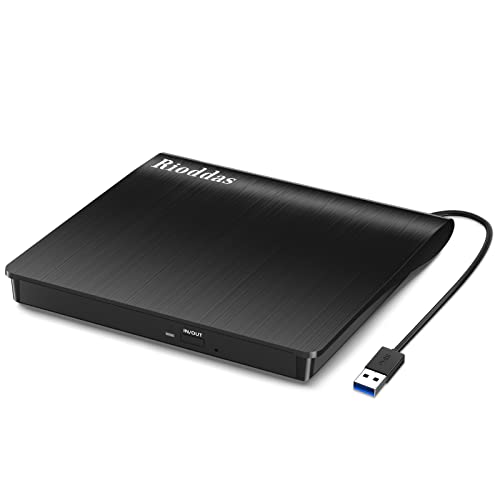
The Rioddas drive is a plug-and-play solution powered by USB, with no external power adapter required. It is designed for simple automatic detection when plugged into a USB port, and tips suggest using a high-power USB port on desktop motherboard back panels for best results. The USB 3.0 interface delivers up to 5Gbps and remains backwards compatible with USB 2.0. Notable features include robust fault tolerance to minimize freezing and skipping, and a physical eject button for safe disc removal even if the computer does not recognize the drive. Copper mesh technology is included to stabilize data transmission during reading and writing tasks. Though universally compatible with many systems, Chromebook compatibility can vary based on hardware and system settings.
Amicool External DVD Drive With USB 3.0 And USB C

Amicool offers dual interfaces: USB 3.0 and Type-C, enabling fast data transfers up to 5Gbps. The drive supports DVD+R, DVD-R, CD-R, and CD-RW formats, with a maximum read speed of 8x for DVDs and 24x for CDs. For stable operation, the manufacturer recommends connecting directly to a USB port on the computer, preferably a rear motherboard port on desktops. While Chromebooks often require Chrome OS compatibility considerations and certain models may limit external drives, this option provides broad cross-platform support and straightforward plug-and-play setup for many Windows, Mac, and Linux systems.
JKNJX External CD/DVD Drive For PC And Mac

JKNJX emphasizes effortless plug-and-play operation with integrated USB-C and USB-A cables. It supports up to 5Gbps USB 3.0 speeds and up to 8x DVD read/write and 24x CD read/write capabilities. The drive is broadly compatible with Windows, Linux, and macOS, and is designed to work with most laptops and desktops. The downside notes include not supporting certain devices like Chromebooks in some configurations, and Mac users may require inserting a readable disc to display the drive icon. This option is well-suited for multi-OS households needing a universal external optical drive.
Laurensory External DVD Drive For Laptop And PC
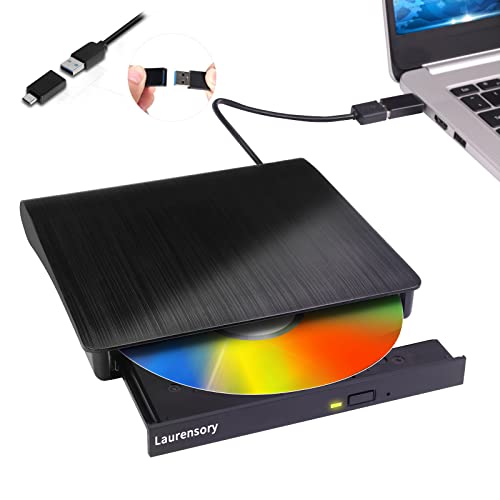
Laurensory presents a portable CD/DVD burner and reader with USB 3.0 and USB 2.0 compatibility. It is designed for cross-compatibility across Windows, Linux, and macOS, and advises desktop users to connect to rear USB ports to ensure stable power delivery. The device supports standard streaming and burning tasks at high speeds, while noting that certain Chromebooks or devices with limited power may not provide full functionality. The compact form factor makes it convenient for travel and on-the-go use.
Alronly External CD/DVD Drive With Dual Interfaces

Alronly uses dual Type-C and USB 3.0 connectivity to reach up to 5Gbps speeds, with read/write rates up to 8x for DVDs and 24x for CDs. It emphasizes broad compatibility across Windows, macOS, and Linux, and notes Chromebook compatibility may vary by model. The design focuses on plug-and-play usage without driver installation, delivering a straightforward, cross-platform experience for users who need reliable optical media access on a laptop or desktop.
ASUS ZenDrive 13mm External DVD Drive

ASUS ZenDrive features a slim 13mm profile with Mac and PC compatibility, including bundled USB 2.0 and Type-C cables. It supports standard CD/DVD formats and emphasizes portability without sacrificing reliability. For Chromebooks, compatibility varies by model and Chrome OS version, so verification on specific devices is recommended. This drive suits users who value a compact, lightweight option with broad cross-platform support.
PeroBuno External CD DVD Drive With 2-in-1 Cables

PeroBuno offers a compact 13mm external drive with built-in USB A and USB C cables for easy portability. It promises fast USB 3.0 transfers up to 5Gbps and supports 8x DVD and 24x CD speeds. The unit is designed to be plug-and-play with minimal setup, making it suitable for Chromebooks that support external optical drives via USB. Users should ensure power stability on desktops by connecting to rear USB ports and be aware of device-specific Chrome OS limitations.
Buying Guide: Key Purchase Considerations
- Operating System Compatibility: While many drives claim cross-platform support, Chromebooks vary in compatibility. Check Chrome OS forums or the manufacturer’s notes for model-specific guidance.
- Power and Connectivity: USB-powered drives rely on sufficient bus power. For desktops, connect to rear USB ports; for laptops and Chromebooks, prefer USB 3.0 ports with stable power delivery.
- Interface Versatility: Drives with both USB-C and USB-A provide flexibility for newer Chromebooks and older devices. Dual-interface models tend to offer better long-term usability.
- Read/Write Speeds: Typical external drives offer up to 5Gbps (USB 3.0) and up to 24x CD / 8x DVD speeds. Higher speeds reduce wait time during burning or ripping tasks.
- Disc Formats Supported: Ensure the drive supports the needed formats (CD-R, CD-RW, DVD±R, DVD±RW). Some models exclude Blu-ray or DVD-RAM, which may matter for certain media libraries.
- Software and Drivers: Most drives are plug-and-play with no driver installation required. Macs may require an initial readiness step when a disc isn’t immediately recognized.
- Physical Portability: If you travel often, a slim, lightweight drive is beneficial. Consider the device’s thickness, weight, and included cables.
- Power Stability: For desktop setups, back-panel USB ports often provide more reliable power than front or hub connections. Chromebook users should test stability with their specific device configuration.
- Chromebook Compatibility Note: Some drives explicitly list Chromebook compatibility as limited or not supported. Verify with the manufacturer for your exact Chromebook model and Chrome OS version.
Opting for an external CD/DVD drive for a Chromebook involves balancing portability, compatibility, and convenience. The drives listed above are representative options that perform well across multiple operating systems, with explicit notes about Chromebook usage where applicable. Always verify device-specific compatibility before purchase to ensure the drive meets your media access needs.