Finding a reliable external DVD drive is essential for expanding storage, accessing archived discs, or burning CDs and DVDs on modern laptops. This guide highlights top models that balance portability, speed, and broad compatibility. Each option below supports common Windows, macOS, and Linux configurations, with USB 3.0 or USB-C connectivity for fast data transfer. Read on to compare features, portability, and setup considerations to choose the right external optical drive for your needs.
| Product | Brand | Key Features |
|---|---|---|
| Amicool External DVD Drive | Amicool | USB 3.0 + USB-C, 8x DVD read, 24x CD read/write, plug & play |
| Rioddas External CD/DVD Drive | Rioddas | USB 3.0, plug & play, front eject button, Copper mesh tech |
| LG GP65NB60 | LG | Ultra-slim (14 mm), USB 2.0, 8x max write, M-DISC support |
| ASUS ZenDrive | ASUS | 13 mm slim, Mac/PC, includes USB-C and USB 2.0 cables |
| ORIGBELIE External CD/DVD Drive | ORIGBELIE | USB 3.0, Type-C, up to 8x DVD, 24x CD, wide OS support |
Amicool External DVD Drive Review

The Amicool external drive offers dual connectivity with USB 3.0 and Type-C interfaces, enabling data transfer up to 5 Gbps. It supports common disc formats including DVD+R, DVD-R, CD-R, and CD-RW, with a maximum read speed of 8x for DVDs and 24x for CDs. It is designed for plug-and-play use on Windows, macOS, and Linux, and is best used by connecting directly to a computer USB port rather than through hubs for stable power. It is compatible with a broad range of brands and operating systems, though it does not support Blu-ray discs or DVD-RAM. This makes it a solid option for media playback and offline data burning on laptops and desktops alike.
Rioddas External CD/DVD Drive Overview
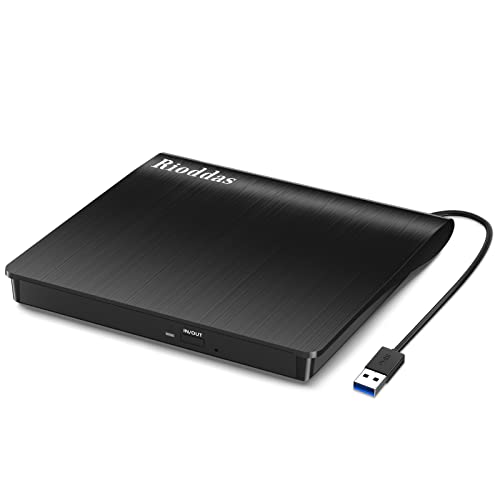
The Rioddas drive emphasizes plug-and-play simplicity, powered by USB without extra power adapters. It is designed to work directly from USB ports, with best performance when plugged into high-power desktop motherboard ports. It supports USB 3.0 (backward compatible with USB 2.0) and delivers up to 5 Gbps data transfer. Its rugged build includes a physical Eject button and copper mesh tech to bolster stability and reduce read/write errors, making it a reliable choice for both data transfer and media playback across Windows, macOS, and Linux ecosystems.
LG GP65NB60 Ultra-Slim Drive
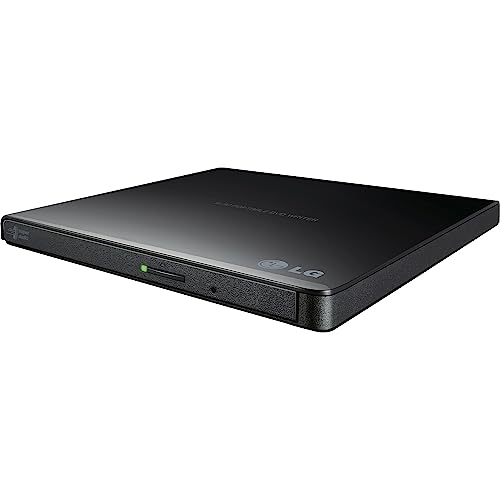
The LG GP65NB60 is an ultra-slim external drive, standing out for portability and a compact 14 mm height. It uses USB 2.0 (with USB 3.0 compatibility) and supports up to 8x DVD write speeds. While primarily positioned as a travel-friendly option, it remains suitable for desktop use where space is at a premium. Its slim profile makes it easy to carry in a bag or laptop sleeve, though users should confirm compatibility with their specific operating system and firmware requirements for features like M-DISC support.
ASUS ZenDrive External Burner

The ASUS ZenDrive emphasizes a compact 13 mm form factor with compatibility for both Mac and Windows. It includes USB 2.0 and USB-C cables, making it versatile for modern laptops that favor USB-C connections. While it delivers standard DVD±RW writing capabilities, potential buyers should verify the exact OS version support and any bundled software to ensure it aligns with their disc read/write needs and backup workflows.
ORIGBELIE USB-C DVD Drive
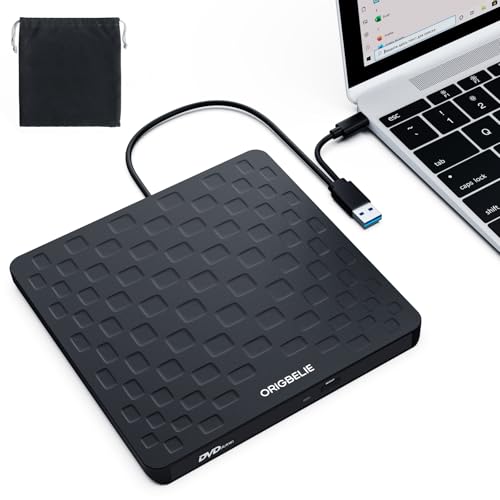
ORIGBELIE positions itself as a versatile external drive with USB 3.0 and Type-C support, slim 13 mm design, and broad OS compatibility. It advertises high-speed data transfer with up to 8x DVD and 24x CD speeds, along with robust error correction and low power consumption. The product is noted for compatibility across Windows, macOS, and Linux, and it specifically advises desktop users to connect to rear USB ports for stable power, which is a practical setup tip for avoiding power shortages on desktops.
JKNJX External CD/DVD Drive

The JKNJX drive highlights a straightforward plug-and-play experience with a combined USB Type-A and Type-C cable. It offers fast USB 3.0 performance up to 5 Gbps and supports maximum read/write speeds of 8x for DVDs and 24x for CDs. Its broad compatibility covers Windows, macOS, and many Linux distributions, with a caveat that certain ChromeOS devices, tablets, and some Surface models may have limited support. The drive aims to balance ease of use with broad OS reach and reliable disc handling.
Dell USB Slim DVD Drive DW316

The Dell DW316 offers a compact, low-profile design with plug-and-play capability. It is powered through the computer’s USB port, eliminating the need for external power. The drive is positioned for on-the-go use with a preference for Ultrabooks and compact notebooks. It often ships with preloaded media software designed to assist with playing and burning discs, making it a practical choice for travelers and students who need reliable access to optical media without extra cables.
Buying Guide
Key purchase considerations include:
- Interface and speed: Prioritize USB 3.0 or USB-C for faster transfers. Check max read/write speeds (DVD up to 8x, CD up to 24x) and compatibility with your OS.
- Compatibility: Look for broad OS support (Windows, macOS, Linux) and verify any Mac-specific notes about disc icons or driver requirements.
- Power and portability: USB-powered drives are ideal for travel; if using a desktop, connect to a back USB port to ensure sufficient power.
- Build and reliability: Features like an eject button, copper mesh transmission paths, and robust error correction help prevent read/write issues.
- Discs and formats: Ensure support for your typical discs (DVD±R/RW, CD-R/RW). Note that Blu-ray and DVD-RAM formats are often not supported by budget models.
- Cable inclusions: Some models include USB-C also USB-A cables; verify compatibility with your device’s ports and adapters.
- Durability and use case: Slim drives excel for travel; sturdier models may be better for desktop use or frequent burns.
When comparing models, consider total cost of ownership, including included software, warranty terms, and how often you will need to burn or read discs. For most users, a USB 3.0 or USB-C portable drive with broad OS compatibility offers a reliable, straightforward solution for media, backups, and occasional disc tasks.