Users seeking reliable DisplayPort to DVI adapters can choose from several reputable brands that support single-link and dual-link DVI outputs. This guide highlights five adapters suitable for connecting DisplayPort sources to DVI displays, including high-resolution options up to 2560×1600. Each option is evaluated for transmission quality, stability, and compatibility with common systems.
| Brand | ||
|---|---|---|
| BENFEI | DisplayPort To DVI 1.8m Cable | Gold-plated connectors, 1920×1080@60Hz support |
| StarTech | DP To DVI Dual-Link Adapter | 2560×1600 @60Hz dual-link support, DP 1.2 |
| Club 3D | DP To DVI Dual-Link Active Adapter | 2560×1600 @60Hz, USB-powered |
| CableCreation | Active DisplayPort To DVI Cable | Eyefinity multi-screen support, 1920×1200/1080p |
| Monoprice | DisplayPort 1.2a To DVI Active Adapter | Dual-Link up to 2560×1600, nVidia/AMD compatibility |
Below are five selected adapters, described with their primary strengths and typical use cases. Each product section includes an image, a brief overview, and key features drawn from the manufacturer.
BENFEI DisplayPort To DVI 1.8M Cable
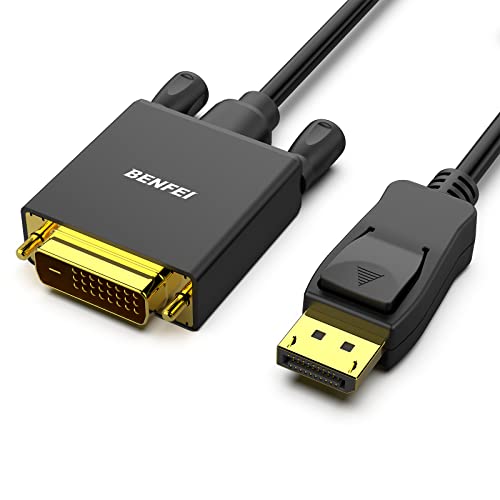
The BENFEI cable provides a straightforward DisplayPort to DVI connection using a male-to-male setup. It emphasizes stable data transmission through a dedicated chip solution and multiple shielding layers. While it is not a bi-directional converter, it reliably converts DisplayPort signals to DVI for compatible monitors and projectors. The product supports up to 1920×1080 at 60Hz, covering common Full HD needs, with gold-plated connectors to resist corrosion and improve signal quality. Molded strain relief adds durability for everyday use.
StarTech Com DP To DVI Dual-Link Adapter

This StarTech adapter supports DisplayPort 1.2 HBR2 to DVI-D dual-link output, enabling high-resolution displays up to 2560×1600 at 60Hz or 1920×1200 at higher refresh rates. It is HDCP compliant and includes an attached 15-inch cable. USB-powered operation provides convenient power for optimal performance. With EDID pass-through and broad compatibility including workstations and docking stations, it is suitable for digital signage, presentations, and multi-monitor setups.
Club 3D CAC-1010 DisplayPort To DVI Dual-Link

The Club 3D CAC-1010 is an active DisplayPort to DVI-D dual-link adapter designed for Apple Cinema Displays and other DVI-D monitors. It is USB-powered to ensure stable operation without requiring a separate power source. It supports high resolutions up to 2560×1600 at 60Hz and 3840×2160 at 30Hz, making it suitable for high-definition media and professional displays that rely on DVI-D input.
CableCreation Active DisplayPort To DVI Cable

CableCreation offers an active DP to DVI arrangement with Eyefinity compatibility for multi-display setups. It supports up to 1920×1200 or 1080p at 60Hz, making it a practical choice for extended desktop configurations or multi-monitor workspaces. The design emphasizes secure connections with a DP latch mechanism, ensuring a stable and easy plug-in experience.
Monoprice DisplayPort 1.2a To DVI Active Adapter

The Monoprice active adapter conforms to DisplayPort 1.2a, delivering dual-link DVI output up to 2560×1600 at 60Hz. It is compatible with NVIDIA Surround and AMD Eyefinity multi-display configurations, making it a strong option for gaming and professional multi-monitor setups. The device is designed for direct connection from DP sources to DVI displays with reliable performance across standard high-resolution displays.
Buying Guide
- Resolution and bandwidth: For dual-link DVI, verify support for 2560×1600 at 60Hz if you need ultra-wide displays or high-detail content.
- Power considerations: Some adapters are USB-powered; ensure your system can supply the required power without impacting other peripherals.
- Active vs. passive: Active adapters convert DP signals to DVI; passive options typically rely on DP++ dual-mode. Choose based on your source’s capabilities.
- Compatibility: Check EDID pass-through and compatibility with your GPU, laptop, docking station, or workstation to avoid display issues.
- Use case: For presentations and digital signage, prioritize adapters with broad compatibility and easy setup. For gaming or design work, favor higher refresh rates and stable dual-link performance.
- Cable length: Longer cables may introduce signal degradation; select the shortest cable that fits your setup to maximize reliability.
- Environment: If you work with Apple Cinema Displays or specialized monitors, confirm the adapter supports the specific DP-DVI configuration required.
- Future-proofing: If you anticipate upgrading to higher-resolution displays, consider adapters that clearly state 2560×1600 or higher support and multi-monitor capabilities.