Discover top DLNA dongles that turn any TV into a smart display. This guide reviews five popular options that support Miracast, AirPlay, and DLNA for wireless screen sharing from phones, tablets, laptops, and more. Learn about setup, compatibility, and performance to help you choose a dongle that fits your devices and viewing habits.
| Product | Brand |
|---|---|
| SmartSee Anycast HD Wireless Display Adapter | SmartSee |
| Wireless HDMI Display Dongle Adapter – Miracast | Redwalk |
| Wireless HDMI Display Dongle Adapter – DLNA | Quanlex |
| AIMIBO 2026 4K Wireless HDMI Display Adapter | AIMIBO |
| SOCLLLife Wireless HDMI Display Dongle | SOCLLLife |
The following sections highlight five vetted options, focusing on ease of use, compatibility across devices, and performance traits that matter most for everyday media casting and presentations.
SmartSee Anycast HD Wireless Display Adapter
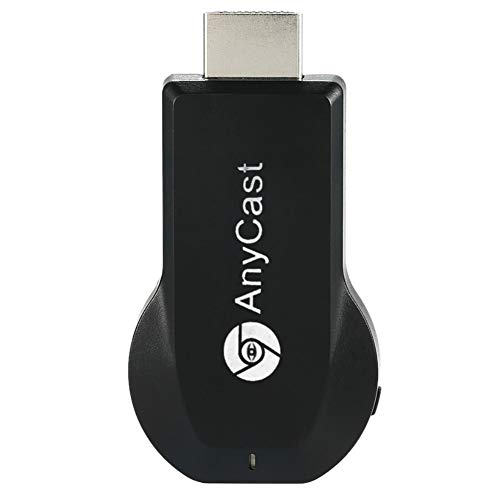
The SmartSee Anycast enables wireless mirroring from phones, tablets, and laptops to TVs, projectors, or monitors. It supports Miracast, AirPlay, and DLNA, allowing videos, photos, and files to be displayed on a larger screen. Setup is designed to be simple: plug into HDMI, power the dongle, and select the correct input. The device notes compatibility with MacBooks, iOS 9.0+, Android 5.0+, and Windows 10 via standard streaming protocols, with caveats for certain apps and devices that use protected content. It does not require apps or drivers for operation, simplifying on-the-go use.
Wireless HDMI Display Dongle Adapter – Miracast
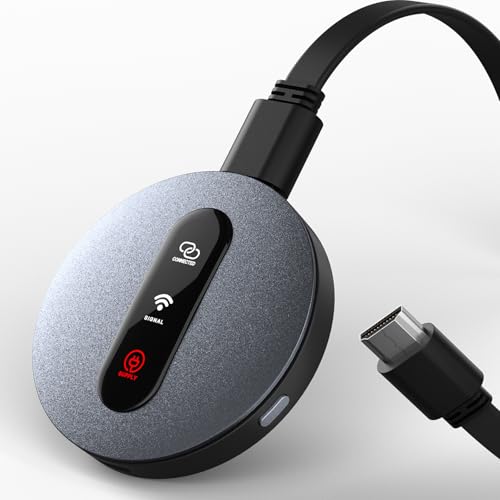
This Redwalk dongle offers immediate wireless screen sharing with no apps or Wi‑Fi setup. It supports AirPlay for iOS and Mac, along with Miracast for Android and Windows devices, enabling 1080p Full HD streaming at 60Hz on HDMI-enabled displays. Its wide compatibility covers TVs, monitors, and projectors. The device also supports landscape and portrait modes for content flexibility, making it a versatile option for meetings, classrooms, or home entertainment.
Quanlex Wireless HDMI Display Dongle Adapter

The Quanlex dongle emphasizes seamless HD wireless streaming with 1080p output and 4K decoding capabilities. It supports Miracast for Android/Windows and AirPlay for iOS/Mac, with easy plug-and-play mirroring and optional portrait or landscape modes. A key feature is low-latency performance, enabling smoother video playback and presentations. The device branding highlights its ability to mirror a wide range of smartphones and laptops without apps or drivers, while noting some app-level protections may affect streaming from certain services.
AIMIBO 2026 4K Wireless HDMI Display Adapter

AIMIBO’s 2026 model provides a true plug-and-play experience with multiple casting modes, including Direct Connect, DLNA Connect, and USB-C wired connect. It supports 4K wireless streaming and 1080p at 60Hz, with dual-band Wi-Fi (2.4 GHz and 5.8 GHz) to reduce interference. The device targets work, travel, and home entertainment scenarios, offering stable connections and multitasking-friendly performance. It emphasizes resilience in busy environments and compatibility across iOS, Android, Windows, and macOS devices.
SOCLLLife Wireless HDMI Display Dongle (Selection)

SOCLLLife offers wireless 4K casting with 1080p/60Hz Full HD output. The dongle emphasizes a plug-and-play setup: connect the HDMI dongle, power it, and start mirroring via the device’s screen-mirroring option. It supports common streaming apps and cross-platform casting for Android, iOS, and Windows, with emphasis on minimal setup and broad compatibility. The product highlights note that iOS devices may require additional steps to connect to the dongle’s wireless signal, and they advertise support for Miracast, AirPlay, and DLNA in one device.
Buying Guide: Key Purchase Considerations
When choosing a DLNA/ Miracast/ AirPlay compatible dongle, consider the following to match your setup:
- Device compatibility: Confirm support for your primary devices (iPhone, iPad, Android, Windows, Mac). Look for Miracast, AirPlay, and DLNA support to maximize compatibility.
- Video resolution and latency: If you want 4K streaming, verify 4K decoding support and desired refresh rates (ideally 60Hz). For presentations or gaming, low latency is crucial.
- Plug‑and‑play vs. app dependencies: Some dongles are truly plug-and-play; others rely on companion apps or specific network setups. Consider your comfort level with setup steps.
- Wi‑Fi and interference: Dual‑band (2.4G/5G) support helps reduce interference in busy environments. Assess whether you need robust performance in crowded rooms.
- Content restrictions: Some streaming apps protect content with DRM, which may block casting from certain services. Check notes on protected content compatibility.
- Input flexibility: Landscape vs. portrait support, USB-C wired options, and ease of switching between devices can affect usability for different tasks.
- Physical design and portability: If you travel or move the dongle between rooms, compact size and a durable build are practical.
- Distance and wall obstacles: Consider the typical room layout; some dongles advertise effective ranges up to 10–30 feet, but walls and interference can impact performance.
In summary, the best choice depends on your ecosystem (iOS/macOS vs. Android/Windows), the need for 4K support, and how often you cast content from apps with DRM. For multi-device households, a dongle with broad protocol support (AirPlay, Miracast, DLNA), good latency, and reliable dual‑band connectivity typically delivers the most flexible experience.