Discover Bluetooth mice that blend style with performance. This guide highlights five designer-friendly models that pair sleek aesthetics with reliable wireless connectivity, multi-surface tracking, and long-lasting battery life. Each option supports Windows and macOS, with features tailored to productivity, travel, and everyday use. Explore how these mice compare on design, versatility, and tracking quality to help you choose the right accessory for your setup.
| Product | Brand | Connection | Key Features |
|---|---|---|---|
| Logitech M720 Triathlon Wireless Mouse | Logitech | Bluetooth & Unifying Receiver | Multi-device; Flow; 6 buttons; 1000 DPI |
| Microsoft Designer Bluetooth Mouse | Microsoft | Bluetooth | BlueTrack; precise on many surfaces; slim profile |
| Logitech M240 Silent Bluetooth Mouse | Logitech | Bluetooth | Silent clicks; long battery life; compact |
| Logitech M196 Bluetooth Wireless Mouse | Logitech | Bluetooth | Portable; ambidextrous; smooth tracking |
| Microsoft Bluetooth WS3-00001 Surface Mouse | Microsoft | Bluetooth | Metal scroll wheel; versatile OS support |
id=”product-logitech-m720″>Logitech M720 Triathlon Wireless Mouse
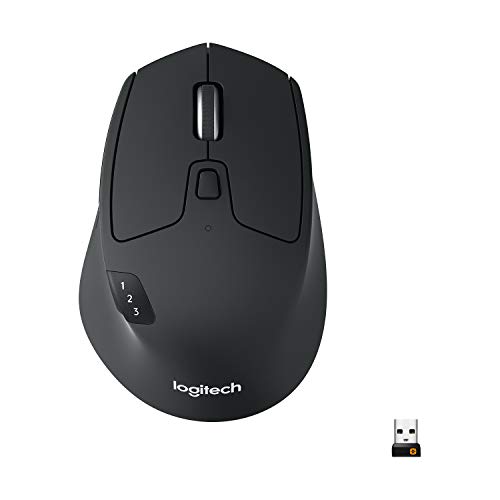
The Logitech M720 Triathlon is designed for multi-device workflows. It supports switching between up to three computers with the touch of a button and uses Logitech FLOW to move text, images, and files across devices. It combines Bluetooth and a Unifying Receiver option for flexible setup. A high-precision 1000 DPI sensor ensures smooth cursor control, while six programmable buttons enable quick access to common tasks. The long battery life minimizes interruptions for busy professionals who work across machines. This model is well-suited for users who juggle a desktop, laptop, and tablet in a dynamic workspace.
id=”product-microsoft-designer-bluetooth-mouse”>Microsoft Designer Bluetooth Mouse

The Microsoft Designer Bluetooth Mouse emphasizes a stylish, ultra-thin profile that complements contemporary desktops. It offers reliable Bluetooth 4.0 connectivity and BlueTrack Technology, delivering precise control on a wide range of surfaces. The slim design pairs well with laptops and mobile setups, making it a good option for users who value aesthetics without sacrificing dependable performance on everyday tasks.
id=”product-logitech-m240-silent”>Logitech M240 Silent Bluetooth Mouse
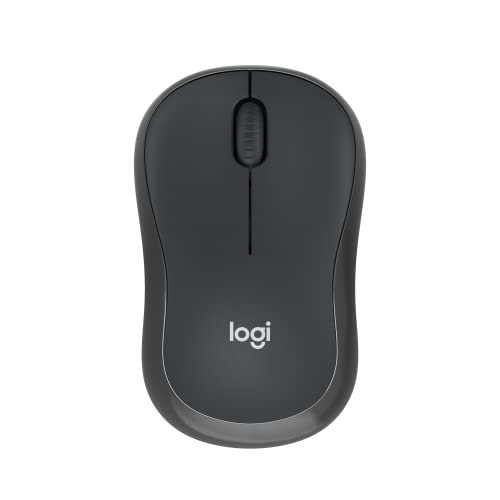
The Logitech M240 Silent Bluetooth Mouse is crafted for quiet environments. It pairs quickly via Bluetooth—no dongle required—and features a 90% reduction in click noise while maintaining familiar click feel. Its long-lasting battery life up to 18 months, coupled with energy-saving auto sleep, reduces maintenance. This compact design suits travelers or users who prefer a subdued workspace without sacrificing tracking accuracy on various surfaces.
id=”product-logitech-m196″>Logitech M196 Bluetooth Wireless Mouse
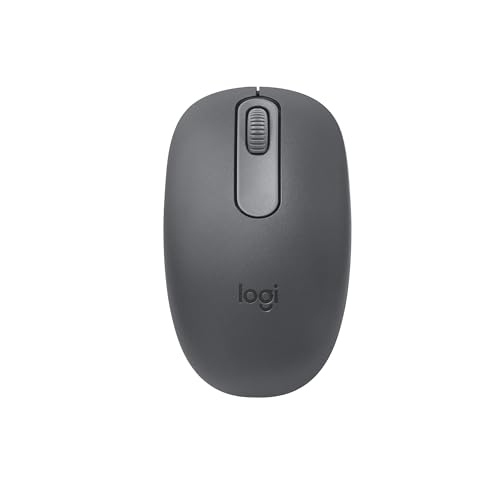
The Logitech M196 offers a compact, portable profile suitable for on-the-go use with laptops and tablets. It connects via Bluetooth for quick pairing and does not require a dongle. Its ambidextrous shape supports comfortable use for both left- and right-handed users. This model emphasizes smooth tracking and compatibility with Windows and macOS, making it a practical choice for travelers seeking a basic, reliable Bluetooth mouse with broad surface compatibility.
id=”product-microsoft-surface-mouse”>Microsoft Bluetooth WS3-00001 Surface Mouse

The Surface Mouse focuses on compatibility and a sleek look that suits Windows ecosystems. It supports Windows 10 and newer, plus broader OS flexibility, and includes a metal scroll wheel for a premium feel. This mouse is designed for steady, accurate navigation across common desktop tasks and is a solid choice for users who want a refined, minimalistic mouse that blends with modern setups.
id=”product-designer-desktop”>DesignER Bluetooth Desktop (Keyboard)
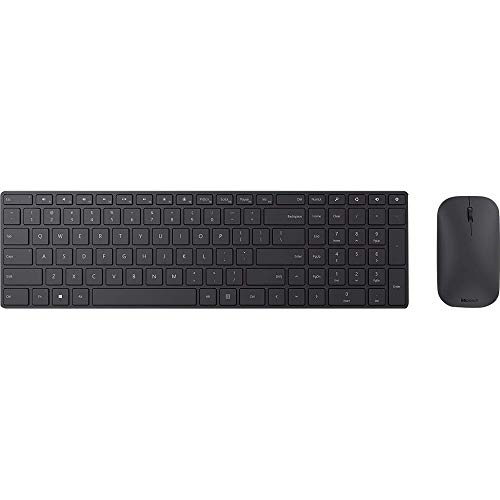
Note: This entry focuses on a designer-style Bluetooth desktop keyboard rather than a mouse. It complements a designer-oriented workspace with an ultrathin profile, built-in number pad, Bluetooth 4.0 connectivity, and media-control capabilities. While not a mouse, pairing it with any Bluetooth-enabled computer forms part of a cohesive, stylish desk setup that emphasizes both form and function.
id=”product-tecknet-mouse”>TECKNET Wireless Mouse (BT5.3/5.0 & 2.4G)

The TECKNET model supports multiple connections across Bluetooth 5.3/5.0 and USB-A 2.4G, enabling up to three devices. It provides six DPI levels for precise control, plus a side scroll wheel for horizontal navigation. The battery is rechargeable, and the design targets ergonomic comfort for extended use. This option is suitable for users who value seamless device switching and adaptable performance in a designer-friendly package.
id=”product-microsoft-designer-keyboard”>Microsoft Designer Compact Keyboard
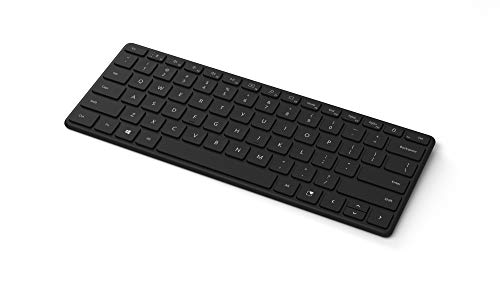
The Microsoft Designer Compact Keyboard offers a space-saving, modern design with optimized key spacing and travel for rapid typing. It pairs with Bluetooth-enabled PCs and Macs, delivering a cohesive, streamlined workstation. While it is a keyboard, its design language aligns with designer-focused peripherals and can complement a premium mouse for a balanced setup.
Buying Guide: Key Purchase Considerations
When selecting a designer Bluetooth mouse, consider the following factors to match your needs:
- Connectivity and compatibility: Check that the mouse supports your devices (Windows, macOS, tablets) and offers Bluetooth plus an optional USB receiver if multi-device workflows are needed.
- Ergonomics and form factor: Choose a size and grip that fits your hand and daily usage. Ambidextrous designs suit both hands, while sculpted shapes support longer sessions.
- Tracking technology and surface compatibility: Look for optical or laser tracking that performs well on your typical surfaces. Some models feature BlueTrack or high-precision sensors for varied environments.
- Buttons and customization: Programmable buttons can speed up common tasks. Ensure the software support (e.g., button mappings, profiles) matches your workflow.
- Battery life and charging: Consider mice with long battery life or rechargeable options. Sleep modes extend use between charges, especially for travel.
- Design and aesthetics: If appearance matters, select models with finishes, colors, and styling that complement your desk setup and other accessories.
- Portability and build quality: For frequent travelers, a compact, lightweight design without compromising on build quality is ideal.
- Surface versatility: Some mice offer better performance on a variety of surfaces; BlueTrack and similar tech can help in open or reflective environments.
Comparison snapshot:
- Best multi-device workflow: Logitech M720 Triathlon offers Flow and easy switching across three computers.
- Best silent operation: Logitech M240 Silent Bluetooth Mouse reduces click noise significantly for quiet workspaces.
- Best travel companion: Logitech M196 and Microsoft Designer Bluetooth Mouse offer compact, portable designs with solid Bluetooth reliability.
- Best premium feel: Microsoft Surface and Designer peripherals emphasize refined aesthetics and dependable performance.