Introduction
Choosing the right cyan, magenta, and yellow ink cartridges ensures vivid color output and reliable performance across HP Home and Office printers. The following selections are color packs designed to deliver consistent quality, high yield, and compatibility with multiple HP series. This guide highlights five top options, compares their yields, and offers practical buying considerations for color ink enthusiasts.
| Product | Color Pack | Approx. Yield (per color) | Compatibility |
|---|---|---|---|
| HP 910 Cyan, Magenta, Yellow Ink Cartridges | 3-Pack | 315 pages | OfficeJet 8010/8020 series, OfficeJet Pro 8020/8030 series |
| HP 962 Cyan, Magenta, Yellow Ink Cartridges | 3-Pack | 700 pages | OfficeJet 9010/9020 series |
| HP 952 Cyan, Magenta, Yellow Ink Cartridges | 3-Pack | 630 pages | OfficeJet 8702, OfficeJet Pro 7720/7740/8210/8710/8720/8730/8740 |
| HP 923 Cyan, Magenta, Yellow Ink Cartridges | 3-Pack | 400 pages per color | OfficeJet 8120/Pro 8130 series |
| HP 936 Cyan, Magenta, Yellow Ink Cartridges | 3-Pack | 800 pages per color | OfficeJet 9120/Pro 9110/9730 Wide Format |
HP 910 Cyan, Magenta, Yellow Ink Cartridges (3-Pack)

HP 910 color cartridges are engineered to work with a broad range of HP printers, providing reliable color reproduction and consistent quality. This 3-pack is designed for compatibility with OfficeJet 8010, 8020, and related Pro 8020/8030 series devices. Each color has a dedicated yield that supports everyday color printing, reports, and photos. The pack is suitable for users who routinely print in color and require dependable performance across mixed-document tasks.
HP 962 Cyan, Magenta, Yellow Ink Cartridges
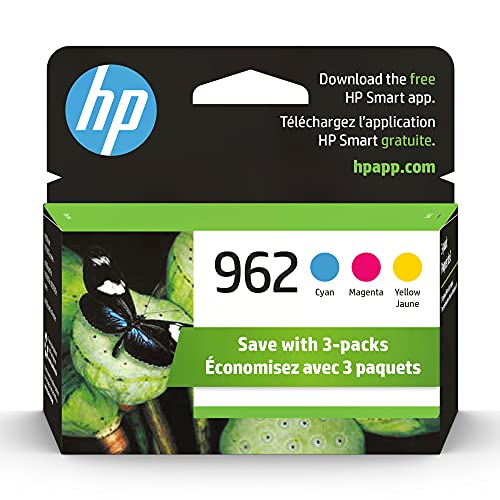
This color trio is built to deliver bright cyan, magenta, and yellow tones with HP’s color-matching technology, ensuring consistency across prints. The cartridge yields are designed for high-volume color work, making it suitable for small offices and home offices that print marketing materials or graphics. Compatibility covers OfficeJet 9010/9020 series and related Pro models, supporting reliable color output across tasks.
HP 952 Cyan, Magenta, Yellow Ink Cartridges (3-Pack)

This 3-pack provides cyan, magenta, and yellow inks designed for HP printers within the OfficeJet series noted in the listing. It offers a balanced color spectrum with dependable yield per color to support everyday color printing tasks, including photos, graphics, and color-rich documents. The pack is a practical choice for users seeking consistent color output across multiple color cartridges.
HP 923 Cyan, Magenta, Yellow Standard Yield (3-Pack)

This standard-yield package provides cyan, magenta, and yellow inks suitable for HP OfficeJet 8120 and related Pro 8130 series devices. With approximately 400 pages per color, it strikes a balance between cost and color depth for moderate color printing tasks. The set is compatible with multiple HP models and supports regular color printing without frequent replacements.
HP 936 Cyan, Magenta, Yellow Ink Cartridges (3-Pack)

This 3-pack delivers cyan, magenta, and yellow inks designed for HP OfficeJet and Pro Wide Format printers. With up to 800 color pages per cartridge, it suits users who regularly print color-rich documents and photos. The compatibility range covers OfficeJet 9120, Pro 9110, and Wide Format 9730 series, offering reliable color density and print quality for business and home use.
Buying Guide
Key purchase considerations for cyan, magenta, and yellow ink cartridges include yield, compatibility, and color accuracy. First, evaluate page yield per color; higher yields reduce replacement frequency for color-heavy tasks such as marketing materials or photo printing. Next, verify printer compatibility by model and series to avoid mismatches that can affect print quality or cause errors. Consider page type and print volume—some packs are optimized for mixed-document printing, while others suit high-color graphics outputs. Finally, review whether instant ink or subscription options apply and compare warranty or compatibility claims with your specific printer setup. For color fidelity, choose genuine HP color packs that align with your device’s color management profiles for consistent results across documents and photos.
Additional notes on depth and perspective:
- Color yields vary by printer and print mode; higher quality settings increase ink consumption.
- Multi-pack options often provide better value and guaranteed color matching across all colors in the set.
- Instant Ink or subscription programs can simplify replacements for high-volume color printing.