Converting old video cassette tapes and audio cassettes to digital formats is a practical way to preserve memories. The best devices combine simple operation, reliable USB or SD card capture, and compatibility with modern computers and players. This guide highlights five top options for turning cassette tapes and video tapes into MP3s, MP4s, DVDs, or digital files, with practical buying tips to fit different needs and budgets.
| Brand | Product | Format Supported | Key Benefit |
|---|---|---|---|
| DIGITNOW | DigitNow Cassette Tape To MP3 CD Converter Via USB | MP3 via USB | Direct cassette-to-digital conversion with 3.5mm output |
| KLIM | KLIM K7 Cassette Tape Player – Cassette to MP3 Converter | MP3 on SD card | Built-in SD storage with portable design |
| Reshow | Reshow Cassette Tape Player – Portable Tape Player | MP3 via USB | Compact converter for laptops and PCs |
| My Needle Store | Original Factory Sealed Cassette Adapter for Camcorders | VHS-C / VHS to digital via adapter | Bridge old VHS-C footage to modern players |
| ClearClick | Video to Digital Converter 3.0 (Third Generation) | MP4, MP3 | Capture video and audio from VCRs and cassette tapes without a PC |
DigitNow Cassette Tape To MP3 CD Converter Via USB
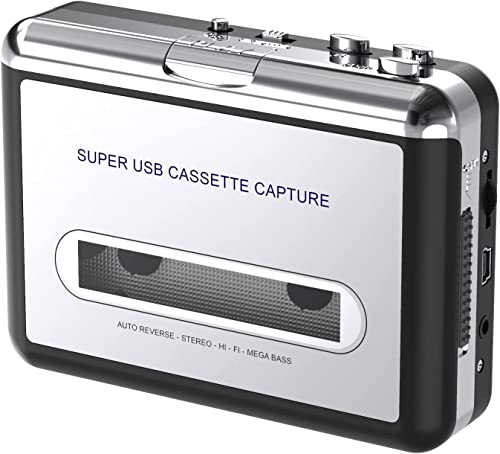
The DIGITNOW device offers a straightforward way to turn cassette recordings into MP3 files via a USB connection. It supports direct conversion to MP3, suitable for listening on portable players or burning to a CD. It emphasizes ease of use with no installation or drivers required, and includes a 3.5mm jack for headphone listening. Compatible with standard cassette Walkmans, it enables on-the-go digitization and playback through familiar headphones. This option suits users focusing on preserving audio memories without complex software steps.
KLIM K7 Cassette Tape Player – Cassette to MP3 Converter

The KLIM K7 combines a portable cassette player with a built-in MP3 converter. It includes a 16GB SD card and an SD card reader, letting you store digital files directly on the card. The device functions as a standalone MP3 player, with a built-in microphone and speaker for basic voice recording and playback. While it records audio onto the SD card rather than the cassette, its compact design makes it ideal for travelers who want to digitize tapes and carry audio on a small footprint.
Reshow Cassette Tape Player – Portable Tape Player

Reshow’s portable cassette-to-digital converter emphasizes easy USB-based MP3 output for use with laptops and PCs. It is designed for quick digitization, offering compatibility with standard 3.5mm audio input and out-of-the-box use without complex software. The device targets users who want a straightforward path from tape to digital audio, retaining a familiar listening experience while creating shareable digital files.
Original Factory Sealed My Needle Store Cassette Adapter

This adapter focuses on bridging older camcorder formats with VHS-based media. It highlights playback and recording capabilities for VHS-C tapes, making it possible to recover footage stored on retro camcorders and transfer it to modern viewing formats. The product is positioned as a nostalgic solution for reviving family videos and preserving them in a digital form for current devices, while supporting multiple model compatibility for broader use.
KLIM K7 Cassette Tape Player White – MP3 Converter

The white variant of the KLIM K7 reiterates the device’s core features: converting cassettes to MP3, extensive portability, and built-in microphone and speaker. It includes the same 16GB SD card storage and headphone-friendly design, making it a compact option for digitizing tapes while providing a handheld, on-the-go listening and recording experience for users who prefer a lighter color aesthetic.
Roxio Easy VHS to DVD 3 Plus

Roxio Easy VHS to DVD 3 Plus targets users who want a complete workflow for preserving home video. It supports transferring VHS tapes to DVD or digital formats, offers basic editing tools like trimming, color enhancement, and noise reduction, and can streamline sharing across devices. This option is suited for those who want a polished, integrated software-assisted solution to digitize and enhance legacy video footage.
ClearClick Video to Digital Converter 3.0 (Third Generation)

ClearClick’s third-generation model emphasizes direct, PC-free capture of video and audio from a range of analog sources, including VCRs, cassette decks, turntables, and more. The device records to USB flash drives or microSD cards, supporting WAV, MP3 for audio and MP4 for video. It notes that a working VCR or camcorder and physical tapes are required, making it a robust option for those who want a simple, stand-alone digitization solution without software installation.
ClearClick Video to Digital Converter 3.0 Bundle

This bundled option from ClearClick includes similar capabilities with emphasis on converting a broad spectrum of analog media, including cassette tapes and VHS tapes, into digital formats. It highlights the convenience of direct-to-storage recording and broad compatibility with legacy media players, along with essential output formats. It is well-suited for users who want a single kit covering multiple media types for archiving family footage and music collections.
Buying Guide: Key Purchase Considerations
- Source compatibility: Confirm whether the device supports cassette tapes, VHS-C, VHS, Hi8, or turntables, depending on your old media collection. Some models are focused on audio cassettes, while others handle video tapes as well.
- Output formats: Look for options that provide MP3 for audio, MP4 for video, and WAV or MP3 for high-quality audio capture. If you plan to burn to CD or DVD, ensure format compatibility and easy authoring options.
- Storage and transportability: If portability matters, choose models with built-in SD cards or compact form factors. Larger standalone units may offer direct-to-drive recording but require more space.
- Software requirements: Some devices require no software, while others pair with editing tools for trimming, color correction, or noise reduction. Consider your comfort with software versus stand-alone operation.
- Ease of use vs. control: For quick digitization, devices with simple USB capture and direct playback are ideal. If you want more editing control, a device with companion software or more advanced settings could be preferable.
- Power and durability: Portable units typically use internal batteries or USB power, while desktop options may rely on wall power. Consider build quality for long-term archival use.
- Asset protection: If preserving value tapes, choose a device that reduces the risk of degrading playback heads and avoids excessive rewinding that could damage older media.
- Warranty and support: A reliable warranty and accessible customer support can be crucial when dealing with valuable legacy media.
Across these options, the best choice depends on your media type, desired output format, and how hands-on you want the digitization process to be. For quick audio-only preservation, USB cassette converters offer simplicity. For complete video and audio archiving, stand-alone converters with straightforward record-to-drive workflows provide a comprehensive solution. Always verify that your chosen model supports your specific tape formats and that the included cables or adapters fit your equipment.