Choosing the right electronic whiteboard can transform meeting efficiency, hybrid collaboration, and classroom training. This guide highlights five top devices designed for conference rooms, classrooms, and home offices. Learn how each board handles 4K visuals, multi-touch, built-in cameras and microphones, dual operating systems, and seamless wireless sharing. Use the buying guide to compare features and pick a model that fits your space and workflow.
| Product | Brand | Size | Key Features |
|---|---|---|---|
| OmninexHub 65″ Smart Board | OmninexHub | 65″ | 4K UHD, 20-point touch, dual OS, built-in camera/mic/speakers, wireless sharing |
| QIXZOCV 65″ Smart Board | QIXZOCV | 65″ | 4K UHD, 20-point touch, Android 13/Windows options, remote collaboration |
| MINZONA 55″ Smart Board | MINZONA | 55″ | 8GB/128GB, 4K, 20-point touch, QR transfer, Android 14 |
| JYXOIHUB 65″ Collaboration Hub | JYXOIHUB | 65″ | 20MP camera, dual OS, robust app ecosystem, video conferencing |
| HORION 55″ Smart Board | HORION | 55″ | 4K, 40-point touch, Android/Windows options, remote collaboration |
OmninexHub 65″ Smart Board Overview
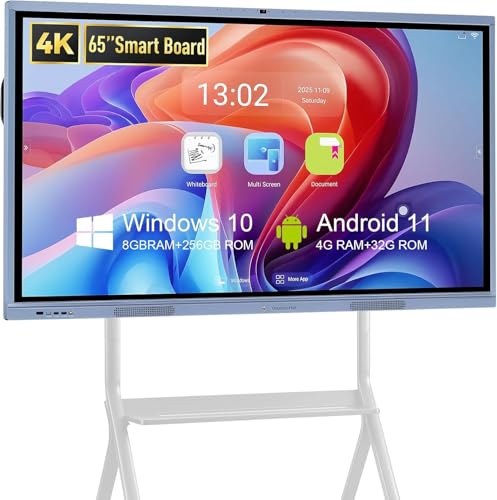
The OmninexHub 65-inch 4K UHD interactive whiteboard combines a high-sensitivity touch surface with robust processing and dual operating systems. Its octa-core processor supports 4K visuals and a 178-degree viewing angle. With 20-point touch, multiple participants can write, annotate, and brainstorm in real time. The board includes cross-device wireless screen sharing across Mac, Windows, iOS, and Android, enabling seamless collaboration during meetings and class sessions. Additional tools such as smart polling, screenshot capture, timers, and a 6-millisecond pen response time streamline decision-making and ideation. The integrated 20MP camera, array of microphones, and built-in speakers support hybrid meetings via Zoom or Teams, making it a solid choice for modern conference rooms and home offices.
QIXZOCV 65″ All-in-One 4K Smart Board

The QIXZOCV smart board integrates an 8GB RAM/128GB ROM system with a 4K UHD display and 20-point touch. It is designed to reduce clutter by delivering an all-in-one solution for classrooms and offices, including professional conferencing tools and interactive software. Its wireless collaboration capabilities let participants share screens remotely, while the built-in 13MP camera and dual 20W speakers support clear video conferencing. The device runs Android 13 and offers an optional Windows OS, enabling flexible software ecosystems and streamlined setup for hybrid environments.
MINZONA 55″ Interactive Whiteboard

The MINZONA smart board offers an 8+128GB Android-based system with 20-point touch and 4K ultra-HD display. The device emphasizes collaboration, including QR code-based content transfer and the ability to mirror screens from laptops and mobile devices without cables. The type-C interface supports reverse control from a laptop, making it convenient for presenters who switch devices often. The combination of Android OS and solid hardware supports smooth multi-user interactions in classrooms or offices, while the QR content transfer helps capture and share notes quickly.
JYXOIHUB 65 Inch Collaboration Hub

The JYXOIHUB board features a 20MP camera, eight microphones, and two 20W speakers to support video conferencing with Zoom, Google Meet, Microsoft Teams, and Webex. It runs dual systems—Android (Android 11, 4GB RAM + 32GB ROM) and Windows (9th gen 9300H OPS with 8GB RAM + 128GB SSD). This ensures robust performance for both writing and presentation tasks. The platform supports a wide app ecosystem, enabling teams to use familiar tools and workflows without significant retraining. A 6ms pen response time provides a natural writing feel on the large touch surface.
HORION 55-Inch Interactive Smart Board
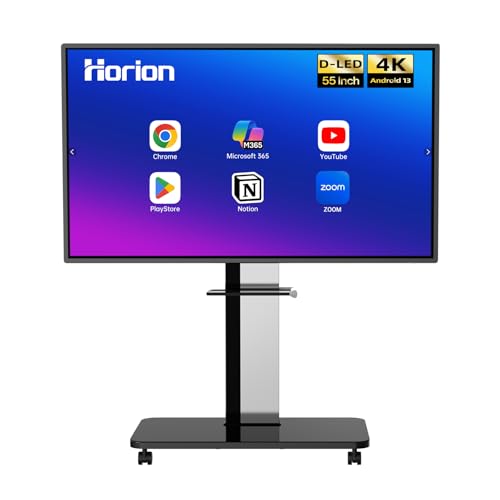
The HORION 55-inch board provides a 4K UHD display with 40-point multi-touch and a high-precision infrared touch frame. It supports Android 13 and Windows OS via an external OPS, allowing quick switching between systems for versatile use in classrooms and offices. Features like remote whiteboard collaboration and handwriting recognition enhance collaboration across locations, while a strong Android-Windows dual-system setup supports a variety of software environments. This board targets teams that value simultaneous multi-user interaction and flexible OS options.
HORION 65-Inch Dual-System Smart Board
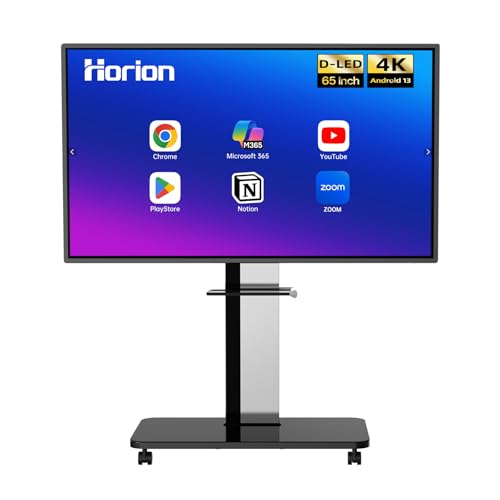
This 65-inch HORION model mirrors the 55-inch design with 4K UHD, 40-point touch, dual OS, and a strong emphasis on remote collaboration. The device supports Android 13 and Windows OS with optional OPS, enabling one-click system switching for efficient meetings. The open app ecosystem fosters flexibility to deploy the tools teams already use, facilitating quick adoption and continued productivity in dynamic meeting spaces.
OmninexHub 86″ Dual-OS Interactive Board

The larger 86-inch OmninexHub board emphasizes professional conference capabilities with eight microphones and dual 20W speakers to support Zoom, Meet, and Teams. Its 20-point multi-touch enables multiple participants to interact simultaneously, while features like split-screen, wireless mirroring, and QR code sharing streamline group work. With Android and Windows dual-system power, it provides full PC functionality and a vivid 4K display for clear presentations and remote collaboration in large conference environments.
Buying Guide: Key Purchase Considerations
- Screen size and viewing distance: Larger boards (65″ and above) are ideal for crowded conference rooms or classrooms, but require more space and higher brightness for daylight environments.
- Touch capacity and responsiveness: Look for 20-point or higher touch support and low latency (ideally under 8-10 ms) to ensure natural handwriting and quick edits during meetings.
- Operating system and app ecosystem: Dual-OS systems (Android and Windows) provide flexibility, while an open app ecosystem helps you deploy familiar tools. Verify supported conferencing apps and compatibility with existing hardware.
- Built-in peripherals: Cameras, microphones, and speakers enable seamless videoconferencing. Check the number of mics, speaker power, and camera resolution to ensure clear audio and video for remote participants.
- Wireless sharing and collaboration: Cross-device screen sharing, AirPlay/Chromecast/Miracast compatibility, and QR-based file transfer boost collaboration without wires.
- Installation and mounting: Wall-mount kits are common, but some models offer optional stands. Ensure the mount compatibility fits your room and wall structure.
- Durability and warranty: Consider panel durability, heat management, and vendor warranty, especially for high-usage conference rooms.
- Future-proofing: If you anticipate growing your collaboration needs, prioritize boards with strong software support, frequent updates, and robust peripheral compatibility.
In sum, each option balances 4K clarity, touch responsiveness, and conferencing capabilities for hybrid work environments. The right choice depends on room size, existing software ecosystems, and the level of collaboration you require. Use the buying guide to align features with your use case and to compare differences across models.