Choosing the right DOCSIS 3.0 cable modem approved for Comcast Xfinity can lower rental costs and improve reliability. This guide highlights top models that work well with Xfinity and other major providers, emphasizing compatibility, performance, and value. Each option below includes a quick overview, key features, and a direct link to an Amazon product page for easy comparison.
| Product | Brand | DOCSIS | Max Speed |
|---|---|---|---|
| ARRIS SURFboard SB6183-RB | ARRIS | DOCSIS 3.0 | 1 Gbps |
| Motorola MB7621 | Motorola | DOCSIS 3.0 | 900 Mbps |
| ARRIS Surfboard SBG6950AC2 | ARRIS | DOCSIS 3.0 | 400 Mbps |
| Netgear CM500 | NETGEAR | DOCSIS 3.0 | 400 Mbps |
| ARRIS SURFboard SB8200 | ARRIS | DOCSIS 3.1 (2.Gbps capable) | Up to 2 Gbps (DOCSIS 3.1) |
Note: These models are widely compatible with Comcast Xfinity and other major cable providers. Availability and exact plan compatibility can vary by region, so always verify with your service provider before purchasing.
ARRIS SB6183-RB Cable Modem

The SB6183-RB is a DOCSIS 3.0 modem with 16×4 channel bonding, designed for reliable performance on Comcast Xfinity, Cox, Spectrum, and other major cable providers. It does not include Wi‑Fi or voice services, so you’ll need a separate router to create a home network. It’s approved for US cable internet plans but remains a straightforward, budget-friendly option for modem-only setups.
Motorola MB7621 Cable Modem
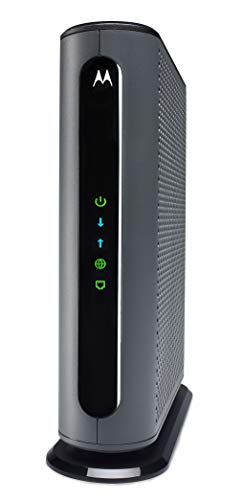
The MB7621 supports DOCSIS 3.0 with up to 900 Mbps speeds. It’s recommended for typical home networks and pairs with any WiFi router to provide a solid backbone for streaming, gaming, and multiple devices. The modem is a cost-effective choice for households seeking to minimize rental fees without built-in wireless hardware.
ARRIS Surfboard SBG6950AC2

SBG6950AC2 combines a DOCSIS 3.0 modem with an AC1900 Wi‑Fi router in a single gateway. It features four Gigabit Ethernet ports and a user-friendly app for network management. This model is well-suited for households that want an all-in-one solution, simplifying setup while delivering solid speeds for typical online activities.
NETGEAR CM500 Cable Modem
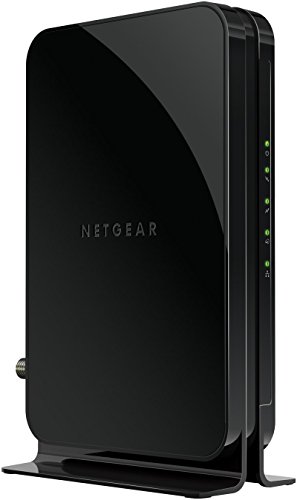
The CM500 is a DOCSIS 3.0 modem designed for speeds up to 400 Mbps, making it an economical option for many Xfinity plans. It works with any router via Ethernet, enabling a flexible setup for households that already own a preferred wireless router. It’s a simple, reliable choice for basic internet needs.
ARRIS SURFboard SB8200 (3.1) Modem
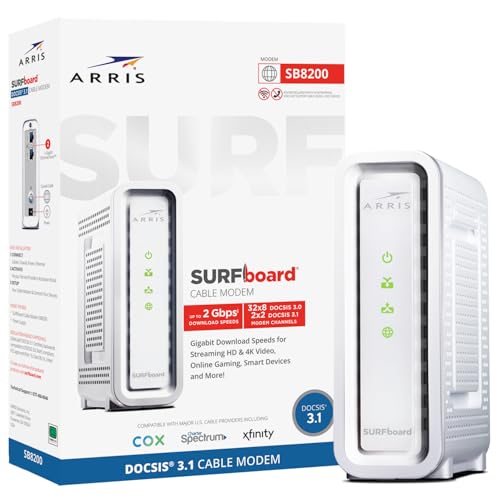
SB8200 is a DOCSIS 3.1 modem that supports cable internet plans up to 2 Gbps and Easily connects to two Ethernet ports for link aggregation. While it is DOCSIS 3.1, it remains compatible with many Comcast Xfinity plans, and it offers a future-ready upgrade path for higher-speed service. It’s ideal for households planning to scale beyond 1 Gbps.
Buying Guide: Key Purchase Considerations
- DOCSIS version and speed: If you currently have plans up to 1 Gbps, DOCSIS 3.0 models like SB6183-RB, MB7621, SBG6950AC2, and CM500 offer solid performance. For future-proofing and higher-tier plans, consider DOCSIS 3.1 devices like SB8200.
- Provider compatibility: Verify Comcast Xfinity compatibility and check with your region’s service terms. Some providers require specific modes or activation processes.
- Modem vs. gateway: Decide if you want a modem-only device (connects to your own router) or a gateway that includes built-in Wi‑Fi. Modem-only options can reduce cost over time but require a separate router.
- Wi‑Fi needs: If you need wireless coverage across multiple rooms, choose a model with a capable router or pair with a robust third-party router for better performance in dense environments.
- Installation and setup: Look for models with simple setup and straightforward management apps. Some devices offer mobile apps to monitor status and optimize networks.
- Future growth: If you anticipate faster service or multi-device traffic, DOCSIS 3.1 options may provide longer-term value, even if your current plan is slower.
- Price vs. rental savings: Owning a modem can save monthly rental fees over time. Compare upfront cost to expected savings based on your service plan and rental rates.
- Warranty and refurbishments: If buying refurbished or renewed devices, verify warranty terms and return options to avoid unexpected issues.
Across these options, consumers should prioritize compatibility with their service plan, whether they want a standalone modem or a gateway, and the potential long-term savings from owning the equipment. Each model above offers reliable performance for Comcast Xfinity and other major providers, helping you reduce monthly rental costs while maintaining solid home connectivity.