In a world where reliable video quality matters—whether for work, streaming, or virtual meetings—affordable USB webcams can deliver solid performance without breaking the bank. This guide surveys five well-rated options designed to upgrade your video calls, live streams, and online classes. Each entry highlights core features like Full HD resolution, built-in mics, privacy shutters, and plug-and-play setup so you can choose the best value for your needs.
| Product | Resolution & Frame Rate | Audio | Privacy & Install |
|---|---|---|---|
| NIVEOLI Webcam 1080P | 1080p @ 30fps | Built-in dual mics with noise reduction | Privacy cover; USB 2.0 plug & play |
| VIZOLINK 1080P Webcam | 1080p @ 30fps | 2 built-in noise-reduction mics | Privacy cover; plug & play |
| Diccik 1080P Webcam | 1080p @ 30fps | Integrated microphone with noise reduction | Plug & play USB; easy clip mount |
| Logitech Brio 101 | Full HD 1080p; advanced light balance | Built-in mic | Privacy options; compatible with major platforms |
| NexiGo N60 | 1080p @ 30fps | Built-in noise-canceling mic | Privacy cover; USB plug & play |
Note: All products listed support common video conferencing platforms and offer straightforward setup with no driver installations required in most cases. This selection emphasizes value without sacrificing essential features for clear visuals and audio.
NIVEOLI Webcam 1080P With Microphone

The NIVEOLI 1080p webcam delivers true Full HD video at 30 frames per second with HDR for better exposure in mixed lighting. Its dual built-in mics capture clear stereo sound while suppressing background noise, helping conversations stay natural in busy environments. A privacy shutter provides quick lens coverage, and the USB 2.0 plug-and-play design requires no drivers for fast setup.
VIZOLINK 1080P Web Camera With Privacy Cover
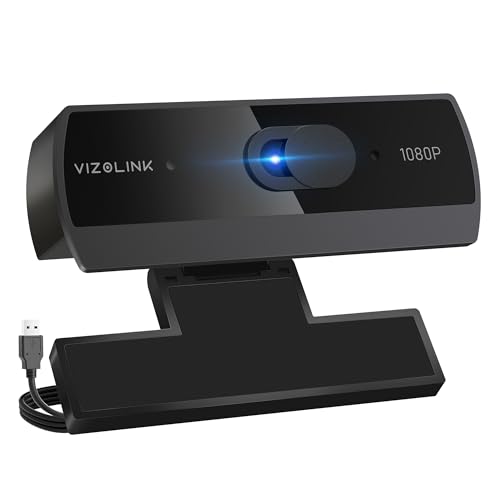
The VIZOLINK W2N webcam records at 1080p with 30fps and uses automatic light correction to maintain color and brightness in varying lighting. It includes two noise-reducing mics to deliver clearer vocals during meetings, webinars, or streams. The camera is designed for easy plug-and-play setup on PC or Mac with a built-in privacy shield for security.
Diccik 1080P Webcam With Microphone

The Diccik 1080p webcam provides crisp Full HD video at 1080p/30fps, suitable for streaming and conferencing. It features an integrated microphone with noise reduction to ensure your voice is heard clearly while minimizing background noise. The device is plug-and-play for Windows or Mac, with a flexible clip for mounting on a monitor or desk.
Logitech Brio 101 Full HD 1080p Webcam

The Logitech Brio 101 offers advanced light balance to boost brightness by up to 50% and reduce shadows during video calls. It includes a built-in microphone and privacy features, with broad compatibility across popular video platforms like Zoom and Teams. The camera is designed for reliable performance on laptops and desktops and supports multiple system configurations.
NexiGo N60 1080P Webcam

The NexiGo N60 delivers 1080p video at 30fps with a noise-canceling microphone for clearer audio during meetings and streams. It includes a privacy cover and a simple USB plug-and-play setup, making it suitable for home offices, classrooms, and remote work setups. Its flexible mounting and broad OS compatibility simplify deployment across devices.
Shcngqio 1080P HD Webcam

The Shcngqio TWC29 provides 1080p Full HD video with a wide-angle lens and a noise-canceling microphone. It features automatic light correction to optimize brightness and color for varying lighting conditions. A privacy shutter adds security, and the plug-and-play USB setup makes it easy to deploy across devices.
1080P Webcam With Privacy Cover

This generic 1080p webcam emphasizes privacy with a built-in shutter and a 360-degree rotation feature for flexible framing. It supports USB-A connections and requires no extra drivers in most setups, making it a straightforward choice for secure, versatile video experiences.
Logitech C270 HD Webcam
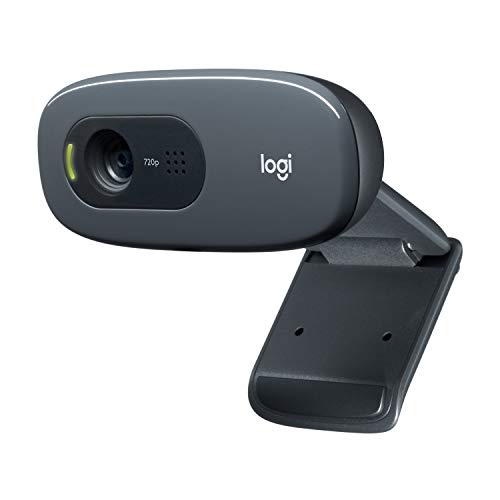
The Logitech C270 provides 720p HD video with auto light correction and a built-in noise-reducing microphone. It’s compatible with major platforms such as Zoom and Skype, and includes features like GameChat compatibility on Nintendo Switch 2, making it a versatile option for casual calls and entertainment setups.
Buying Guide: Key Purchase Considerations
- Resolution and frame rate: For sharp video, aim for 1080p at 30fps. Some budget options offer 720p; consider your typical usage and bandwidth.
- Autofocus and light handling: Cameras with automatic light correction or exposure adjustments help maintain clear video in diverse lighting.
- Audio quality: Built-in microphones with noise reduction improve speech clarity, though an external mic can further enhance audio in noisy spaces.
- Privacy features: A physical privacy shutter protects against unauthorized access and dust when the camera isn’t in use.
- Plug-and-play simplicity: USB plug-and-play devices install quickly on Windows, macOS, and most Linux variants without extra software.
- Compatibility: Confirm compatibility with your preferred platforms (Zoom, Teams, Skype, OBS, etc.) and devices (PC, Mac, laptop, desktop).
- Mounting flexibility: Look for clip-on or stand mounting and 360-degree rotation to frame shots easily in various setups.
- Privacy and security: Avoid cameras that require drivers or unnecessary software; prefer hardware-level privacy controls when available.
These options emphasize affordability while maintaining essential features such as Full HD video, reasonable audio, and convenient privacy controls. When selecting, weigh your typical environment—lighting, background noise, and the need for portability—to choose the camera that best balances performance with cost.