Finding a cost-effective printer that pairs well with a Chromebook doesn’t have to be hard. This guide highlights five affordable all-in-one printers that deliver solid color output, easy wireless setup, and reliable performance for basic home or student tasks. Each model supports Chromebook-friendly features like simple web printing, cloud access, and mobile printing. Read on to compare key specs, explore real-world strengths, and discover buying tips tailored for Chromebook users.
| Product | Brand | Key Benefit | Approx. Print Capabilities |
|---|---|---|---|
| HP DeskJet 2827e | HP | AI-assisted formatting for clean prints | Color: up to 5.5 ppm; Black: up to 7.5 ppm |
| Canon PIXMA TS3720 | Canon | Compact all-in-one for basic tasks | Black/Color: basic speeds |
| Canon PIXMA TS4720 | Canon | Automatic document feeder for quick scans | 4-in-1 (print/copy/scan/fax) |
| HP DeskJet 4227e | HP | Auto document feeder and AI-enhanced prints | Color up to 5.5 ppm; Black up to 8.5 ppm |
| Canon PIXMA TS4320 | Canon | Duplex-friendly, budget-friendly | 2-cartridge system for crisp text and color |
The following selections are organized to help Chromebook users balance price, ease of setup, and everyday print quality. Each product section provides a concise overview, essential features, and practical notes for Chromebook compatibility.
HP DeskJet 2827e Wireless All-in-One
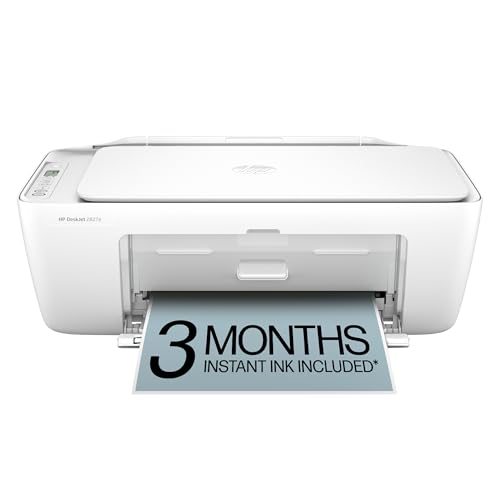
The DeskJet 2827e is aimed at home use, handling to-do lists, letters, and everyday documents with reliable color printing. It can print at speeds up to 5.5 ppm in color and 7.5 ppm in black. HP AI helps remove extraneous content, resulting in cleaner, more precise prints from web pages or emails—beneficial for students and remote workers. A 60-sheet input tray supports modest print volumes, while the device remains compact for small desks and shared spaces. This model is well suited for Chromebook users seeking straightforward wireless printing and easy setup.
Canon PIXMA TS3720 Wireless All-in-One

This model focuses on basic home printing with an all-in-one design: print, copy, and scan in a compact white chassis. It supports simple setup right out of the box, making it suitable for Chromebook users who want an uncomplicated, budget-friendly option. While it’s geared toward everyday tasks rather than high-volume printing, it provides dependable speeds for standard documents and basic color photos. The TS3720 is an attractive option for students or light-home-office hours.
Canon PIXMA TS4720 All-in-One

The TS4720 emphasizes convenience through wireless connectivity and an Auto Document Feeder for quick compilation of multi-page scans or copies. It’s designed for home use with 4-in-1 functionality (print, copy, scan, fax) to handle common household tasks. For Chromebook users, compatibility hinges on straightforward wireless printing, supported by Canon’s standard drivers and apps. It’s a practical choice for those needing a compact, versatile device without premium bells and whistles.
Canon PIXMA TS6520 Wireless Printer

The TS6520 stands out with duplex printing and a compact design, offering flexibility for both home and hybrid work scenarios. It supports a range of print tasks—from documents to photos—via a 2-cartridge hybrid ink system that balances cost with print quality. Chromebook users benefit from easy setup and intuitive control panels, making it a solid pick for those who want a reliable all-in-one with basic photo capabilities and efficient everyday printing.
HP DeskJet 4227e Wireless All-in-One
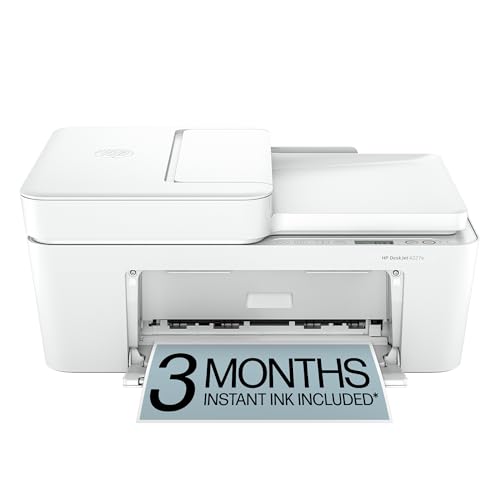
The DeskJet 4227e is designed for home tasks with a notable emphasis on a 60-sheet input tray and auto document feeder. It delivers color printing and reliable black text prints at up to 8.5 ppm, which is strong for its class. The HP AI features help ensure printed content matches user intent, reducing wasted pages. For Chromebook users, setup and wireless printing are generally straightforward, making this model a practical pick for busy households that print a mix of documents and light graphics.
HP DeskJet 4255e Wireless All-in-One
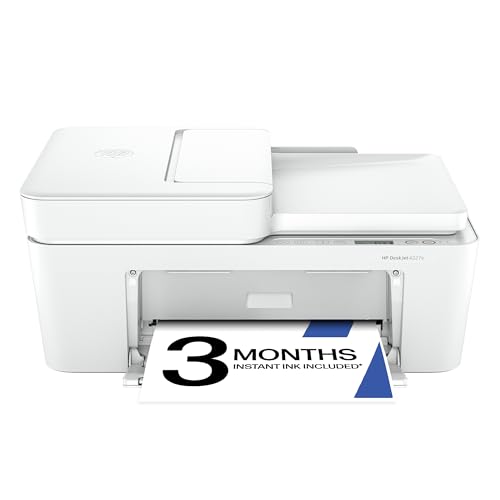
The DeskJet 4255e offers all-in-one functionality with wireless printing, scanning, and copying. It’s optimized for home users and includes an AI-assisted feature set to optimize print layouts. It operates on 2.4 GHz networks, which can simplify connectivity for Chromebook users. With a balance of color speed and ease of use, it’s suitable for everyday chores, schoolwork, and light office tasks within households on tighter budgets.
Buying Guide for Chromebook-Friendly Printers
- Compatibility and setup: Look for printers that offer straightforward wireless setup, cloud printing, and reliable Chromebook driver support. Models with simple onboard menus and mobile app pairing tend to reduce frustration when connecting a Chromebook.
- Print quality vs. cost: Budget devices typically deliver solid text but may lag on photo quality. If you print photos or graphics occasionally, focus on printers with better color cartridges and a user-friendly color print mode.
- Print speed and volume: For homework and home offices, moderate speeds (5–9 ppm color/black) are usually sufficient. Consider your typical monthly page volume and whether you need auto document feeder (ADF) for multi-page tasks.
- Ink strategy and running costs: Evaluate the cost per page and whether the model supports high-yield cartridges or instant ink plans. HP Instant Ink and similar programs help control ongoing costs for frequent printers.
- Connectivity options: Ensure dual-band Wi-Fi (2.4 GHz/5 GHz) or USB/Ethernet options align with your setup. Chromebook users often rely on wireless printing via Google Cloud Print-style functionality or manufacturer apps.
- Size and desk fit: Measure your workspace. Compact designs are ideal for small desks, while larger all-in-ones provide more paper capacity and features like ADF.
- Warranty and support: Budget models vary in warranty length and customer support responsiveness. Consider models with accessible online tutorials and helpful service channels.
These considerations help balance price with practical needs for Chromebook users. The selections above emphasize quiet operation, user-friendly setup, and dependable basic printing, copying, and scanning performance for everyday tasks without premium pricing.