Discover top car TVs and HDMI streaming solutions that bring Netflix and other apps to the backseat or the driver’s display. This guide focuses on reliable, plug-and-play devices that transform a vehicle into a mobile entertainment hub, supporting Netflix, YouTube and more on the go. Each option below highlights ease of use, screen size, connectivity, and compatibility with 2016+ cars.
| Product | |
|---|---|
| ByteWave 3-in-1 Wireless CarPlay Adapter | Wireless CarPlay/Android Auto, HDMI input, 2K 60Hz streaming, Netflix/YouTube capable |
| Joywind 3-in-1 Wireless Car TV Hub | CarPlay + Android Auto + HDMI input, 2K streaming, plug-and-play |
| Seventour 14″ Android Car TV Headrest | Android 13, YouTube/Netflix/Disney+ compatibility, 14″ IPS touch |
| Spedal Netflix & YouTube Car TV Adapter | Built-in Netflix & YouTube apps, HDMI input, wireless CarPlay |
| NOAUKA 10.1″ Android 13 Car TV | Android 13, Netflix/YouTube compatible apps, wireless mirror link |
ByteWave 3-in-1 Wireless CarPlay Adapter

The ByteWave 3-in-1 adapter combines Wireless CarPlay, Android Auto, and an HDMI input to turn a factory system into a wireless entertainment hub. It enables instant access to maps, media, and voice assistants, with streaming flexibility for in-car Netflix and YouTube via HDMI-enabled devices. Setup is designed to be plug-and-play, requiring no app installation. A compact metal-and-glass case provides a durable build for active road trips. Note that an external streaming device (e.g., Fire TV Stick) is required for HDMI streaming.
Joywind 3-in-1 Wireless Car TV Hub

Joywind offers a unified 3-in-1 solution that merges Wireless CarPlay and Wireless Android Auto with an HDMI TV input. This device turns the car screen into a mobile entertainment theater by supporting streaming from devices like Fire TV Stick or Google TV up to 2K resolution. Real-time screen mirroring from compatible phones is supported, and setup is designed to be true plug-and-play without requiring apps. It’s ideal for passengers who want Netflix or YouTube on longer trips.
Seventour 14 Inch Android Car TV Headrest

This 14-inch Android headrest monitor delivers a large, high-resolution display designed for back-seat viewing. It runs Android 13, supports 5G WiFi, and provides access to YouTube, Netflix, Disney+, Prime Video, HBO, and more through the Google Play Store or APKPure. The monitor mounts with a sturdy metal bracket and includes dual power adapters, making it compatible with a wide range of car models. It aims to provide a comprehensive mobile entertainment experience for rear-seat passengers.
ByteWave 2-in-1 Wireless CarPlay & HDMI TV Mate Pro

The Car TV Mate Pro merges Wireless CarPlay with an HDMI input in a compact package. It enables iPhone CarPlay apps to appear on the car’s display while offering HDMI streaming from devices like Fire TV Stick or game consoles. Streaming integrity relies on the external streaming device and vehicle Wi-Fi. This model emphasizes a streamlined user experience with quick, app-free connections and simple wireless CarPlay activation on entering the vehicle.
NOAUKA 10.1 Inch Android Car TV Headrest

NOAUKA’s 10.1-inch Android 13 car headrest monitor provides 4K-like clarity on a compact display. It supports 5G WiFi and phone hotspot connections for streaming apps such as Netflix and YouTube. Built-in mirroring via AirPlay and Miracast allows screen sharing from iOS and Android devices. With multi-port inputs and OTA updates, it’s designed to stay current and broadly compatible with most vehicles.
Bsldtor 10.1″ Android Car Monitor
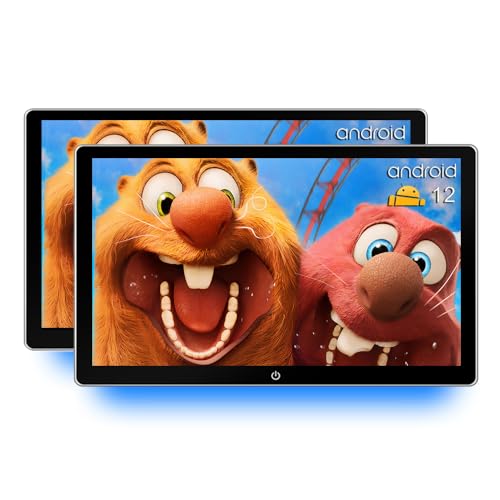
Bsldtor’s Android 12-based back-seat monitor focuses on WiFi streaming, including Netflix and YouTube. It features a 10.1-inch touchscreen, Bluetooth, USB/HDMI inputs, and FM transmission to car speakers. The package typically includes dual monitors for a multi-screen setup, enabling children or passengers to enjoy streaming content on long trips. If app compatibility is a concern, consider potential updates or app availability on Android 12.
Spedal Car TV Adapter with Netflix & YouTube
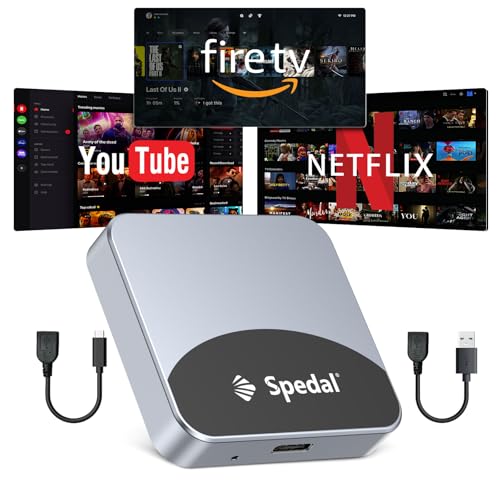
Spedal’s Netflix & YouTube car TV adapter emphasizes built-in streaming apps. It includes an HDMI input to connect streaming sticks or consoles and supports wireless CarPlay with iPhone or Android Auto with compatible devices. The device is designed for a plug-and-play experience, prioritizing quick access to popular streaming services on the car display while maintaining essential CarPlay features for navigation and calls.
GTRUI 11.1-Inch 2K QLED Car Screen

This 11.1-inch Android 14 car TV offers a 2K QLED touch screen with a robust multimedia experience. It supports streaming apps via 5G WiFi, including Netflix and YouTube, and includes HDMI/RCA inputs for external devices. With 2G RAM and 32G storage, it enables smooth app performance and media playback, making it suitable for families seeking a larger, high-quality viewing option in the back seat.
Buying Guide
- Streaming apps and preinstalled services: Some devices ship with Netflix or YouTube pre-installed; others require you to install apps via Google Play or use a connected streaming stick. Verify Netflix compatibility and any required subscriptions.
- Display size and quality: Larger screens improve viewing comfort on long drives. Look for IPS panels with high resolution and wide viewing angles for back-seat passengers.
- Connectivity: Ensure the device supports your vehicle’s power setup, USB ports, and whether it requires in-car Wi-Fi or a hotspot. HDMI input devices expand entertainment options but require compatible streaming hardware.
- Ease of use: Plug-and-play setups with minimal app installation save time and reduce complexity while driving. Consider devices that reconnect to CarPlay or Android Auto automatically on entry.
- Compatibility and mounting: Check compatibility with your car’s model year and the mounting solution. Headrest monitors provide rear-seat viewing, while dash integrations preserve front-seat visibility for drivers.
- OTA updates and future-proofing: Some devices offer OTA updates to improve app compatibility and performance. This is valuable for maintaining Netflix and other apps over time.
- Two-device ecosystems: If you want both in-car streaming and standard phone mirroring, choose devices that support wireless CarPlay/Android Auto alongside HDMI streaming.