Finding robust external storage for a Mac involves balancing speed, capacity, and durability. This guide highlights five compatible options that work well with macOS, including portable HDDs and SSDs designed for easy backups, travel-friendly use, and secure data handling. Each product section includes a concise feature overview and practical notes to help you compare at a glance.
Summary table of selected products:
| Product | Brand | Capacity | Connection | Highlights |
|---|---|---|---|---|
| SanDisk Extreme Portable SSD | Sandisk | 2TB | USB-C / USB 3.2 Gen 2 | NVMe speed, IP65 rugged, carabiner loop |
| WD My Passport Ultra for Mac | WD | 4TB | USB-C / USB 3.1 | Hardware encryption, Mac-ready |
| WD My Passport Ultra for Mac | WD | 5TB | USB-C / USB 3.1 | Defense against ransomware, encryption |
| WD Elements Portable | WD | 2TB | USB 3.2 Gen 1/3.0 | Plug-and-play, high capacity |
| LaCie Rugged 5TB | LaCie | 5TB | USB 3.0/2.0 | Shock, dust, water resistant |
SanDisk Extreme Portable SSD — 2TB

The SanDisk Extreme Portable SSD delivers NVMe-based performance with up to 1050 MB/s read and 1000 MB/s write speeds. It is designed for high-capacity, fast access to macOS files on the go, and features IP65 water and dust resistance. A carabiner loop adds belt- or backpack-friendly portability. The drive is suitable for Mac users seeking quick backups and efficient file transfers.
WD My Passport Ultra for Mac — 4TB
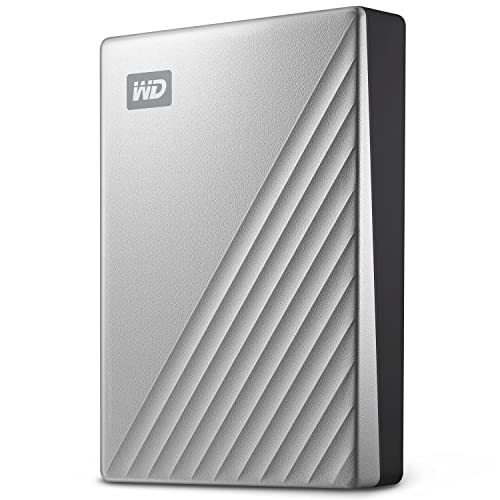
The WD My Passport Ultra for Mac offers USB-C and USB 3.1 compatibility with a sleek metal enclosure. It includes 256-bit AES hardware encryption to help protect data and is formatted for Mac right out of the box, simplifying backups and transfer tasks for macOS users. This model is a solid option for users who prioritize security and native Mac integration.
WD My Passport Ultra for Mac — 5TB
This 5TB edition expands Mac storage with the same USB-C / USB 3.1 interface and encryption features. It is designed for business and personal use, combining a refined metal look with robust data protection. The device aims to balance generous capacity and security for Mac users who handle large files or multiple backups.
WD Elements Portable — 2TB

The WD Elements Portable line emphasizes plug-and-play expansion with capacities up to 6TB in some models. The 2TB variant provides a compact, no-fuss option for macOS users who need reliable storage for photos, videos, and documents. USB 3.0/3.2 compatibility ensures broad device support, making it a versatile Mac companion.
LaCie Rugged 5TB Portable HDD

The LaCie Rugged series is known for all-terrain durability, with shock, dust, and water resistance. The drive is compatible with Mac after reformatting and includes built-in password protection, making it a solid option for travelers or fieldwork where rugged reliability matters.
Buying Guide: Key Considerations For Mac Buyers
- Compatibility and formatting: Most drives are plug-and-play with macOS, but some may arrive pre-formatted for Windows. Check if reformatting is required and choose a drive that can be reformatted to APFS or macOS Extended if needed.
- Speed vs. capacity: SSDs deliver faster backups and file access, valuable for large media libraries or working files. HDDs offer higher capacity at a lower price per terabyte, suitable for bulk storage.
- Interface: USB-C or USB 3.1/3.2 Gen 2 connections maximize transfer speeds on modern Macs. Ensure cables and adapters are included or available, especially for older devices.
- Durability: For portable use, rugged designs and protective enclosures reduce risk from drops and exposure. IP ratings and shock resistance are beneficial for travel.
- Security: Hardware-accelerated encryption (256-bit AES) protects sensitive data. Consider drives with password protection and Mac-specific software features.
- Backup compatibility: If you use Time Machine, verify compatibility. Some drives work seamlessly with macOS backup routines, while others may require formatting changes or software.
- Warranty and reliability: A longer warranty and a trusted brand help reduce long-term risk. Consider reviews and reliability data when comparing candidates.
- Portability vs. capacity: Travel-heavy users may prioritize compact, rugged SSDs; desktop-grade users may favor large HDDs with more storage.
Each option above targets Mac users seeking reliable external storage. When comparing models, weigh speed, capacity, durability, and security features against your backup workflow and travel needs. This approach helps select a drive that complements a Mac setup without compromising performance or data protection.