Finding a reliable Bluetooth adapter for a desktop PC can boost productivity and simplify connecting wireless peripherals. This guide reviews five top USB Bluetooth adapters, highlighting range, compatibility, and ease of use to help you choose the best fit for your Windows setup. Each option supports plug-and-play use and modern Bluetooth standards to minimize lag and interference.
| Product | Brand | Key Benefit | Typical Range |
|---|---|---|---|
| Long Range USB Bluetooth 5.3 Adapter for Desktop PC | Techkey | Up to 328ft open-air range with Class 1 antenna | Up to 328 ft |
| Avantree DG45 USB Bluetooth Adapter | Avantree | Windows 11/10/8.1/8 compatibility for peripherals | Typical Bluetooth range (per device) |
| Bluetooth Adapter for Desktop PC: Plug & Play 5.4 | QGOO | Up to 5 devices connected simultaneously | Room-to-room range (typical) |
| USB WiFi 6 Adapter with Bluetooth 5.3 | Auscoumer | Dual WiFi and Bluetooth, driver-free on Windows 11/10 | Dependent on environment |
| USB Bluetooth 5.4 Adapter with Long Range | Techkey | Long range up to 500 ft open area | Up to 500 ft |
Long Range Bluetooth 5.3 Adapter For Desktop PC

The Long Range USB Bluetooth 5.3 Adapter from Techkey supports Bluetooth 5.3 with ED R and backward compatibility to 5.2/4.x. It operates in dual BR/EDR and BLE modes, providing low energy consumption and high-speed connections. Its Class 1 radio design and extended antenna enable a claimed range up to 328 feet in open space, making it suitable for desktop setups that place a computer away from peripherals. The dongle emphasizes plug-and-play use, requiring no driver installation for immediate Bluetooth access to mice, keyboards, headphones, and more. Real-world results depend on walls, interference, and device power.
Key features include:
- Bluetooth 5.3 with ED R
- Dual mode BR/EDR + BLE
- Up to 328 ft (open area)
- Plug & Play, driver-free on most Windows versions
Avantree DG45 USB Bluetooth Adapter

Avantree DG45 provides Windows-centric Bluetooth support for desktops and laptops. It is designed for compatibility with Windows 11/10/8.1/8 and is intended specifically for Bluetooth devices such as headphones, speakers, keyboards, mice, printers, smartphones, and tablets. It explicitly excludes support for 2.4G wireless devices or non-Bluetooth peripherals. This model emphasizes straightforward setup with clear device compatibility and avoids interference from non-Bluetooth technologies, which helps ensure stable connections in typical office or home offices.
Highlights include:
- Windows-only compatibility (11/10/8.1/8)
- Designed for Bluetooth devices (not for Wi‑Fi or 2.4G receivers)
- Emphasis on stable peripheral connections
Bluetooth Adapter For Desktop PC: 5.4 Plug & Play

This adapter leverages Bluetooth 5.4 for fast, reliable wireless connections. It supports up to five devices simultaneously and uses dual-mode BR/EDR plus BLE. It is designed as a plug-and-play solution for Windows 11/10/8.1, with a note to disable existing Bluetooth drivers prior to use for optimal performance. It is not compatible with macOS, Linux, TVs, or car infotainment systems. The device promises quick pairing, improved anti-interference capabilities, and straightforward operation for desks with multiple Bluetooth peripherals.
Key points:
- BT 5.4 with BR/EDR and BLE
- Up to 5 devices at once
- Plug-and-play on Windows platforms
USB WiFi 6 Adapter With Bluetooth 5.3

Although primarily a WiFi 6 adapter, this Auscoumer model includes Bluetooth 5.3 support, providing a compact dual-function USB dongle for desktops and laptops. Built around the Realtek RTL8851BU chipset, it offers dual-band WiFi (2.4 GHz and 5 GHz) and a driver-free experience on Windows 11/10. The device can operate in separate Receiver and Hotspot modes, enabling shared network capabilities or standalone Bluetooth peripheral use. This option suits users who want both wireless networking and Bluetooth in a single USB stick.
Notable aspects include:
- WiFi 6 with Bluetooth 5.3
- Dual-band 2.4/5 GHz with stable coverage
- Receiver and Hotspot dual modes
USB Bluetooth 5.4 Adapter With Long Range
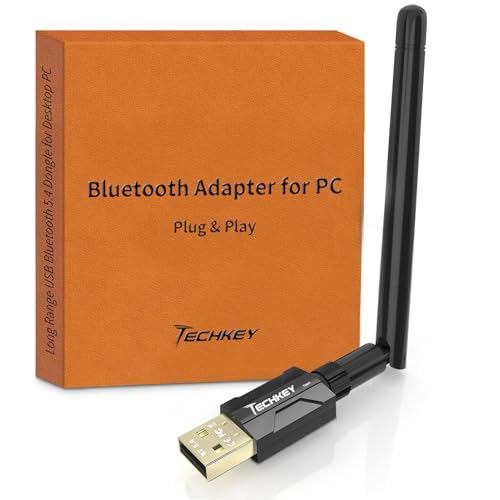
Techkey’s 5.4 Bluetooth USB dongle emphasizes long-range connectivity, featuring a Class 1 radio and a high-gain antenna to reach up to 500 feet in open spaces. It employs Bluetooth 5.4 with ED R and BLE to deliver rapid data transfer and low latency. The device is plug-and-play and claims easy, driver-free setup for Windows systems, making it suitable for desks where peripherals might be spread out. Physical obstructions and interference will affect practical range.
Key capabilities:
- BT 5.4 with long-range up to 500 ft
- Class 1 radio with extended antenna
- Plug-and-play on Windows
Buying Guide: Key Purchase Considerations
When selecting a Bluetooth adapter for a desktop, consider the following perspectives to match your needs:
- Compatibility and Windows version: Ensure the adapter supports your Windows edition and version. Some devices are labeled for Windows 11/10/8.1, with limited support for older systems or non-Windows platforms.
- Bluetooth version and features: Choose BT 5.3 or 5.4 for better range, speed, and energy efficiency. If you need simultaneous connections to multiple devices, confirm multi-device support and latency performance.
- Range and environment: Real-world range depends on obstructions, interference, and device power. For open spaces, “long-range” models can provide substantial reach; in busy homes or offices, prioritize robust interference mitigation.
- Plug-and-play vs. driver installation: If you want a quick setup, seek plug-and-play options that require no driver installation. Some models may require occasional driver updates or disabled existing Bluetooth modules.
- Form factor and USB port usage: Consider how many USB ports you can spare and whether a nano or compact dongle is preferable for a crowded PC setup or a desktop with limited space.
- Peripherals you plan to pair: Confirm compatibility with the devices you intend to use (headphones, keyboards, mice, printers, game controllers). Some adapters are optimized for audio devices, while others emphasize keyboard/mouse reliability.
- Additional features: Dual-mode BR/EDR + BLE, hotspot modes, or simultaneous device connections can influence usefulness depending on your workflow and home network.
- Reliability and support: Look for brands with solid documentation, clear compatibility notes, and customer support if you encounter driver or pairing issues.
In summary, for Windows desktops, prioritize BT 5.3 or 5.4 adapters with clear Windows compatibility, strong range, and straightforward setup. If you frequently connect multiple peripherals or require a combined WiFi and Bluetooth solution, consider models that offer dual-function features. Assess your real-world layout, then select a model that balances range, compatibility, and ease of use to sustain reliable wireless connections.