Maximize comfort and productivity with dual monitor desk mounts that offer full motion, sturdy builds, and easy cable management. This guide highlights five top options, detailing their mounting options, weight capacity, adjustability, and compatibility to help you choose the right setup for long workdays, gaming sessions, or creative tasks.
| Product | Mount Type | Screen Size Range | Weight Capacity (per arm) | Motion |
|---|---|---|---|---|
| HUANUO Dual Monitor Stand | Arms with C-Clamp or Grommet | 13″–32″ | 4.4–19.8 lbs | Swivel, Tilt, Rotate, Full Motion |
| WALI GSMP002N | Dual Arm Mount | 17″–32″ | Up to 22 lbs (per pair) | Swivel, Tilt, Rotate |
| VIVO STAND-V002O | Dual Monitor Arm | 17″–32″ | 4.4–19.8 lbs (per arm) | +90°/−90° Tilt, 360° Rotation |
| NB North Bayou F160-W | Dual Arm Desk Mount | 17″–27″ | 4.4–19.8 lbs (per monitor) | 360° Rotation, Wide Tilt |
| Mount-It! | Gas Spring Arms | 13″–32″ | Up to 17.6 lbs (per arm) | Full Motion: Tilt, Swivel, Rotate |
HUANUO Dual Monitor Stand Review

The HUANUO dual monitor stand supports 13″–32″ displays with a weight range of 4.4–19.8 lbs per monitor. It offers VESA compatibility at 75x75mm or 100x100mm and provides both C-Clamp and grommet mounting options for secure attachment to desks. The dual-arm design emphasizes stability with an upgraded base and dual C-clamp structure to minimize wobble during typing or gaming. Ideal for users needing wide compatibility and robust mounting options.
WALI GSMP002N Dual Monitor Stand
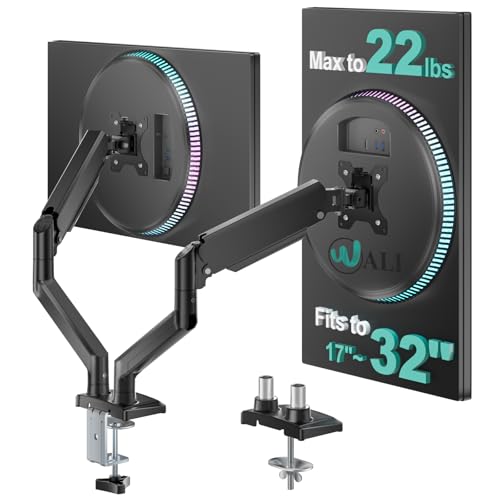
The WALI dual monitor mount supports 17″–32″ displays, with a total capacity up to 22 lbs and VESA mounting holes 75x75mm or 100x100mm. It enables dynamic adjustments with +90°/−90° swivel, +70°/−45° tilt, and 360° rotation. A long extension (up to 19.3 inches) and height reach (up to 17.3 inches) facilitate ergonomic positioning for multiple tasks, reducing neck strain during prolonged use.
VIVO STAND-V002O Dual Monitor Stand
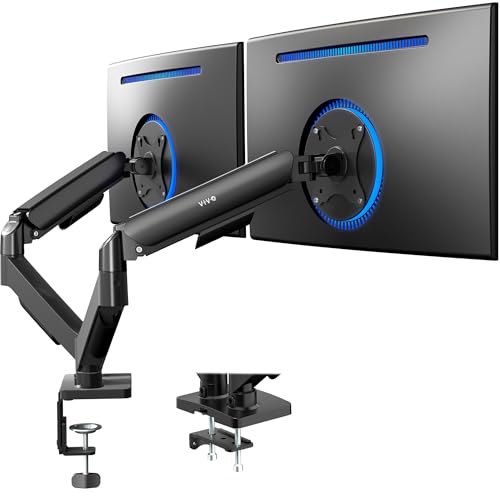
The VIVO STAND-V002O is a mechanical articulating desk mount for 17″–32″ screens weighing 4.4–19.8 lbs each, with VESA compatibility 75x75mm or 100x100mm. It offers tilt, swivel, and rotation, enabling a wide range of viewing angles. The design supports both portrait and landscape orientations, though users should note the arms may extend beyond the desk edge for some configurations.
NB North Bayou F160-W Dual Monitor Desk Mount

The NB North Bayou F160-W accommodates two monitors from 17″ to 27″ and supports up to 19.8 lbs per display. It features full motion with 360° rotation, a wide tilt range, and upright height adjustments. The arms are designed to provide ergonomic versatility, enabling smooth transitions between tasks and comfortable viewing angles for both monitors simultaneously.
Mount-It! Dual Monitor Desk Mount

The Mount-It! dual monitor desk mount uses gas spring arms to support 13″–32″ screens, with a per-arm capacity of up to 17.6 lbs. It accepts VESA 75x75mm and 100x100mm patterns and offers full motion: tilt (+90°/−45°), swivel (+/−90°), and 360° rotation. The design emphasizes ease of use with tool-free tension adjustments and a sturdy steel frame for reliable long-term use.
MOUNT PRO Dual Monitor Mount

The MOUNT PRO dual monitor mount supports 13″–32″ displays up to 17.6 lbs per arm and uses VESA 75x75mm or 100x100mm patterns. It offers 360° rotation, 180° swivel, and a tilt range of +70° to −90°, with a 16.65″ vertical height adjustment. The mount includes integrated cable management clips and supports both clamp and grommet desk mounting for flexible installation on a variety of desk types.
Buying Guide: Key Purchase Considerations
- Monitor compatibility: Check VESA pattern (75x75mm or 100x100mm) and weight per monitor to ensure each arm can safely support your screens.
- Desk compatibility: Confirm desk thickness and material, plus whether you prefer a C-clamp or grommet mounting option for stability.
- Adjustment range: Look for full motion features (tilt, swivel, rotation) and height adjustability to achieve ergonomic seated and standing positions.
- Cable management: Choose models with built-in clips or channels to keep cables organized and reduce clutter.
- Space and reach: Consider extension ranges and whether the arms can pull the monitors closer or push them back for comfortable viewing angles.
- Installation: Some mounts use gas springs for smoother motion, while others rely on manual adjustment. Choose based on preferred ease of use and maintenance.
- Stability and durability: Heavier monitors benefit from robust bases (C-clamp or grommet) and solid arm construction to prevent wobble.
- Ergonomic goals: If you frequently switch between tasks, prioritize mounts with higher height ranges and wider tilt angles to support varied work setups.
- Desk space: Take into account desk depth and territory around the mounting area to ensure clearance for chair, keyboard, and peripherals.
- Warranty and support: A longer warranty can indicate build quality and post-purchase assistance if adjustments or replacements are needed.